How to Cut Letters Out of Wood: 6 Tools Compared
A jigsaw or scroll saw cuts letters out of wood for most home projects, but a Cricut Maker only handles balsa wood up to 3/32 inch, and a CNC router only pays for itself past a dozen identical signs. Pick the wrong tool and you will fight tear-out on script fonts or pay 2,500 dollars for precision you never needed. This guide compares six real cutting methods by cost and thickness, then walks through marking, cutting letter holes, and finishing.
Quick Answer
Use a jigsaw for letters over 3 inches tall in wood up to 2 inches thick, and a scroll saw for script fonts or plywood under 1/2 inch. A Cricut Maker cuts balsa wood letters up to 3/32 inch with no power tools; a CNC router only pays off past a dozen identical letters.
Tools and Materials You Will Need
Best All-Around Pick for Cutting Wood Letters
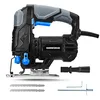
Hammerhead 4.8-Amp Jig Saw with Wood Cutting Blades
Variable speed and 4-stage orbital action handle both straight outlines and tight letter curves without changing tools.
- Best for: Letters over 3 inches tall in wood up to 2 inches thick
- Why we picked it: Tool-free blade changes make it easy to switch to a fine-tooth blade for detail cuts
- Main drawback: Struggles on the tightest inside corners of script fonts – use a scroll saw for those
Compare more wood letter cutting options
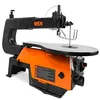 Option 1 WEN 3922 16-Inch Variable Speed Scroll Saw
|
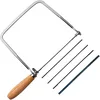 Option 2 KAKURI Coping Saw with 5 Replacement Blades
|
 Option 3 Bosch T101AO Clean-for-Wood Blades, 20 TPI
|
As an Amazon Associate we earn from qualifying purchases.
The exact tool list depends on which cutting method you pick in the comparison table below, but every method shares this core kit:
- Wood: plywood, MDF, solid hardwood, or balsa (see the wood-selection section for which to pick)
- Cutting tool: jigsaw, scroll saw, coping saw, router with a template, Cricut Maker, or CNC router
- Letter template or stencil: printed from your computer or hand-drawn
- Pencil or fine-tip marker for tracing the outline onto the wood
- Transfer or carbon paper (optional, useful for intricate script fonts)
- Clamps or a stable, secured work surface
- Drill with a small bit (1/8 inch works for most letters) for starter holes in closed letters like O, A, B, D, P, Q, and R
- Sandpaper, 120 to 220 grit
- Safety glasses, hearing protection, and a dust mask
Which Tool Should You Use to Cut Letters Out of Wood?
None of the tools below is universally “best” – the right pick depends on letter size, font complexity, wood thickness, and how many letters you’re cutting. For a broader look at how these tools handle other shapes and curves, see our woodworking tools and saws guide.
| Tool | Best For | Max Wood Thickness | Typical Cost | Precision on Tight Curves |
|---|---|---|---|---|
| Coping saw (hand) | One-off letters, no power tools | Up to 3/4 in | $9-$20 | Low – wide curves only |
| Jigsaw | Larger letters, thicker stock, fast cuts | Up to 2 in | $25-$100 | Moderate – struggles on tight inside corners |
| Scroll saw | Script fonts, tight curves, stacked cutting | Up to 1.5 in (stacked) | $100-$400 | High – can follow a pencil line |
| Router with template | Multiple identical letters, routed relief | Up to 1.5 in | $80-$250 plus template | Moderate to high |
| Cricut Maker (knife blade) | Small letters, balsa wood only | Up to 3/32 in (2.4mm) | $400-$500 | Very high – digital precision |
| CNC router (entry hobby) | Batch production, repeat identical letters | 2 in or more | $400-$5,280 | Very high – fully repeatable |
For a single sign or a handful of letters, a jigsaw or scroll saw covers nearly every project. Save the Cricut for small balsa lettering and the CNC router for runs of a dozen or more identical pieces, where the setup cost finally pays for itself.
How to Cut Letters Out of Wood: Step by Step
This process works for a jigsaw, scroll saw, or coping saw – the tool changes, but the sequence does not. It’s part of the same fundamentals covered in our broader wood cutting guide.
- Choose your wood and cutting tool: match them against the comparison table above based on letter size, font complexity, and how many you’re cutting.
- Print or draw your letter template: pick a font that isn’t overly thin or intricate if this is your first attempt – simple, blocky letters are far more forgiving to cut.
- Transfer the design to the wood: tape the template down, then trace it with a pencil or use transfer paper for script fonts where a direct trace would be hard to see.
- Drill starter holes for closed letters: for letters with an enclosed area – O, A, B, D, P, Q, R – drill a 1/8-inch hole inside the waste section, close to the traced line.
- Cut the outer outline first: clamp the wood securely, let the blade reach full speed before entering the cut, and move slowly and steadily around curves.
- Cut the interior holes: thread the blade through each starter hole and cut outward to the line, keeping the blade square to the wood to avoid tear-out.
- Sand and finish: work through 120, then 220 grit, round over sharp edges, then apply paint, stain, or a clear coat.
For the full rundown on picking wood, choosing paint versus stain, and adding decorative touches once your letters are cut, see our complete guide to making wood letters.
How Do You Cut the Interior Holes of Letters Like O, A, and B?
This is the step most beginners skip, and it’s the reason closed letters crack instead of cutting cleanly. Drill a small starter hole inside the waste area of the enclosed section – not on your traced line, just inside it. On a scroll saw, unclamp one end of the blade, thread it through the hole, and reclamp it before cutting. On a jigsaw or router, simply plunge the blade or bit into the starter hole and cut outward to the line, then follow the line around until the waste piece drops free.
The same starter-hole logic applies to any enclosed shape you’re cutting into wood, not just letters – see our guide on cutting a clean circle in wood if the interior of your letter is a true circle, like the counter of an O.
“The letter-cutting mistake I see most often in my shop is skipping the starter hole on closed letters – the blade catches at the tightest point of the curve and the interior piece cracks out instead of dropping free clean.”
Can You Cut Wood Letters With a Cricut Maker?
Yes, but only within real limits. The Cricut Maker’s knife blade cuts balsa wood up to 3/32 inch (2.4 mm) thick – it cannot cut plywood, MDF, or hardwood. You’ll need the strong grip mat (standard and light grip mats will not hold the wood), masking tape around the edges of the wood to keep it from shifting, and canned air to clear sawdust mid-cut since the machine has no dust extraction. The knife blade only runs at one speed setting, so thicker balsa takes multiple passes and noticeably longer than thin material. Maximum cutting width is roughly 11.5 inches, matching the machine’s mat size.
📊 The Cricut Maker’s knife blade cuts balsa wood up to 3/32 inch (2.4mm) thick. – Source: Cricut Help Center
For a full walkthrough of setup, calibration, and design software steps, see our dedicated guide on whether a Cricut can cut wood. If your letters need to be bigger than a few inches or cut from anything sturdier than balsa, go back to the jigsaw or scroll saw instead.

Choosing the Right Wood for Cutting Letters
Balsa wood is the lightest option and works with hand tools or a Cricut Maker, but it’s fragile and best kept to small, indoor letters. Plywood and MDF are the most forgiving choices for beginners – both cut cleanly with a jigsaw or scroll saw and hold paint well, though MDF produces more fine dust and swells if it gets wet. Solid hardwood, such as walnut, oak, or maple, is the right call when you want the grain to show through a stain rather than painting over it, but it costs more and dulls blades faster. For anything going outdoors, switch to cedar, teak, or pressure-treated lumber – see our cedar wood project ideas for outdoor-rated options and finishes.
Thickness matters as much as species. Most signs and decorative letters work fine at 1/4 to 1/2 inch. Anything over 3/4 inch needs a jigsaw, router, or CNC router – a scroll saw or coping saw will bog down, and a Cricut Maker cannot cut it at all.
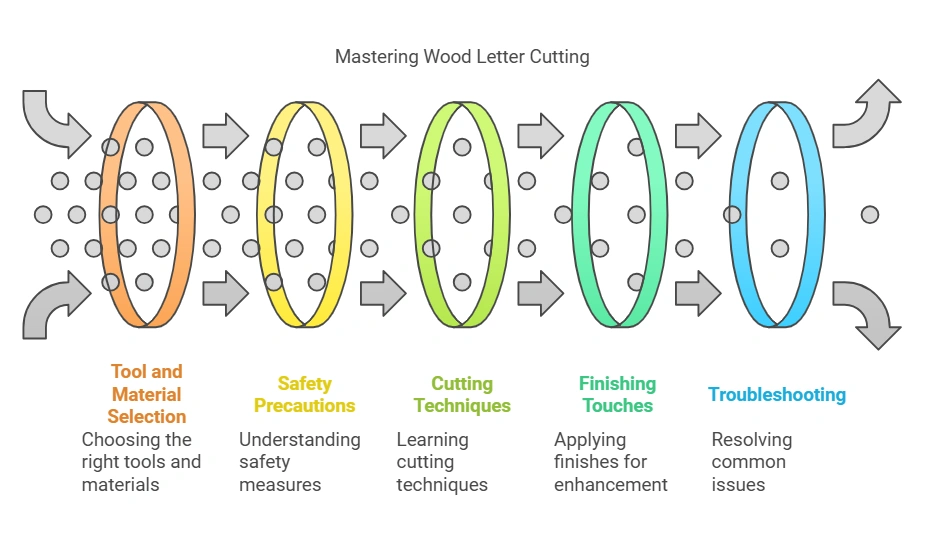
Common Mistakes When Cutting Wood Letters
- Letter breakage or chipping: usually caused by a dull blade or feeding the wood too fast. Slow the feed rate, and clamp a sacrificial backing board underneath thin or brittle wood to support the fibers as the blade exits.
- Misaligned or inaccurate letters: almost always traces back to skipping the template step or letting the wood shift mid-cut. Clamp the wood down fully before you start, and double-check spacing against the template before cutting rather than after.
- Splintering or tear-out along the edges: happens most when cutting against the grain with a coarse blade. Switch to a fine-tooth blade (20 TPI or higher) for detail work, and apply painter’s tape over the cut line to hold surface fibers in place.

Frequently Asked Questions
How do you cut letters out of wood?
Trace or print your template onto the wood, drill a small starter hole inside any enclosed sections (like O or A), then cut along the lines with a jigsaw or scroll saw. Sand the edges smooth once the letter is fully cut out.
What tools do you need to cut letters out of wood?
At minimum you need a cutting tool (jigsaw, scroll saw, or coping saw), a letter template, a pencil or marker, clamps to hold the wood steady, a drill for starter holes, and sandpaper for finishing. Safety glasses and a dust mask are essential with any power tool.
Can I use a router to cut letters out of wood?
Yes. Attach a letter template or guide bushing to the router, use a straight or spiral bit, and make several shallow passes around the template rather than one deep cut. This works best when you need multiple identical letters or a routed relief edge.
Can a Cricut cut wood letters?
A Cricut Maker can cut letters from balsa wood up to 3/32 inch thick using the knife blade and a strong grip mat, with a maximum cutting width of about 11.5 inches. It cannot cut plywood, MDF, or hardwood – those still need a jigsaw, scroll saw, or router.
What is the best wood for cutting letters?
Plywood and MDF are the most forgiving choices for beginners because they cut cleanly and hold paint well. Balsa works for small, lightweight indoor letters cut by hand or Cricut. For stained, natural-grain letters use hardwood, and for outdoor signs use cedar or another rot-resistant wood.
How do you cut the inside holes of letters like O and A?
Drill a small starter hole inside the waste area of the enclosed section, close to but not touching your traced line. Thread a scroll saw blade through the hole and reattach it, or plunge a jigsaw blade into the hole, then cut outward to the line and follow it around.
Conclusion
A jigsaw or scroll saw will cut clean letters out of wood for nearly any home project, and the extra minute it takes to drill a starter hole on closed letters is what separates a clean cut from a cracked one. Save the Cricut Maker for small balsa lettering and the CNC router for batches, match your wood to the finish you want, and take the time to sand through the grits before you paint or stain. With the right tool for the job, cutting letters out of wood is a fast, satisfying project rather than a frustrating one.
Sponsored / affiliate links. As an Amazon Associate I earn from qualifying purchases. I may earn additional commission from eligible campaigns.