How to Repair a Ryobi Battery That Won’t Charge (Safe Fixes First)
To fix a Ryobi battery that won’t charge, first let it cool to room temperature, then try a short pulse-charge (plug/unplug the charger a few times) or jump-start it with a second working Ryobi battery. Opening the pack to resolder individual lithium-ion cells – a method some older guides still recommend – is not something Ryobi or most battery technicians advise for consumer lithium-ion tool batteries, since it carries a real short-circuit and fire risk. If the pack is more than 2–3 years old or has been through 300+ charge cycles, a genuine replacement battery is usually the safer and cheaper option.
Ryobi ONE+ batteries are a vital part of the whole cordless tool system – one pack runs your drill, saw, and dozens of other tools. When one stops charging or dies early, it’s worth 10 minutes of real troubleshooting before you write it off. Below we cover what’s actually safe to try yourself, how to tell what’s actually wrong, and when replacing the battery beats trying to repair it.
Understanding Ryobi Batteries
Genuine OEM Replacement Pick
 |
RYOBI ONE+ 18V 2.0Ah Battery (PBP006) – $49.00 When a pack fails the diagnostic checks below and cell-level repair isn’t safe to attempt, this genuine Ryobi battery drops straight into your existing ONE+ tools.
|
Ryobi batteries are crucial for power tools to function efficiently, but not all of them are built the same way – and that difference matters before you attempt any repair.
Check the cell chemistry before you do anything else
Look at the label printed on the battery pack. If it says NiCad (nickel-cadmium) or NiMH (nickel-metal hydride), it’s an older-style pack – these can sometimes be safely reconditioned with charge/discharge cycling. If it says Lithium-Ion (most Ryobi ONE+, 40V, and HP packs made in the last several years), treat any internal repair as a job for a professional battery-service shop, not a home soldering project. Li-ion cells can vent, short, or catch fire if punctured, over-discharged, or reassembled incorrectly – that risk is exactly why Ryobi’s own support guidance steers owners toward replacement rather than DIY cell swaps on lithium packs.
Diagnosing Battery Problems
Before assuming the battery itself is dead, rule out the charger and the tool – a bad charger or a faulty tool trigger can look exactly like a bad battery.
- Overheating during charging or use.
- Decreased run time per charge.
- Difficulty holding a charge, or the charger light blinking red/never turning green.
- Use a multimeter to check voltage output – an 18V pack reading well under 16V at rest is a strong sign of a failing or dead cell group.
- Test the battery in a second, different tool. If it fails there too, the problem is the battery, not the tool.
- Try the battery in a different, known-good charger if one is available. A charger that never leaves its initial blinking pattern is often the actual fault.
Safe Fixes to Try Before Replacing the Battery
These are the fixes actually worth trying yourself – none of them involve opening the battery case.
- Let it cool down first. Li-ion packs have built-in protection circuitry that blocks charging if the pack is too hot or too cold. Set the battery aside until it’s fully back to room temperature, then try charging again – this alone resolves a surprising number of “dead” battery calls.
- Try a pulse-charge. With the battery in the charger, plug and unplug the charger for about 10 seconds at a time, repeating a few times. This can sometimes wake up the protection circuit enough to let a full charge cycle start.
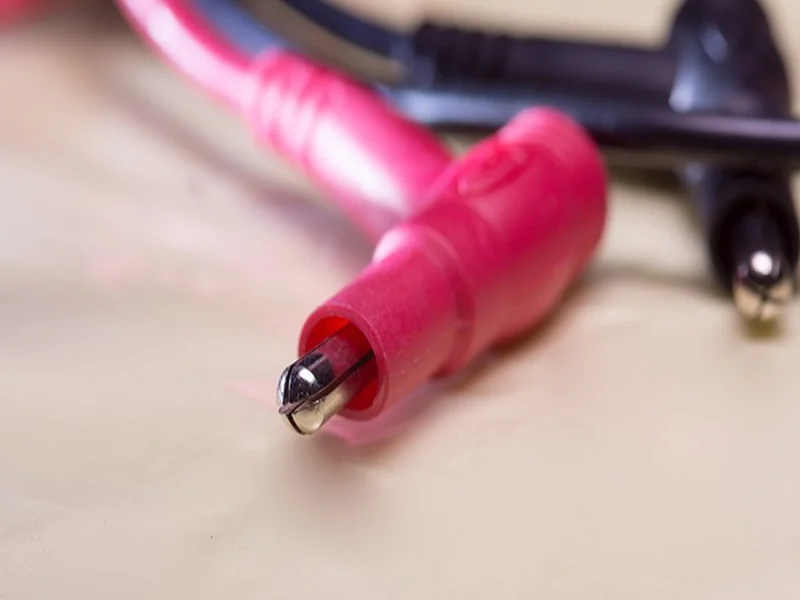
- Jump-start with a healthy pack. Touch the matching positive and negative terminals of a working Ryobi battery to the dead one for about 15 seconds, then try charging the dead pack normally. This can nudge a deeply discharged pack’s electronics back into a state where the charger recognizes it.
- Clean the contacts. Corrosion or grime on the battery or charger contacts can look exactly like a dead battery. Wipe both sets of contacts with a dry cloth or a little isopropyl alcohol on a cotton swab.
If the battery is NiCad or NiMH (check the label again), reconditioning through several full charge/discharge cycles is a reasonable next step, and replacing individual cells is more forgiving than it is on lithium packs – though it still requires care with polarity and a proper spot welder or low-temp solder technique rather than a high-heat iron directly on the cell.
When to Replace Instead of Repair
A Ryobi battery typically holds up well for 2–3 years or roughly 300–500 charge cycles under normal use. If yours is in that range and none of the fixes above bring it back, replacing it is almost always the better call than attempting a lithium-ion cell swap: a new OEM 2.0Ah pack runs about $49, while the tools, safety gear, and time needed to safely disassemble and rebuild a Li-ion pack usually cost more than that once you account for the risk.
Also check your Ryobi battery’s warranty status first – Ryobi covers most ONE+ batteries for 3 years (5 with registration), and a warranty replacement is free.
Frequently Asked Questions About Repairing a Ryobi Battery
How do I repair my Ryobi battery?
Start by letting the battery cool to room temperature, then try a pulse-charge or jump-starting it with a second healthy Ryobi battery. Clean the battery and charger contacts too, since corrosion can mimic a dead battery. If none of that works and the pack is lithium-ion, replacing it is safer than opening the case – for NiCad/NiMH packs, reconditioning or a careful cell swap is more realistic.
Can I replace the cells in my Ryobi battery?
On NiCad or NiMH packs, yes, with care and the right tools. On lithium-ion packs – which is what most modern Ryobi ONE+, 40V, and HP batteries use – it’s not something Ryobi or most battery technicians recommend for home repair, since damaged or incorrectly reassembled Li-ion cells can short or catch fire. A professional battery-rebuild service or a full replacement is the safer route for Li-ion packs.
How long does a Ryobi battery last?
Most Ryobi batteries last 2 to 3 years, or roughly 300 to 500 charge cycles, with regular use and proper care. Keeping the pack away from extreme heat, avoiding letting it sit fully discharged for long periods, and following the manufacturer’s charging instructions all help it reach the upper end of that range.
Conclusion
Most “dead” Ryobi batteries aren’t actually dead – they’re tripped protection circuits, dirty contacts, or a bad charger. Work through the cool-down, pulse-charge, jump-start, and contact-cleaning steps above before assuming you need a new pack. If the battery still won’t hold a charge after that, check your warranty status first, and if it’s out of warranty, a genuine OEM replacement is the safer choice over opening up a lithium-ion pack yourself.