DeWalt Battery Terminals: What Each of the 8 Pins Does
DeWalt 20V battery terminals aren’t just a positive and negative contact. Inside that slot are 8 separate pins across two rows: B+, B-, TH, ID, and four C1-C4 balance taps. Wiring the wrong pins into a DIY adapter can trip the pack’s protection circuit or fry a project. Here’s what each terminal does, the actual voltage at each pin, and how to test or clean them when a tool won’t power on.
[Insert your Affiliate Disclosure reusable block here]
Quick Answer
A DeWalt 20V battery has 8 terminals in two rows: B+ and B- carry the full 20V, TH is a thermistor that blocks charging outside a safe temperature range, ID is a ~1kΩ resistor tools use to confirm the battery is genuine, and C1-C4 are balance taps between the five internal cells used only during charging.
How DeWalt Battery Terminals Are Laid Out
Best DeWalt Terminal Adapter Pick
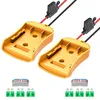
Power Wheel Adapter for DeWalt 20V Battery (2-Pack)
Wires the B+ and B- terminals to color-coded leads with an inline fuse, for power wheels, robotics, and DIY builds.
- Best for: Power wheels, RC trucks, and robotics builds that just need raw 20V output
- Why we picked it: Includes a 30A fuse holder and 12AWG wire, matching the current a DCB205 pack can actually deliver
- Main drawback: Only taps B+/B- — no thermistor protection on this circuit, so don’t skip the fuse
Compare more terminal adapter options
 Option 1 DeWalt 20V Adapter with Power Switch, Fuse & Terminals
|
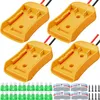 Option 2 Pickmesh 4-Pack DeWalt 20V Adapter Converter Kit
|
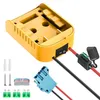 Option 3 KOEZEOI DeWalt 20V Adapter with Switch & Wire Harness
|
As an Amazon Associate we earn from qualifying purchases.
DeWalt battery terminals are the row of metal contacts inside the slide-on connector that transfer power and data between the battery pack and the tool or charger. On a standard 20V MAX pack (the DCB203/DCB205 family), the upper row holds the four main contacts — B+, B-, TH, and ID — and the lower row holds four smaller C1-C4 taps used only while charging.
Every 20V pack wires five 18650 lithium-ion cells in series. The C1-C4 taps sit between those cells so the charger can read and balance each one individually instead of just measuring the pack as a whole. That’s why a healthy pack reads roughly 4V higher at each successive C-tap:
| Terminal | Function | Typical Reading |
|---|---|---|
| B+ | Overall positive, full pack output | 20V (vs. B-) |
| B- | Overall negative, common ground | 0V (reference) |
| TH | Thermistor, temperature monitoring | ~10kΩ at 25°C |
| ID | Authentication resistor | ~1kΩ |
| C1 | Balance tap, cell 1 | ~4V (vs. B-) |
| C2 | Balance tap, cells 1–2 | ~8V (vs. B-) |
| C3 | Balance tap, cells 1–3 | ~12V (vs. B-) |
| C4 | Balance tap, cells 1–4 | ~16V (vs. B-) |
Readings will vary a little pack to pack and drop under load, but a fresh 2.0Ah+ pack should land close to those numbers. If you’re building or buying a DeWalt battery adapter, this is the layout it has to match — not just B+ and B-.
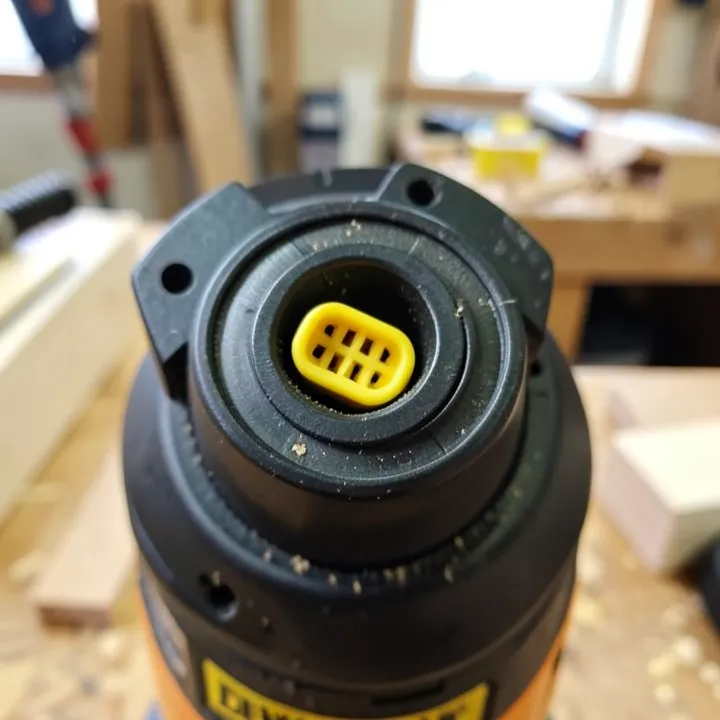
DeWalt Battery Terminal Adapters for DIY Projects
Because B+ and B- carry the pack’s full output, most power-wheel, robotics, and work-light adapters only wire those two pins — they skip TH, ID, and the C-taps entirely. That’s fine for a passive adapter, but it also means the tool’s protection features (over-temperature shutoff, genuine-battery detection) aren’t active on that circuit, so the fuse in the adapter is doing the safety job those pins normally handle.
What Each DeWalt Battery Terminal Actually Does
B+ and B- (Main Power)
These two carry the pack’s full rated voltage and current — 20V nominal, up to roughly 20–30A continuous depending on the pack’s amp-hour rating. They’re the only two terminals a tool actually needs to run; everything else exists to protect the battery or verify it’s genuine.
TH (Thermistor)
TH reads roughly 10kΩ at 25°C and changes with pack temperature. Both the charger and the tool check this value before allowing current to flow — if the pack is too hot or too cold, charging pauses until it returns to a safe range. This is why a battery pulled straight from a hot truck cab won’t charge immediately.
ID (Authentication)
ID sits at roughly 1kΩ on a genuine DeWalt pack. Tools and chargers measure this resistance to confirm the battery is authentic before enabling full power — it’s the main reason some third-party or damaged packs get rejected even though B+ and B- test fine.
C1-C4 (Cell Balance Taps)
A 20V pack wires five 18650 cells in series, and C1 through C4 are the junctions between them. The charger uses these taps to top off each cell individually instead of the pack as a whole — this is what keeps one weak cell from dragging the whole pack’s runtime down over time. They carry almost no current and only matter while a charger is connected.
How to Test DeWalt Battery Terminals With a Multimeter
Set a multimeter to DC volts and check the main terminals directly — this confirms whether the pack itself is the problem before you blame the tool or charger.
- Set the meter to DC volts (20V range): Most multimeters need the DC voltage range manually selected before probing a battery pack.
- Probe B+ and B-: Touch the red lead to the B+ contact and the black lead to B-; a healthy pack reads close to 20V (or slightly above on a full charge).
- Check the C-taps if the reading is low: Keep the black lead on B- and move the red lead to C1, then C2, C3, and C4 — each should step up by roughly 4V. A tap that doesn’t climb points to a bad cell group.
- Test TH resistance: Switch the meter to ohms and probe TH against B-; expect roughly 10kΩ at room temperature. An open or shorted reading means the thermistor has failed.
- Test ID resistance: Probe ID against B- on ohms; a genuine pack reads close to 1kΩ. A wildly different value on a third-party battery explains why some tools refuse to run it at full power.
📊 A pack reading 0V at B+/B- but a normal ~1kΩ at ID is almost always a blown internal fuse, not a dead cell — the protection circuit tripped rather than the battery failing outright.
Cleaning Corroded or Dirty DeWalt Battery Terminals
DeWalt terminals rarely rust the way exposed car battery posts do — they’re recessed inside the housing — but dust, sawdust, and oxidation still build up on job sites and can weaken the connection over months of use.
- Disconnect the battery from the tool or charger before cleaning.
- Use a dry cotton swab or a soft brass brush — never a metal wire brush, which can scratch the contacts and create new corrosion points.
- For visible buildup, dampen the swab with isopropyl alcohol rather than water; alcohol evaporates fully and won’t leave moisture in the connector.
- Let the terminals air-dry for a few minutes before reinserting the pack.
- If a contact looks physically bent or pitted rather than just dirty, stop cleaning and replace the pack — a bent pin can short against the wrong contact.
Terminals Look Fine But the Battery Won’t Charge?
If B+/B- and the C-taps all test normal but the charger still won’t start, the terminals usually aren’t the problem. In our shop, the most common non-terminal cause is a pack pulled straight from a cold truck bed in winter — the charger’s Hot/Cold Pack Delay holds off charging until the TH reading comes back into range, then resumes on its own with no button-pressing needed. Give it 15–20 minutes at room temperature before assuming the pack is dead.
If it still won’t take a charge in two different known-good chargers after that, and the multimeter tests above show a real problem at B+/B- rather than just TH, the pack has reached end of life and cleaning the terminals won’t bring it back.
Frequently Asked Questions
How many terminals does a DeWalt 20V battery have?
Eight. The upper row has B+, B-, TH, and ID, and the lower row has four smaller C1-C4 balance taps used only while charging. Only B+ and B- are needed to actually power a tool.
What is the ID pin on a DeWalt battery for?
ID is an authentication resistor reading roughly 1kΩ on a genuine pack. Tools and chargers check this value to confirm the battery is authentic before enabling full power output.
Why won’t my DeWalt battery charge even though the terminals are clean?
Clean terminals with a still-dead charge usually point to temperature (the charger pauses outside a safe range via the TH pin), a tripped internal fuse, or a worn-out cell group rather than the contacts themselves. Test B+/B- and the C-taps with a multimeter to isolate which it is.
Can I wire a DeWalt battery using only the B+ and B- terminals?
Yes, for a passive DIY load like a power-wheel or robotics build. B+ and B- carry the pack’s full output on their own. Just add an inline fuse rated for your wire gauge, since you’re bypassing the tool’s built-in protection circuitry that normally uses TH and ID.
How do I clean corroded DeWalt battery terminals?
Disconnect the pack, then wipe the contacts with a dry cotton swab or soft brass brush. For buildup, use isopropyl alcohol rather than water so no moisture is left behind, and let the terminals air-dry fully before reinserting the battery.
These terminals are specific to DeWalt 20V/18V packs — if you’re trying to run a DeWalt battery on another brand’s tool, the pin layout and voltage will need to match on both sides before it’ll work. And if you’re just trying to speed up a slow charge cycle, see how long a drill battery should take to charge for a normal baseline.
Conclusion
DeWalt battery terminals are an 8-pin interface, not a simple two-contact connector — B+ and B- move the power, TH and ID protect the pack and verify it’s genuine, and C1-C4 keep the five internal cells balanced while charging. Knowing which pins do what makes it easy to test a pack that won’t charge, clean it safely, or wire a DIY adapter without guessing.
Sponsored / affiliate links. As an Amazon Associate I earn from qualifying purchases. I may earn additional commission from eligible campaigns.