How to Adjust a Miter Saw to 45 Degrees
Setting a miter saw to 45 degrees means releasing the miter lock, swinging the table to the spring-loaded 45° detent, and relocking it — but the factory scale can be off by a degree or more, so the lock isn’t the last step. A 1° miss throws a corner joint out by roughly 0.2 inch, enough to leave a visible gap on baseboard or a picture frame. This guide covers locking the detent correctly, the safety check to run before you cut, and how to verify the angle with a square instead of trusting the scale alone.
This guide focuses specifically on the 45° detent used for standard corners. If your saw is out of square generally — not just at 45° — start with our broader miter saw calibration guide instead.
Tools You’ll Need
Best Digital Angle Finder Pick
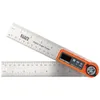
Klein Tools 935DAF Digital Angle Finder
Reads inside and outside angles to +/-0.2° and calculates the miter setting for you — faster than eyeballing a scale against a square.
- Best for: Verifying a 45° miter setting is actually accurate before you cut
- Why we picked it: Machined ruler edges and a bright LED display make it easy to read at the saw table
- Main drawback: Pricier than a basic protractor-style angle finder
Compare more angle finder options
 Option 1 S&F Digital Angle Finder, 7-Inch
|
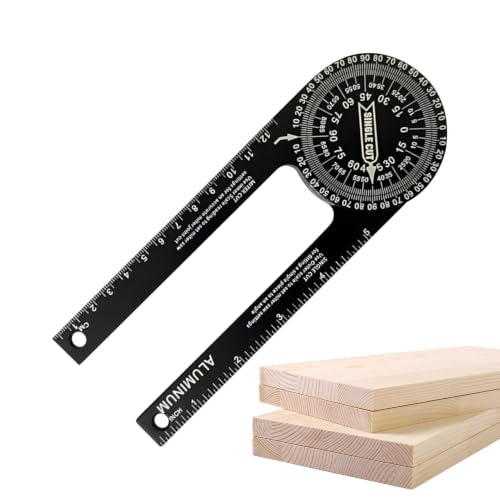
 Option 2 LEXIVON Aluminum Angle Finder Gauge, 7-Inch
|
 Option 3 POWERTEC 71828 Digital Angle Gauge
|
As an Amazon Associate we earn from qualifying purchases.
- A miter saw with a working miter lock lever or trigger
- A speed square, combination square, or digital angle finder to verify the cut
- A scrap piece of the material you’re about to cut
- A small screwdriver, if the pointer/indicator needs re-zeroing afterward
Find the Miter Scale and the 45° Detent
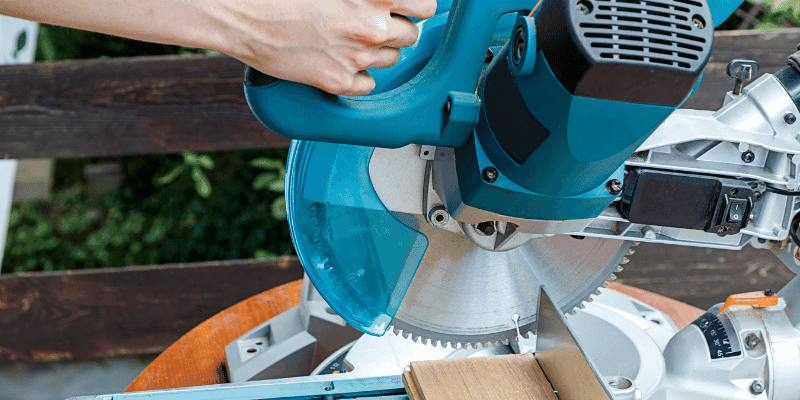
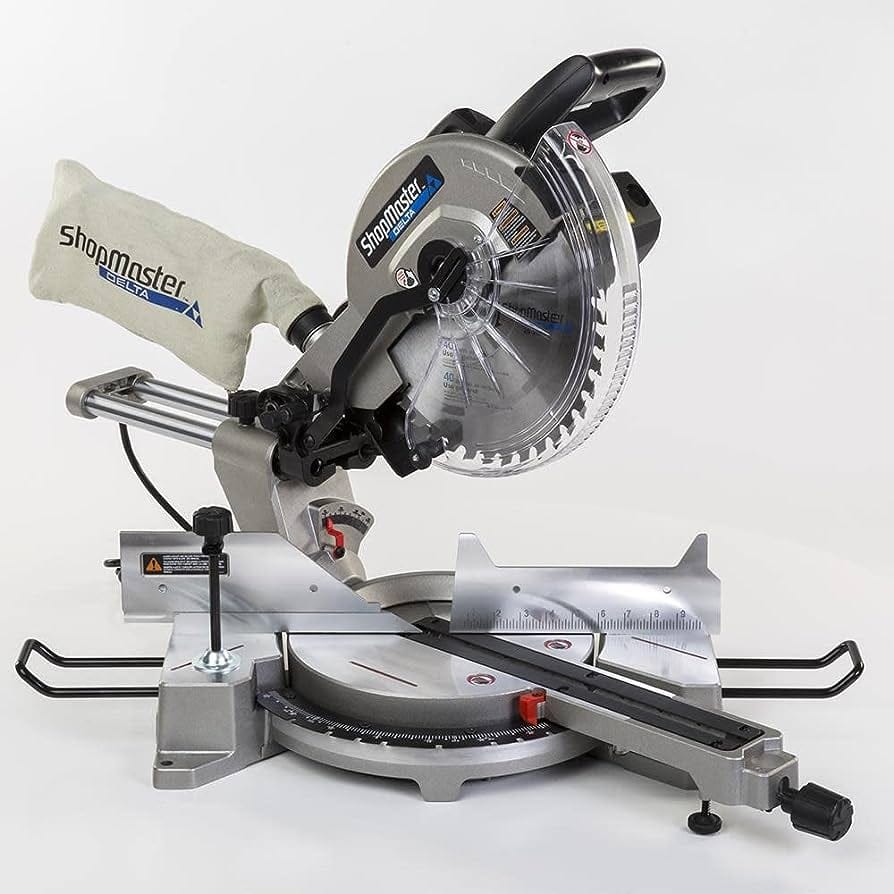
The miter scale is the curved, numbered plate built into the saw’s base — it reads out in degrees left and right of 0° (straight cut). Most saws have spring-loaded detents, positive stops the table clicks into, at the angles cut most often: 0°, 15°, 22.5°, 31.6° (sometimes 33.9°), and 45° left and right, with some saws adding 60°. The lock lever or trigger is usually mounted on the front handle or just below the table — squeeze or lift it to release the table so it can swing.
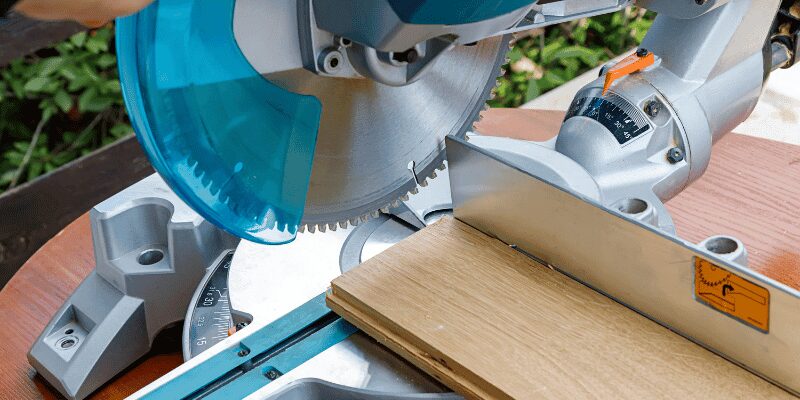
Step-by-Step: Setting the Miter Angle to 45 Degrees
- Unplug the saw: Disconnect the power before touching the miter lock. This isn’t optional — every major manufacturer manual (DeWalt, Bosch, Ridgid) calls for the saw unplugged and the blade fully stopped before any angle adjustment.
- Release the miter lock: Squeeze the trigger or lift the lock lever at the front of the table until the table swings freely.
- Swing to the 45° detent: Rotate the table left or right until it clicks into the 45° positive stop. You should feel and hear the click, not just see the pointer near the mark.
- Relock the table: Push the lock lever back down or release the trigger. Give the table a firm push by hand to confirm it’s actually locked and won’t drift under blade pressure.
- Dry-swing the head with the power still off: Lower the saw head through a full cutting motion with no workpiece in place. Confirm the blade guard retracts and returns freely and nothing on the fence or table binds the head at this new angle.
- Make a test cut: Plug the saw back in, cut a scrap piece, and check the result before cutting your actual material.
The Safety Check Most People Skip
OSHA’s machine guarding rule for power saws (29 CFR 1910.243) requires the blade guard to move freely and return to cover the blade the instant the cut ends — and that guard clearance changes every time you change the miter angle, because the head travels through a different arc. Step 5 above (the dry-swing with the power off) is how you confirm the guard still closes fully and the head doesn’t bind on the fence at the new angle, before the blade is ever spinning. Never tape, wedge, or zip-tie the guard open to “see the cut line better” — if you need a clearer line of sight, mark the cut line on the wood instead.
Verify the Angle — Don’t Trust the Scale Alone
The detent tells you the table is at the saw’s factory-set 45° stop, not that the stop itself is accurate. Hold a speed square or digital angle finder against the blade (unplugged, guard back in place) and compare the reading to the scale. If the two disagree by more than about half a degree, the pointer or the detent itself has drifted — most saws have a small screw on the indicator that lets you re-zero the pointer without touching the detent stop, which is usually documented in the saw’s manual.
📊 A 1° miter error opens a corner joint by roughly 0.2 inch across a standard trim board, and the gap compounds when both mating pieces are off in the same direction — which is why trim carpenters calibrate to within about 0.5° rather than trusting the factory scale at face value.
One more variable worth knowing before you blame the saw: interior wall corners in real houses are frequently a few degrees off true 90°, especially in homes built after 1980. A perfectly calibrated 45° cut on both pieces still won’t always close tight against an out-of-square wall — that’s a fence problem, not a saw problem, and it’s solved by measuring the actual corner with a square before you cut, not by re-adjusting the saw.
“A saw that reads exactly 45.0° on the scale still needs a test cut. The pointer can be dead-on while the detent pin itself has worn loose from years of use — the scale shows you where the stop is set, not how tight the stop actually holds.”
Why 45° Is the Setting for Standard Corners — Not 22.5°
The miter angle you set is half of the corner angle you’re closing, which is where a lot of confusion comes from. For a standard 90° corner — the vast majority of baseboard, door casing, and picture frame joints — each piece is cut at 45°; the two 45° cuts meet to form the 90° corner. The 22.5° detent is for a different job: an eight-sided shape (an octagon planter, a bay-window return) where the walls meet at 135°, not 90°. If your corners aren’t closing right at 45°, the fix is almost never “try 22.5° instead” — it’s recalibrating the 45° detent itself.
For crown molding laid flat against the fence (the spring-angle method), the miter setting is different again — typically 31.6° for standard 52/38° crown, sometimes listed as 33.9° depending on the profile. That’s outside the scope of a straight 45° corner cut, but it explains why your saw has a detent there too. See our full miter angle chart if you need the setting for an angle other than 45°.
Once the angle is set and verified, see our guide on cutting a clean 45-degree trim cut for technique, or cutting baseboard corners for the full inside/outside corner walkthrough. Ryobi owners: the lock mechanism differs slightly — see adjusting a Ryobi miter saw.
Common Mistakes When Setting the Angle
- Trusting the click without a push-test. The detent can feel locked but still creep a fraction of a degree under blade pressure — give the table a firm push by hand before cutting.
- Skipping the dry-swing. A new angle can put the head on a collision path with a fence stop or clamp you forgot to move — check with the power off first.
- Confusing miter and bevel. The miter angle rotates the table (left/right); the bevel angle tilts the blade (up/down). A 45° corner on flat trim only needs the miter angle changed — leave the bevel at 0° unless you’re also compound-cutting crown molding. See our guide on single vs. dual bevel saws if you’re not sure which adjustment you need.
- Re-zeroing the pointer instead of fixing the real problem. If cuts are consistently off by the same amount, the detent stop itself (not just the indicator needle) may need adjusting — check your saw’s manual for the detent set-screw before you assume the pointer is the whole story.
Frequently Asked Questions
How do you set a miter saw to 45 degrees?
Unplug the saw, release the miter lock, and swing the table until it clicks into the 45-degree detent. Relock the table, dry-swing the head with the power off to confirm the guard clears, then make a test cut and check it with a square before cutting your actual material.
Do I need to unplug the saw to change the miter angle?
Yes. Every major manufacturer manual calls for the saw unplugged and the blade fully stopped before adjusting the miter lock, and OSHA’s guard-clearance requirements assume the same — the blade should never be powered while your hands are near the lock lever.
What angle do you cut baseboard corners on a miter saw?
For a standard 90-degree corner, each piece is cut at 45 degrees on the miter saw — the two 45-degree cuts meet to close the 90-degree corner. This is the same setting used for door casings and most picture frames.
Why won’t my 45-degree corners line up?
Usually one of three things: the detent stop has drifted from its factory setting, the pointer is misaligned even though the detent is fine, or the wall corner itself isn’t a true 90 degrees. Verify the angle with a square against the blade before assuming the saw is wrong.
What’s the difference between the miter angle and the bevel angle?
The miter angle rotates the saw table left or right, changing the angle across the face of the board. The bevel angle tilts the blade itself, changing the angle through the board’s thickness. A flat 45-degree corner cut only needs the miter angle changed.
What are the standard detent stops on a miter saw?
Most miter saws have spring-loaded detents at 0, 15, 22.5, 31.6 (or 33.9), and 45 degrees left and right, with some saws adding 60 degrees. These are the angles used most often for square cuts, baseboard and casing corners, octagon shapes, and crown molding.
The detent click gets you close, the dry-swing keeps your hands safe, and the square tells you whether the saw is actually telling the truth. Run all three every time you switch back to 45° and the corner joints will match the scale, not just approximate it. For calibrating the saw’s overall squareness rather than just the 45° stop, see our full guide on adjusting and calibrating a miter saw, or check how to square a miter saw if the fence itself seems out of alignment.
Sponsored / affiliate links. As an Amazon Associate I earn from qualifying purchases. I may earn additional commission from eligible campaigns.