How to Change Blade on Ryobi Table Saw (Which Way to Turn)
Changing the blade on a Ryobi table saw means unplugging the saw, bracing the blade, and turning the arbor nut clockwise to loosen it — Ryobi uses a left-hand threaded nut that tightens counterclockwise, the opposite of a normal bolt. Get that backward and you fight the nut for nothing. This guide covers the dual-wrench technique Ryobi’s manual uses on saws with no arbor lock button, correct blade direction, and real signs it is time to replace the blade.
Tools You Will Need
Best Ryobi Blade Change Pick
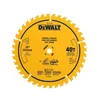
DEWALT 10″ 40-Tooth Table Saw Blade (DWA11040)
A general-purpose carbide blade sized for the 5/8″ arbor on every current Ryobi 10″ table saw.
- Best for: everyday ripping and crosscutting once your old blade shows wear
- Why we picked it: trusted brand, correct 5/8″ bore, 40-tooth count matches the general-purpose blade this guide describes
- Main drawback: not the cleanest option for fine plywood or veneer cuts — a 60- to 80-tooth blade does that better
Compare more blade-change options
 Option 1 Ryobi Arbor Wrench Set (0101010312/13)
|
 Option 2 WEN BL1040C Apex 10″ 40-Tooth Blade – $33.66
|
 Option 3 ANSI A9 Cut-Resistant Work Gloves
|
As an Amazon Associate we earn from qualifying purchases.
This guide covers Ryobi-specific models; see our full table saw hub for other brands and general table saw maintenance topics.
- The blade wrench(es) that came with your saw (usually stored under the table)
- Work gloves and safety glasses
- A replacement blade with a 5/8-inch arbor bore sized for your model
- A block of scrap wood, if your saw has no arbor lock button
Find Your Ryobi Model First
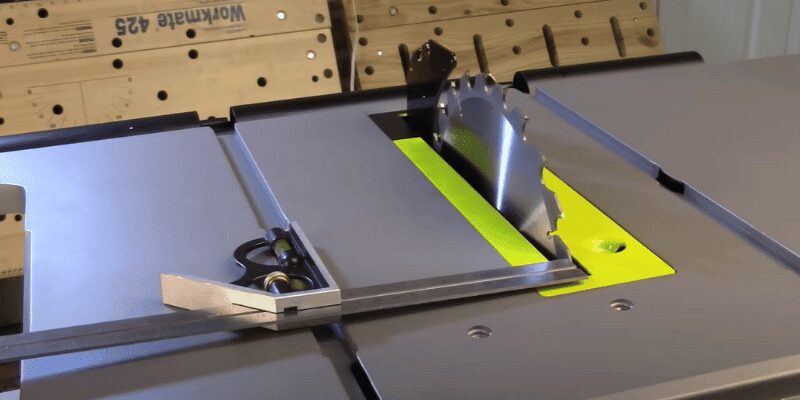
The model number, stamped on the saw’s housing near the motor or on a sticker on the base, tells you two things that matter before you start: whether your saw has an arbor lock button, and whether the wrenches you need are stored under the table or in a side pocket. Compact and portable models such as the RTS10 and RTS21 use the dual-wrench method described below; check your owner’s manual if you are not sure which method your saw uses. If a part turns out to be missing or broken rather than just dull, our Ryobi table saw parts list covers where to source replacements.
How to Remove the Old Blade
- Unplug the saw: Unplug the table saw from the outlet, or switch off the breaker, before touching the blade guard or throat plate. Do not skip this even for a quick blade swap.
- Raise the blade to full height: Turn the height-adjustment wheel to raise the blade to its maximum height, giving you room to work around the arbor nut.
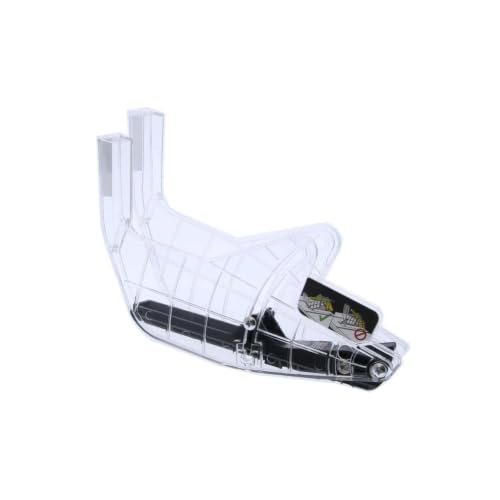
- Remove the throat plate and blade guard: Lift out the throat plate insert, then raise or remove the blade guard and riving knife assembly following your model’s release lever, so the arbor nut is fully exposed.
- Brace the blade so it cannot spin: If your Ryobi model has an arbor lock button, press and hold it. If it does not, wedge a scrap block of wood against a tooth gullet, or use a second wrench on the flats of the arbor shaft to hold it steady while you turn the nut.
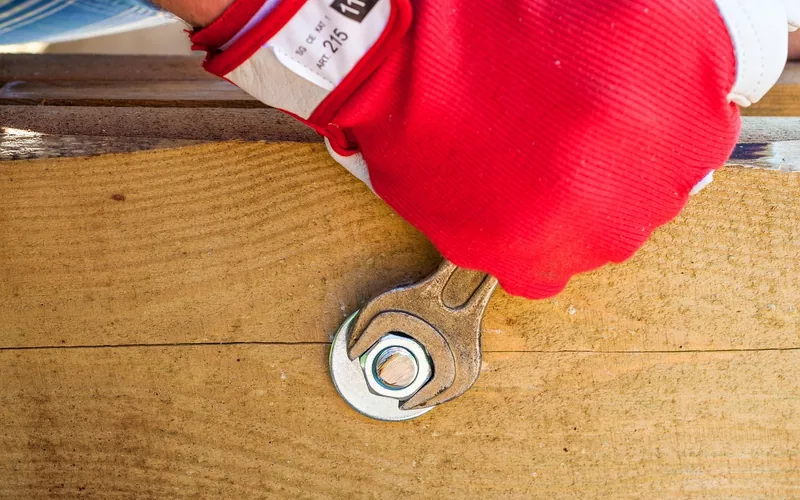
- Turn the arbor nut clockwise to loosen: Fit the blade wrench onto the arbor nut and turn it clockwise. Ryobi table saws use a left-hand threaded nut, so clockwise loosens and counterclockwise tightens, the opposite of a standard bolt.
- Remove the nut, outer flange, and old blade: Set the nut and outer flange aside in order, then lift the old blade straight up off the arbor shaft. Wear gloves; the teeth stay sharp even on a dull blade.
Which Way Does the Arbor Nut Turn? (Left-Hand Thread)
A table saw arbor nut is a left-hand (reverse) threaded fastener that tightens counterclockwise and loosens clockwise — backwards from an ordinary bolt. Saw makers design it this way on purpose: the blade’s own spin during normal cutting would otherwise work a standard-thread nut looser over time. Ryobi’s own RTS21 operator’s manual does not rely on an arbor lock button for this model; instead it has you insert one wrench onto the flats of the arbor shaft and a second wrench onto the nut, then pull the outer wrench toward you while pushing the inner wrench back, which loosens the nut without the blade spinning freely.
| Direction | Result | Feels like |
|---|---|---|
| Clockwise | Loosens the nut | Opposite of a normal bolt |
| Counterclockwise | Tightens the nut | Opposite of a normal bolt |
How to Install the New Blade
- Clean the arbor shaft and flanges: Wipe sawdust and resin off the arbor shaft and both flanges with a rag before installing the new blade, so the blade seats flat with no wobble.
- Slide the new blade onto the arbor teeth-first: Place the blade so the teeth at the front point down toward the front of the saw, matching the rotation arrow printed on the blade body.
- Reinstall the outer flange and nut: Fit the outer flange back on with its flat side against the blade, then thread the arbor nut on by hand, turning it counterclockwise until it is snug.
- Brace the blade and tighten the nut: Use the same arbor lock button, wrench, or wood-block method from removal to hold the blade steady, then turn the wrench counterclockwise to fully tighten the nut. Snug and secure is enough; you do not need to overtighten it.
- Reinstall the riving knife, blade guard, and throat plate: Reassemble the safety components in reverse order: riving knife or splitter first, then the blade guard, then the throat plate. Do not run the saw with any of these removed.
- Spin-test and power-test before cutting: With the saw still unplugged, spin the blade by hand to check for wobble or rubbing. Then plug in and run the saw briefly with no material, listening for unusual noise or vibration before making a real cut.
Every current Ryobi 10-inch table saw uses a 5/8-inch arbor bore. Tooth count changes what the blade is good at: a 24-tooth blade rips fast with a rougher edge, a 40-tooth blade is the general-purpose default, and a 60- to 80-tooth blade gives the cleanest crosscuts and plywood edges — see our blade and TPI chart for a full breakdown by material. Check the arbor size printed on the blade box before buying — a mismatched bore needs a reducer bushing and is not a substitute for the correct size.
When to Replace Your Ryobi Table Saw Blade
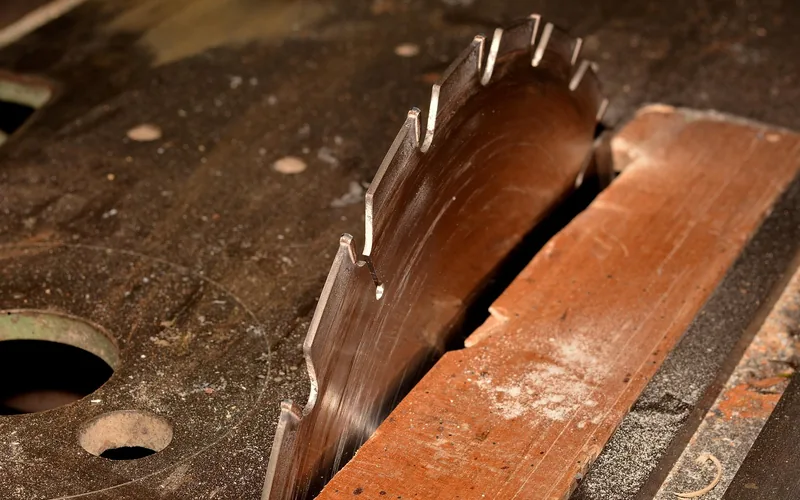
A dull or damaged blade is a wear-based problem, not a calendar problem — a blade used for two hours a week can outlast a fixed replacement date by years, while daily job-site use can dull a blade in a few months. Judge the blade itself, not the date you installed it.
| Sign | What it means |
|---|---|
| Burn marks or splintering on cuts | Teeth are dull and generating friction instead of cutting cleanly |
| Chipped or missing carbide teeth | Physical damage — replace immediately, do not keep using it |
| Feed resistance / bogging motor | Blade is dull enough to make the motor work harder than normal |
| Visible wobble or vibration | Could be a bent blade or a loose arbor nut — check both before replacing |
Common Mistakes to Avoid
- Forcing the nut counterclockwise to “loosen” it — on the reverse-threaded arbor nut, that tightens it further and can round off the flats.
- Skipping the second wrench or lock button — without something bracing the blade, the whole assembly just spins and the nut never breaks loose.
- Installing the blade backward — teeth must point down toward the front of the saw; a backward blade still spins but burns wood and cuts poorly.
- Running the saw without the riving knife or blade guard reinstalled — these exist specifically to reduce kickback risk on the next cut.
- Overtightening the arbor nut — snug is enough; cranking it down hard makes the next blade change unnecessarily difficult and can stress the arbor.
“The first time I changed a blade without checking the thread direction, I fought that nut for ten minutes before realizing I was tightening it, not loosening it. Now I check the direction before I ever pick up a wrench — it saves more time than any other step in this process.”
— WoodworkingAdvisor.com shop notes
Frequently Asked Questions
Which way do you turn the nut to loosen a Ryobi table saw blade?
Turn the arbor nut clockwise to loosen it. Ryobi table saws, like most benchtop and contractor table saws, use a left-hand (reverse) threaded arbor nut, so it tightens counterclockwise and loosens clockwise. This reverse threading is intentional: it keeps the nut from vibrating loose while the blade spins during normal use. Always brace the blade with a second wrench, an arbor lock button, or a block of scrap wood before turning the nut.
Some Ryobi table saws do, but many compact and portable models, including the RTS10 and RTS21, do not. If your saw lacks a lock button, Ryobi’s own manual method uses two wrenches at once: one wrench holds the flats on the arbor shaft steady while the second wrench turns the arbor nut. Check your owner’s manual or the underside of the saw table, where the wrenches are often stored, to confirm which method your model uses.
How do I know when to replace my table saw blade?
Replace the blade when you see specific wear, not on a fixed calendar schedule. Warning signs include burn marks or splintering on cuts, chipped or missing carbide teeth, a blade that needs noticeably more force to feed material, or visible vibration during a cut. A once- or twice-a-year swap is a reasonable rule of thumb for weekend use, but heavy daily use wears a blade out much faster, and light hobby use can stretch a quality blade well past a year.
What size blade fits a Ryobi table saw?
Every current Ryobi table saw (RTS10, RTS21, BTS10, BTS12) uses a 10-inch diameter blade with a 5/8-inch arbor hole. Blade thickness (kerf) and tooth count can vary by task: a 24-tooth blade rips faster with a rougher edge, while a 40- to 60-tooth blade gives cleaner crosscuts and finish work. Confirm the arbor size on the packaging before buying, since some off-brand blades ship with a different bore and need a bushing adapter.
Can I use any 10-inch blade on my Ryobi table saw?
Only if the arbor hole matches, which is 5/8 inch on Ryobi table saws, and the blade’s maximum safe RPM rating is at or above your saw’s no-load blade speed (check your model’s spec label, typically around 5,000 RPM for Ryobi’s compact saws). Using a blade with a smaller bore and a bushing adapter, or a blade rated below the saw’s speed, is a real safety hazard and is not recommended by any blade manufacturer.
How do I know the new blade is installed facing the right direction?
Look at the teeth at the front of the blade, where it rises up out of the table: they should point down and toward the front of the saw, following the curve stamped or printed on the blade body as a rotation arrow. If you install it backward, the saw will still spin, but it will burn the wood, cut poorly, and is more likely to grab and kick back the workpiece, so always double-check the arrow before you tighten the nut.
Related Guides
- Own a different brand? The steps and thread direction are the same on most saws — see our general how to change a table saw blade guide.
- Lost or broken your factory wrench? Our changing a blade without an arbor wrench guide covers workaround tools.
- Not sure what the riving knife you just removed actually does? See what a table saw splitter is for.
Conclusion
Changing a Ryobi table saw blade is a 10-minute job once you know the arbor nut turns backward from a normal bolt: clockwise to loosen, counterclockwise to tighten. Brace the blade with the second wrench, an arbor lock button, or a block of scrap wood, install the new blade teeth-forward, and reassemble the riving knife and guard before you cut. For sharpening instead of replacing, see our guide to sharpening table saw blades.
Sponsored / affiliate links. As an Amazon Associate I earn from qualifying purchases. I may earn additional commission from eligible campaigns.