Ryobi 10” Table Saw Motor Replacement: Quick & Easy Fix
To replace the motor on your Ryobi 10” table saw, consider searching for the specific motor model on websites like eBay or Amazon. Make sure to verify compatibility with your table saw model before making a purchase.
When it comes to table saws, a well-functioning motor is crucial for efficient and safe operation. If you’re experiencing issues with your motor, replacing it with the appropriate model can restore your table saw’s functionality and performance. Whether you’re a professional woodworker or a DIY enthusiast, ensuring that your table saw is equipped with a reliable motor is essential for achieving accurate and precise cuts.
By following the manufacturer’s guidelines and using genuine replacement parts, you can maintain the quality and longevity of your Ryobi table saw.
Introduction To Ryobi 10” Table Saw Motor Issues
If you are experiencing motor issues with your Ryobi 10” table saw, such as the motor not starting or running slowly, there could be several potential causes. These include a failed power supply, broken on/off switch, bad motor overload, broken power cord, or a failed drive motor.
It is recommended to check and reset the overload, as well as ensure that the saw is receiving power from the electrical outlet. If the issue persists, it may be necessary to replace the motor or other components.
The motor is the heart of any power tool, including the Ryobi 10” Table Saw. It provides the necessary power to make precise cuts and tackle various woodworking projects. However, like any other mechanical component, the motor can encounter issues over time, affecting its performance and ultimately requiring replacement.
Common Motor Problems
Knowing the common motor problems that can occur with the Ryobi 10” Table Saw can help you identify and address them promptly. Here are some of the most frequently encountered motor issues:
- Motor not starting
- Motor running slow
- Motor sparking
Symptoms Of Motor Failure
Recognizing the symptoms of motor failure is crucial to preventing further damage and ensuring the safety of your table saw. Here are some telltale signs that indicate motor failure:
- Motor not turning on or starting
- Unusual noises, such as buzzing or grinding
- Excessive heat emitted from the motor
- Sparks or smoke coming from the motor
- Inconsistent or slow blade rotation
If you experience any of these symptoms, it is essential to address the issue promptly to avoid potential accidents and further damage to your table saw.
Remember, when it comes to motor issues, it’s always best to consult a professional or refer to the manufacturer’s guidelines for proper troubleshooting and replacement procedures.
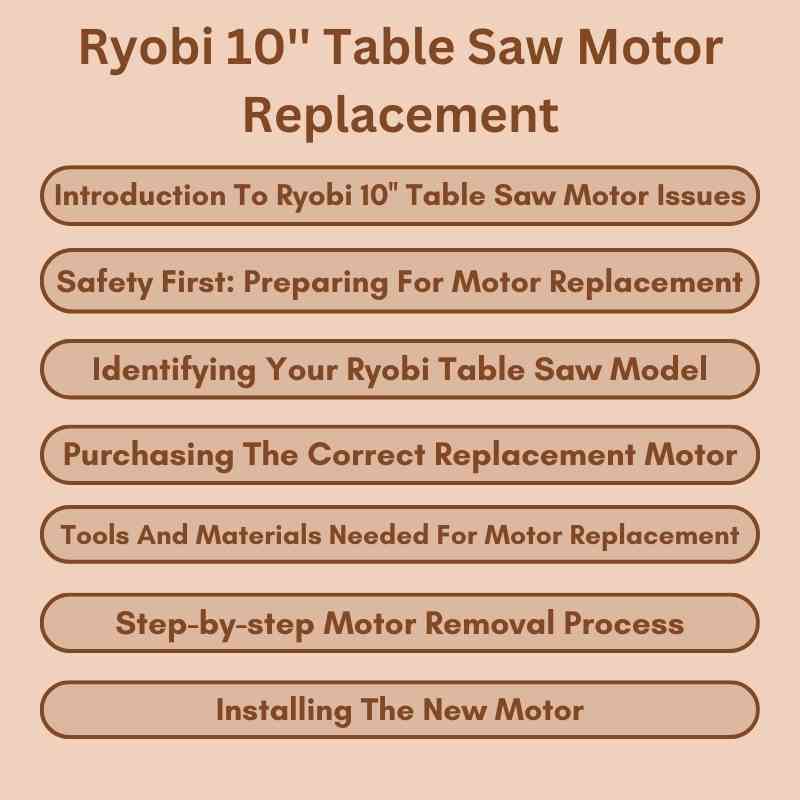
Safety First: Preparing For Motor Replacement
Prepare for a safe and efficient motor replacement with the Ryobi 10” Table Saw. Prioritize safety by disconnecting power, removing the old motor, and installing the new one with precision. Following the user manual and taking necessary precautions ensures a successful replacement.
When it comes to replacing the motor on your Ryobi 10” Table Saw, safety should always be your top priority. Before you begin the replacement process, it is crucial to take the necessary precautions to ensure a safe working environment. In this section, we will cover the essential safety equipment you need and the proper steps for disconnecting the power.
Safety Equipment
Before starting any motor replacement work, make sure you have the following safety equipment on hand:
- Protective goggles to shield your eyes from debris and sparks.
- Earplugs or earmuffs to protect your hearing from the loud noise of power tools.
- Heavy-duty gloves to safeguard your hands from sharp edges and potential injuries.
- A dust mask or respirator to prevent inhaling harmful particles or fumes.
Having the right safety gear will minimize the risk of accidents and ensure your well-being throughout the motor replacement process.
Disconnecting Power
Before you begin working on your table saw motor, it is crucial to disconnect the power supply to avoid any electrical hazards. Follow these steps to disconnect the power safely:
- Locate the power cord connected to your table saw.
- Unplug the power cord from the electrical outlet.
- If your table saw has a power switch, turn it off.
- For an extra layer of safety, it is recommended to lock the circuit breaker or remove the fuse to ensure the power is completely cut off.
By following these steps, you can be confident that you have taken the necessary precautions to prevent any electrical accidents while working on your Ryobi 10” Table Saw motor.
Identifying Your Ryobi Table Saw Model
To identify your Ryobi 10” table saw model for motor replacement, locate the model number on the saw’s body or in the owner’s manual. Use this information to find the correct replacement motor for your specific Ryobi table saw model.
Ensure compatibility and consult a professional if needed for installation.
Locating The Model Number
If you’re in need of a Ryobi 10” table saw motor replacement, the first step is to identify your specific table saw model. The model number is essential for ensuring that you purchase the correct replacement motor for your saw. The model number can typically be found in a few different locations on the saw itself. Common places to look for the model number include the base, the motor housing, or the saw’s nameplate. Refer to your saw’s user manual for detailed instructions on finding the model number.
Why Model Identification Matters
Identifying your Ryobi table saw model is crucial when seeking a motor replacement. Each model may have unique specifications, and using the wrong motor could lead to compatibility issues and potential damage to your saw. By locating the model number, you can ensure that you purchase the correct replacement motor, thereby avoiding future complications and preserving the performance of your table saw.
Purchasing The Correct Replacement Motor
When purchasing a replacement motor for your Ryobi 10” table saw, it’s important to carefully consider the specific model and compatibility. Ensure that the replacement motor is the correct size and meets the necessary specifications to ensure proper functionality and performance.
Finding Compatible Motors
When it comes to replacing a motor for your Ryobi 10″ table saw, it’s important to find a motor that is compatible with your specific model. The first step in finding a compatible motor is to check your owner’s manual for the model number of your table saw. You can then use this model number to search for replacement motors that are designed to fit your particular saw.
Trusted Sellers For Replacement Parts
Once you have identified the correct replacement motor for your Ryobi table saw, it’s important to purchase it from a trusted seller. There are many online retailers that offer replacement parts for power tools, but not all of them are reliable. It’s important to do your research and find a reputable seller that offers high-quality replacement parts at a fair price. Some trusted sellers for Ryobi table saw replacement parts include eBay, Amazon, and Power Tool Replacement Parts.
When purchasing a replacement motor, be sure to compare prices and read reviews from other customers to ensure that you are getting a good deal. It’s also important to check the seller’s return policy in case the motor is not compatible with your table saw or if you encounter any other issues.
Finding the correct replacement motor for your Ryobi 10″ table saw is crucial for ensuring that your saw continues to function properly. By following these tips for finding compatible motors and purchasing from trusted sellers, you can be confident that you are getting the right replacement part for your saw at a fair price.
Tools And Materials Needed For Motor Replacement
To replace the motor in a Ryobi 10” table saw, you will need a new motor, screwdriver, wrench, and safety goggles. Make sure to have the replacement parts ready before starting the motor replacement process. Ensure to follow all safety guidelines and instructions provided in the saw’s manual for a successful motor replacement.
If your Ryobi 10” table saw motor is not working properly, you may need to replace it. In this section, we will discuss the tools and materials that you will need for motor replacement.
List of Required Tools
Before you begin, make sure you have the following tools on hand:
– Screwdriver set
– Wrench set
– Pliers
– Wire cutters
– Wire strippers
– Voltage tester
– Replacement motor
Organizing Your Workspace
To ensure that the motor replacement process goes smoothly, it is important to organize your workspace. Here are some tips:
– Clear a space that is large enough to accommodate the saw and all required tools.
– Make sure your workspace is well-lit and well-ventilated.
– Lay out all of your tools and materials in an organized manner.
– Keep the replacement motor nearby for easy access.
Replacing the motor on your Ryobi 10” table saw may seem daunting, but with the right tools and preparation, it can be a straightforward process. Just be sure to take your time and follow all safety precautions. Good luck!
Step-by-step Motor Removal Process
In the step-by-step motor removal process for replacing the Ryobi 10” table saw motor, ensure you reset the overload before troubleshooting further. If the motor still won’t start, check the power supply and electrical outlet for any issues.
Uninstalling The Old Motor
The first step in replacing your Ryobi 10” table saw motor is to uninstall the old motor. This involves disconnecting the saw from the power source, removing the blade and blade guard, and then locating the motor housing. Once you have located the motor housing, remove the screws or bolts that secure the motor to the housing. Be sure to keep track of these screws or bolts, as you will need them later to secure the new motor in place.
Troubleshooting Common Removal Issues
While removing the old motor, you may encounter some common issues that could slow down the process. One of the most common issues is the presence of rust or corrosion on the screws or bolts that secure the motor to the housing. If you encounter this issue, use a rust dissolver or penetrating oil to loosen the screws or bolts. Another common issue is the presence of debris or sawdust inside the motor housing. To avoid this issue, clean the motor housing thoroughly before installing the new motor.
Once you have successfully uninstalled the old motor, it is time to install the new motor. Begin by aligning the new motor with the mounting holes in the motor housing. Then, secure the motor in place using the screws or bolts that you removed from the old motor. Once the motor is securely in place, reattach the blade guard and blade, and reconnect the saw to the power source.
Testing The New Motor
After installing the new motor, it is important to test it before using the saw. Start by turning on the saw and listening for any unusual noises or vibrations. If everything sounds good, run a test cut to ensure that the motor is functioning properly. If you encounter any issues during the testing process, refer to your owner’s manual or contact Ryobi customer support for assistance.
Replacing the motor on your Ryobi 10” table saw may seem like a daunting task, but by following these simple steps, you can successfully remove the old motor and install a new one. Remember to troubleshoot common removal issues, install the new motor properly, and test it before using the saw. With a little patience and attention to detail, you can have your table saw up and running in no time.
Installing The New Motor
Replacing the motor on your Ryobi 10” table saw is a straightforward process. Simply follow the manufacturer’s instructions, disconnect the old motor, and install the new one. Ensure that all connections are secure and test the saw to ensure proper functionality.
Installing a new motor in your Ryobi 10” table saw is a task that requires a bit of patience and attention to detail. To ensure the proper functioning of your saw, it’s important to align the motor properly, secure it in place, and reassemble the saw correctly. In this guide, we’ll take you through the steps you need to follow to install a new motor in your Ryobi table saw.
Aligning The Motor Properly
The first step in installing a new motor in your Ryobi table saw is to align it properly. Here’s how:
- Remove the screws that hold the motor assembly in place.
- Align the new motor with the mounting bracket on the saw.
- Insert the screws and tighten them securely.
Securing The Motor And Reassembling
Once you’ve aligned the motor properly, it’s time to secure it in place and reassemble the saw. Here’s what you need to do:
- Attach the wiring harness to the new motor.
- Secure the motor in place using the screws that you removed earlier.
- Reattach the motor cover and tighten the screws securely.
- Reassemble the saw, making sure that all components are properly aligned and secured.
- Test the saw to ensure that it’s working properly.
By following these simple steps, you can replace the motor in your Ryobi 10” table saw and get it back up and running in no time. Just be sure to take your time and follow the instructions carefully to ensure that everything is done correctly. With a little patience and attention to detail, you can have your saw running like new again in no time.
Post-installation Checks
After replacing the motor on your Ryobi 10” table saw, it’s crucial to perform a series of post-installation checks to ensure the motor is functioning properly. These checks will help in identifying any issues and making necessary adjustments to achieve optimal performance.
Testing The New Motor
Once the motor replacement is complete, the first step is to test the new motor to ensure it starts and runs smoothly. Turn on the table saw and listen for any unusual noises or vibrations. Make sure the blade spins without any wobbling or resistance. Check for proper alignment and smooth operation of the motor.
Fine-tuning And Adjustments
After testing the motor, it’s time to make any fine-tuning adjustments if necessary. Check the alignment of the blade and fence to ensure they are parallel. Verify that the miter gauge is square to the blade. Additionally, inspect the motor mount and belts for proper tension and alignment. Make any required adjustments to achieve optimal performance.
Maintenance Tips For Prolonging Motor Life
To prolong the life of your Ryobi 10” table saw motor, regular maintenance is key. Keep the motor clean and well-lubricated, and check for any signs of wear or damage on the drive belt and electrical components. Additionally, ensure a steady power supply to prevent slow spinning or sparking issues.
Proper maintenance is essential for prolonging the life of your Ryobi 10” table saw motor. By following a few routine maintenance tasks and being aware of signs of future motor problems, you can ensure that your table saw motor operates smoothly and efficiently for years to come.
Routine Maintenance Tasks
To keep your table saw motor in optimal condition, it’s important to perform the following routine maintenance tasks:
- Regularly clean the motor: Dust and debris can accumulate on the motor, causing it to overheat. Use a soft brush or compressed air to remove any dirt and debris.
- Check and tighten connections: Ensure that all electrical connections are secure and tighten any loose screws or bolts. Loose connections can lead to poor performance and even motor failure.
- Inspect the drive belt: The drive belt is an important component that transfers power from the motor to the saw blade. Check the belt for signs of wear or damage and replace it if necessary.
- Lubricate moving parts: Regularly lubricate the moving parts of the motor, such as bearings and gears, to reduce friction and ensure smooth operation. Use a lubricant recommended by the manufacturer.
- Monitor motor temperature: Keep an eye on the motor temperature during extended use. If it becomes excessively hot, allow it to cool down before continuing. Overheating can cause damage to the motor.
Signs Of Future Motor Problems
By being aware of the following signs, you can catch potential motor problems early and take appropriate action:
- Unusual noises: If you notice any unusual or grinding noises coming from the motor, it could indicate worn-out bearings or other mechanical issues.
- Inconsistent performance: If the motor starts to operate erratically or experiences a decrease in power, it may be a sign of impending motor failure.
- Excessive heat: If the motor becomes excessively hot to the touch, it could be a sign of poor ventilation or an underlying issue.
- Sparks or smoke: The presence of sparks or smoke coming from the motor is a clear indication of a serious problem. In such cases, stop using the saw immediately and seek professional assistance.
By incorporating these maintenance tips into your routine, you can ensure that your Ryobi 10” table saw motor remains in top condition, providing you with efficient and reliable performance for all your woodworking needs.
Troubleshooting Post-replacement Issues
After replacing the motor on your Ryobi 10” table saw, it is essential to address any potential post-replacement issues that may arise. Troubleshooting these issues will ensure that your table saw is functioning optimally and delivering the performance you expect. In this section, we will discuss common performance issues and when it may be necessary to seek professional help.
Dealing With Performance Issues
If you encounter performance issues after replacing the motor on your Ryobi 10” table saw, there are a few troubleshooting steps you can take to resolve the problem. Here are some common performance issues and their potential solutions:
- 1. Motor running slowly: If you notice that the motor is running slowly or not reaching its full speed, it could indicate a problem with the drive belt, motor bearings, or electrical components. Check the drive belt for any signs of wear or damage and replace it if necessary. Additionally, inspect the motor bearings for any signs of wear or excessive friction. If the issue persists, it is recommended to seek professional help.
- 2. Motor overheating: Overheating can occur if the motor is working too hard or if there is insufficient ventilation. Ensure that the motor is not overloaded and that the sawdust collection system is functioning properly to prevent clogging. If the motor continues to overheat, it may be necessary to consult a professional.
- 3. Inconsistent cutting performance: If you notice that the cutting performance is inconsistent or the saw is not producing clean cuts, it could be due to issues with the blade alignment or the rip fence. Check the blade alignment and adjust it if necessary. Additionally, ensure that the rip fence is properly aligned and securely locked in place. If the problem persists, consider seeking professional assistance.
When To Seek Professional Help
In some cases, troubleshooting the post-replacement issues may require the expertise of a professional. Here are some situations where it is recommended to seek professional help:
- 1. Electrical problems: If you suspect any electrical issues with your table saw, such as faulty wiring or a malfunctioning switch, it is best to consult a professional electrician or a qualified technician. They will have the necessary expertise to diagnose and rectify any electrical problems safely.
- 2. Complex mechanical issues: If the performance issues persist despite your troubleshooting efforts, it may indicate more complex mechanical problems with the table saw. In such cases, it is advisable to contact a professional with expertise in table saw repairs. They will be able to diagnose and fix the issue efficiently.
- 3. Safety concerns: If you have any concerns regarding the safety of your table saw after motor replacement, it is crucial to seek professional help. Your safety should always be a top priority, and a professional can ensure that your table saw is in proper working condition and meets all safety standards.
Remember, proper troubleshooting and timely professional assistance will help you resolve any post-replacement issues and ensure that your Ryobi 10” table saw operates smoothly and efficiently.
Conclusion And Additional Resources
For additional resources on replacing the motor of your Ryobi 10” table saw, consider checking out online marketplaces like eBay or OEM parts websites like Fix. com. If your saw motor isn’t working, it could be due to a failed power supply, broken switch, or bad overload.
Check for wear or damage to the drive belt and electrical components if the motor is running slow or sparking.
Recap Of Motor Replacement
If you’ve made it this far, you’ve learned about the essential steps for replacing the motor in your Ryobi 10” table saw. From diagnosing common motor issues to the actual replacement process, you’re now equipped with the knowledge to tackle this task confidently. Remember to always prioritize safety and consult the user manual for specific instructions related to your model.
Where To Find Further Guidance
When you need additional support or detailed guidance, there are several resources you can turn to:
- Official Ryobi Website: Visit the official Ryobi website for product manuals, FAQs, and troubleshooting guides specific to your table saw model.
- Online Forums: Engage with the vibrant online community of DIY enthusiasts and professionals on forums such as Reddit, Woodworking Talk, and SawdustZone. You can seek advice, share experiences, and learn from others who have tackled similar motor replacement projects.
- YouTube Tutorials: Visual learners may benefit from watching step-by-step video tutorials on YouTube. Many content creators share their expertise in repairing and maintaining power tools, including table saws.
- Local Hardware Stores: Don’t hesitate to visit your local hardware store and seek advice from knowledgeable staff. They may offer valuable insights and recommend specific tools or parts needed for the motor replacement.
Frequently Asked Questions
Why Is My Table Saw Motor Not Working?
A table saw motor may not work due to various reasons like a broken power cord, failed drive motor, or bad motor overload. Try resetting the overload first. If it still doesn’t work, check the power supply from the electrical outlet.
A slow-spinning motor may indicate a worn-out drive belt or motor bearings. A sparking motor may be normal for a brushed motor or could indicate a problem.
Why Does My Table Saw Motor Run Slow?
A slow running table saw motor could be due to a worn out drive belt, motor bearings, or insufficient power supply. Check the motor drive belt for wear or damage and replace it if necessary. Also, ensure the saw is getting power from the electrical outlet.
A failed power supply, broken on/off switch, bad motor overload, broken power cord, or failed drive motor can prevent the table saw motor from starting.
Why Is My Table Saw Motor Sparking?
Sparking in a table saw motor can indicate normal wear and tear on the brushes, but it may also signify a problem. A dirty commutator or damaged insulation can also cause sparking. It’s essential to address the issue promptly to prevent further damage to the motor.
What Is The Standard Size Of A Table Saw?
The standard size of a table saw is typically 10 inches.
Conclusion
Replacing the motor on your Ryobi 10” table saw can bring it back to life and ensure its optimal performance. By identifying common issues such as a failed power supply, broken on/off switch, or motor overload, you can troubleshoot the problem and find the right replacement parts.
Whether you shop from reputable online retailers or official Ryobi parts suppliers, make sure to choose genuine parts for a seamless and reliable motor replacement. With the right tools and knowledge, you can restore your table saw to its full potential.
Happy woodworking!