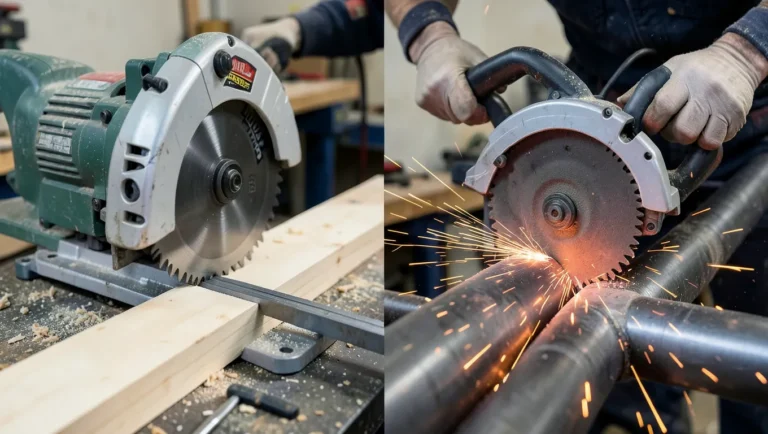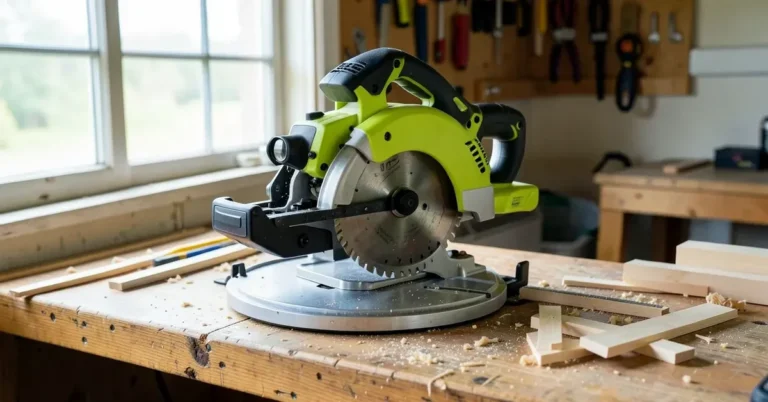
How to Use a Sliding Miter Saw? A Step-by-Step Guide
A sliding miter saw crosscuts boards up to about 12 inches wide on a 10-inch model — roughly double a standard 10-inch saw’s 6-inch capacity — because the blade rides forward and back on rails instead of only pivoting down. Pulling the spinning blade back through a cut, instead of pushing it toward the fence, is the top cause of kickback on this saw. This guide covers the cutting sequence, rear clearance space, squaring the fence, and real safety practices.
Insert your Affiliate Disclosure reusable block here
Quick Answer
Clamp or hold the board against the fence, set your miter and bevel angle, then pull the saw head toward you along the rails so the blade sits at the front edge of the board. Start the saw, let it reach full speed, lower the blade, and push it back through the cut toward the fence — never pull a spinning blade toward you mid-cut.
How to Use a Sliding Miter Saw: 10 Steps
Best Sliding Miter Saw Stand Pick
WEN Collapsible Rolling Miter Saw Stand (MSA330) – $124.99
Rolls into place, folds flat for storage, and keeps long boards level on both sides of the saw — exactly the support Step 4 above calls for.
- Best for: cutting deck boards, baseboard runs, and long trim without a helper
- Why we picked it: onboard outlets and wheels mean one person can set up and break down a jobsite station fast
- Main drawback: adds real footprint — measure your rear rail clearance (see section above) before you buy
Compare more sliding miter saw upgrades
 Option 1 WEN 10″ 60-Tooth Fine-Finish Blade – $18.54
|
 Option 2 Oshlun Green Laser Guide – $48.46
|
 Option 3 General Tools Digital Angle Finder – $23.40
|
As an Amazon Associate we earn from qualifying purchases.
Before starting, note that a sliding miter saw and a standard miter saw are set up almost identically — the difference is the rail system that lets the head slide forward and back. The steps below work for both left- and right-handed users, and apply to any saw in our miter saw guides.
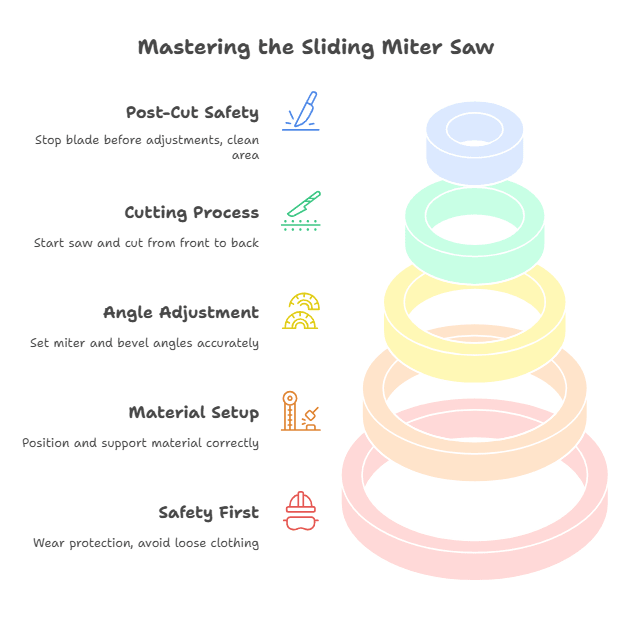
Step 1: Wear Protection and Avoid Loose Clothing
Put on safety glasses before you plug in the saw — sawdust and small offcuts are thrown at eye level. Avoid loose sleeves or a jacket that can get pulled into the blade, and tie back long hair. A dust mask and hearing protection are worth adding for repeated cuts; miter saws routinely run loud enough to cause long-term hearing damage over a full day of cutting.
Step 2: Position and Clamp the Material
Set the board flat on the table with the cut line facing the blade, and push it firmly against the fence — a board that isn’t square against the fence will cut an off-angle even if the saw itself is set correctly. Clamp longer or narrower stock; only hold short, stable offcuts by hand, and always keep your hand at least 6 inches from the blade’s path, the same minimum distance safety guides for stationary saws recommend.
Step 3: Set the Miter and Bevel Angle
Unlock the miter gauge and rotate the table to your angle; most saws have detents at 0°, 22.5°, 31.6°, and 45° that lock the table automatically. For a bevel cut, return the miter gauge to 0°, unlock the bevel gauge, and tilt the blade — common bevel detents are 0°, 33.9°, and 45°. Never adjust either gauge while the saw is running or plugged in.
Step 4: Support Long Boards With a Stand
A board that overhangs the table unsupported can tip or bind mid-cut. A rolling miter saw stand or bench with roller supports keeps long stock level with the table on both sides of the saw, which matters more on a sliding saw since the head itself needs a clear path to travel.
Step 5: Pull the Saw Head Toward You First
This is the step beginners skip, and it’s the real difference between a sliding saw and a standard one. Before you touch the trigger, slide the saw head all the way back along the rails, toward yourself and away from the fence, so the blade sits in front of the board rather than already buried in it. That front position is where the cut starts — not where it ends.
Step 6: Start the Saw and Let It Reach Full Speed
Squeeze the trigger with the blade clear of the wood and let it spin up to full RPM before it touches the board. Starting the cut before the blade is at speed is a common cause of splintering and binding.
Step 7: Lower the Blade, Then Push It Back Through the Cut
Lower the spinning blade into the front edge of the board, then push the saw head backward along the rails, toward the fence, to carry the blade through the material. Keep the motion steady — forcing the saw faster than the blade wants to cut is what causes it to bind and kick back.
Never reverse that direction and pull the spinning blade back toward you mid-cut. A blade pulled back into an already-started kerf can climb up out of the wood toward the operator — this is the mechanism safety references specifically warn about on sliding saws, separate from the more familiar table-saw kickback.
📊 Power saws (portable and stationary circular/miter types) are involved in tens of thousands of emergency-room-treated injuries in the U.S. each year, with kickback among the leading causes — Source: U.S. Consumer Product Safety Commission, power saw injury data
Step 8: Keep Your Free Hand Clear
Keep your free hand to the side of the blade’s path, never behind the board you’re cutting. If a small offcut needs holding, use a push stick or your clamp instead of your fingers.
Step 9: Let the Blade Stop Completely Before Adjusting
Release the trigger and wait for the blade to come to a full stop before raising the head, repositioning the board, or changing any angle. Unplug the saw before blade changes or maintenance.
Step 10: Clean Up the Area
Brush or vacuum sawdust from the table and rails — built-up dust in the rail track is a common reason a sliding saw starts to feel gritty or uneven partway through the slide. Remove clamps and check the workpiece for a clean, square cut.
How Much Clearance Does a Sliding Miter Saw Need Behind It?
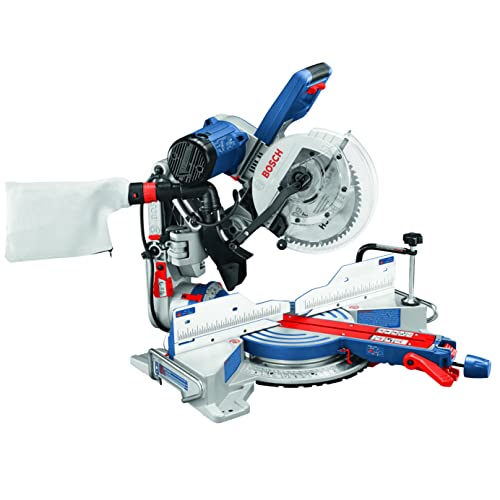
A sliding miter saw is a category that needs open space behind the fence for the rails to extend into, unlike a standard miter saw that can sit flush against a wall. Most traditional 10- and 12-inch sliding compound miter saws need roughly 24 to 36 inches of clear space behind them at full extension — check your specific model’s manual, since rail travel varies by brand and blade size. Some newer “compact” or axial-glide designs fold the slide mechanism into an arm above the table instead of rails behind it, and those can sit close to or flush against a wall.
If you’re setting up a permanent miter station against a wall, measure your saw’s fully-extended depth before you build the bench — it’s a common mistake to frame the station first and find the rails hit the wall on every cut.
Advantages and Disadvantages of a Sliding Miter Saw
The main advantage is crosscut width: a 10-inch sliding saw’s roughly 12-inch capacity handles deck boards, wide shelving, and stair treads that a standard 10-inch saw’s 6-inch capacity can’t touch in one pass. The trade-offs are real, though — a sliding saw is heavier and bulkier to move between a shop and a jobsite, needs the extra rear clearance covered above, and generally costs more than a non-sliding saw with the same blade size.
For narrow trim, base molding, and picture-frame stock, a non-sliding saw is often the more accurate choice — without rails or bearings to flex, there’s less head deflection on fine cuts. See our sliding vs. standard miter saw comparison for the full breakdown.
4 Tricks to Get More From Your Sliding Miter Saw
Practice these on scrap wood before your project piece — a sliding saw’s extra rail travel takes a few cuts to get a feel for.
Trick 1: Use a Stop Block for Repeat Cuts
Clamp a block to your stand or fence extension at the exact length you need, then butt each new piece against it before cutting. Every piece comes out identical without re-measuring.
Trick 2: Add a Laser Guide
A laser line shows exactly where the blade will land before you lower it, which is especially useful on a sliding saw since the blade travels a longer path than on a standard saw. Saws without a factory laser can usually take an aftermarket laser guide that mounts in place of the arbor washer.
Trick 3: Add an Auxiliary Fence for Small Pieces
A tall auxiliary fence keeps small offcuts from tipping into the blade’s path or getting thrown back. Let the blade come to a complete stop before lifting it clear — raising it while it’s still spinning can catch and launch a small cutoff.
Trick 4: Upgrade the Blade for the Material
The general-purpose blade that ships with most saws is a compromise. A dedicated fine-finish crosscut blade (60+ teeth) leaves a noticeably cleaner edge on trim and hardwood than the factory blade manages.
How to Square a Sliding Miter Saw
A saw that reads 0° on its scale can still cut out of square if the fence or table has drifted. Unplug the saw first, then run these three checks:
- Square the blade to the table: set the bevel to 0° and hold a square against the blade’s flat side (between the teeth, not on a tooth) and the table. Any gap means the bevel stop needs adjusting.
- Square the fence to the blade: set the miter to 0° and hold the square against the fence and the blade. Loosen and shift the fence if there’s a gap, then retighten.
- Test-cut and measure: cut a scrap board, flip one half end-for-end, and butt the cut edges together. Any visible gap shows the direction and rough amount your angle is off, so you can fine-tune before cutting your project piece.
If the miter angle itself needs resetting rather than just squaring, see our full miter saw squaring guide for the detent-reset procedure, or our single vs. dual bevel comparison if you’re deciding which saw to buy for repeat bevel work.
“The test-cut-and-flip check catches drift a speed square alone misses — a fence that’s off by even half a degree still looks square against a 6-inch blade, but it shows up clearly once you butt two cut ends together.”
Sliding Miter Saw Safety Checklist
The blade on a sliding miter saw is sharp enough to cause serious injury in a fraction of a second, and the extra rail travel adds a kickback risk a standard miter saw doesn’t have. Follow these before every session:
- Keep both hands clear of the blade’s path — wear snug-fitting gloves for handling material, but remove them before gripping the trigger handle, since loose glove fabric near a spinning blade is its own hazard.
- Never lift the blade until it’s fully stopped — lifting a still-spinning blade out of the cut can catch the kerf and kick the saw back toward you.
- Lower the head and unplug the saw when it’s not in active use — this matters most in a shared shop or any space where kids or visitors can reach the saw.
- Read the manufacturer’s manual before your first cut — rail lock mechanisms, blade guard behavior, and maximum stock thickness vary by brand and model, and the manual is the accurate source for your specific saw, not a general guide.
If you have an accident or the blade binds and won’t clear on its own, stop, unplug the saw, and seek medical attention for any injury beyond a minor scratch.
Sliding Miter Saw FAQ
Should you push or pull a sliding miter saw?
Push the saw head through the cut, toward the fence — never pull a spinning blade back toward you mid-cut. The one exception is before you start: you pull the head toward you along the rails to position the blade at the front of the board, then push it through once the blade is up to speed.
How much wider can a sliding miter saw cut than a standard miter saw?
A 10-inch sliding miter saw typically crosscuts boards up to about 12 inches wide at 90°, versus roughly 6 inches for a 10-inch saw without a slide. That extra width is enough for most deck boards, wide baseboard, and shelving in a single pass.
How do you make a miter saw cut accurately?
Set the correct angle, clamp or firmly hold the workpiece square against the fence, and align the blade to your mark before starting the saw. Guide the saw through the cut at a steady pace rather than forcing it, and always check your setup against the manufacturer’s safety instructions first.
Why is your sliding miter saw not cutting straight?
Check the blade for dullness or damage first, since a worn blade wanders under load. Next check whether the fence is square to the blade and whether the workpiece sits flush and square against the fence — any one of these being off will throw the cut. See our full troubleshooting guide for the complete diagnostic checklist.
How do you square a sliding miter saw?
Unplug the saw, set the bevel to 0° and check the blade against the table with a square, then set the miter to 0° and check the fence against the blade. Adjust and retighten wherever there’s a gap, then confirm with a test cut and flip check — see the squaring section above for the full three-step process.
What’s the disadvantage of a sliding miter saw compared to a standard one?
Weight, cost, and rear clearance. A sliding saw is noticeably heavier and bulkier to carry between a shop and a jobsite, generally costs more than a non-sliding saw of the same blade size, and needs the 24-to-36-inch rear clearance covered above — space a standard miter saw doesn’t require.
Final Word
A sliding miter saw rewards the same habits any miter saw does — clamp the work, let the blade reach full speed, and never move it until it’s fully stopped — with one addition specific to the slide: pull the head toward you to set up the cut, then push it away from you through the material. Confirm your saw’s exact rail-lock and clearance requirements against the manufacturer’s manual before your first cut, since these details vary by brand and model.
Sponsored / affiliate links. As an Amazon Associate I earn from qualifying purchases. I may earn additional commission from eligible campaigns.
 LMAOSS Miter Saw, 12-inch Double Bevel Sliding Compound Miter Saw with Laser Guide, 3800 RPM, 80T Blade, ±45° Miter & Dual Bevel, Max 4.2" x 13" Cut, Power Saw for Metal, Plastic, Wood, Laminates
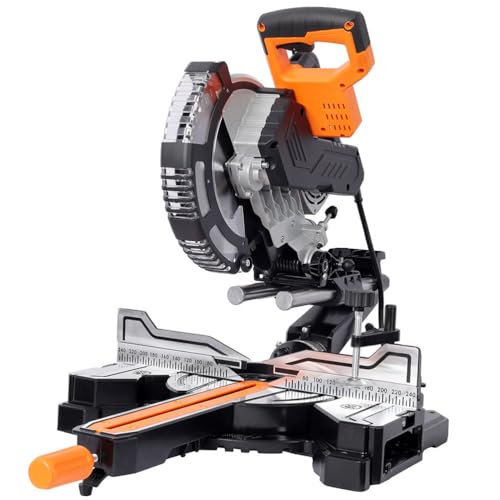 YATON 10-Inch Dual Bevel Sliding Miter Saw, 2-Speed Compound Miter Saw with LED Shadow Line, 45° Bevel & Miter Cuts, Steel Frame Precision Power Saw for Wood, PVC & Soft Metal