How to Use a Ryobi Miter Saw: Setup, Cuts & Safety
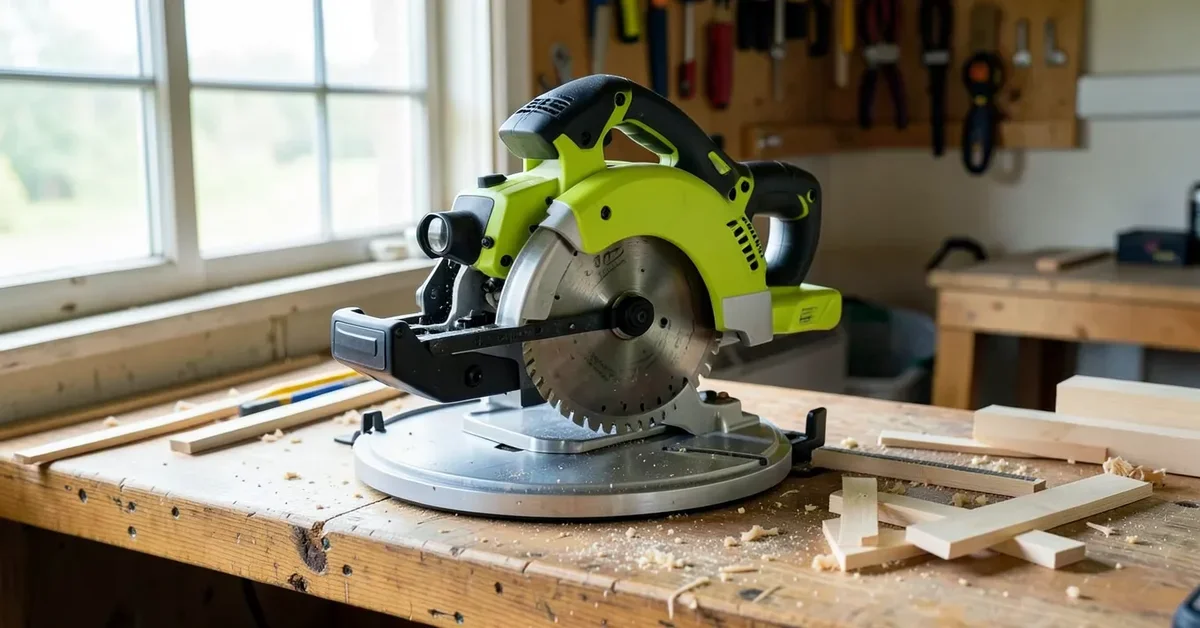
To use a Ryobi miter saw, mount it to a stable bench or stand, set the miter and bevel angles for your cut, clamp or firmly hold the workpiece against the fence, and push the spinning blade straight down and through the wood — never pull it back toward you. The exact steps change a little depending on which Ryobi you own, because Ryobi sells several very different miter saws under one name.
That’s the part most guides skip. A 14-Amp corded TS1345L, a sliding TSS103, and the 18V ONE+ cordless models don’t share the same RPM, the same crosscut capacity, or even the same alignment system — one uses a laser line, the others use an LED shadow line. Below, we’ll walk through setup, the safety habits that actually prevent kickback injuries, and the exact detent angles for each common Ryobi model so you’re not guessing at your saw’s scale.
Which Ryobi Miter Saw Do You Have?
Best Cordless Ryobi Pick
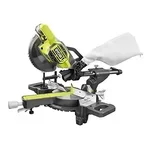 |
RYOBI ONE+ 18V Cordless 7-1/4″ Sliding Compound Miter Saw – $238.99 If you don’t already own a Ryobi miter saw, this is the model this guide’s cordless setup and safety steps map to most directly — no cord to manage at the bench.
|
“Ryobi miter saw” actually covers several tools with different motors and alignment systems. Match your saw to the table below before you set an angle — it changes what you’re looking for on the scale.
| Model | Power | No-Load Speed | Alignment | Crosscut Capacity |
|---|---|---|---|---|
| TS1345L (10″ compound) | Corded, 14 Amp | 5,500 RPM | Laser line | 2×6 at 90°, 2×4 at 45° |
| TSS103 (10″ sliding compound) | Corded, 15 Amp | 4,600 RPM | LED cutline (shadow, not laser) | 12″ crosscut |
| 18V ONE+ 7-1/4″ (sliding) | Cordless (ONE+ battery) | Lower RPM than corded models | None built in on most versions | Up to 2×10 crosscut sliding |
If your saw uses a laser line (TS1345L), it projects a red line onto the wood at the actual kerf — check it against a test scrap before trusting it, since laser alignment can drift after transport. If it uses an LED cutline (TSS103), the light casts the blade’s shadow onto the wood instead of a projected beam, which is less precise but never needs its own recalibration.
Unboxing and Setting Up Your Ryobi Miter Saw
A miter saw sitting loose on a table is the single biggest reason beginners get inaccurate cuts — any wobble at the base shows up as an error in the cut. Bolt or clamp the saw down before you do anything else.
- Mount the saw to a dedicated miter saw stand, or bolt it to a bench through the base’s pre-drilled holes. If you don’t have a stand yet, miter saw cover a weekend build sized to support long stock on both sides of the blade.
- Release the transport lock pin (usually near the top of the head) before you plug in or power on the saw — on most Ryobi models this is the same pin people mistake for a stuck blade lock. If yours won’t budge, Ryobi miter saw, walks through it.
- Check that the lower blade guard springs back on its own when you raise and lower the head by hand, with the saw unplugged. A guard that sticks open is a repair job, not a “just be careful” situation.
- Plug in (or install a charged ONE+ battery) only after the saw is bolted down and the guard checks out.
Safety Before You Cut
Miter saw injuries almost always come from one of two habits: hands too close to the blade, or pulling the saw back into the material instead of pushing it through. Both are easy to avoid once you know what to watch for.
- Keep both hands at least 6 inches from the spinning blade on either side. If your cut line puts your hand closer than that, reposition the material or use a clamp instead of holding it by hand.
- Wear safety glasses and hearing protection every time, plus a dust mask if you’re cutting for more than a few minutes — miter saws throw fine dust straight at face height.
- Push down and through, never pull the trigger and drag the blade back toward you mid-cut. Pulling lets the spinning teeth climb up and out of the workpiece, which is what causes kickback.
- Let the blade come to a complete stop before lifting the head off the wood. Lifting while it’s still spinning can catch the offcut and throw it.
- Clear loose sleeves, gloves, and jewelry before you switch the saw on — gloves in particular reduce your grip feel right at the point where you need it most.
Setting Your Miter and Bevel Angles
The miter angle is the horizontal swing of the blade, set by rotating the table; the bevel angle tilts the blade itself and is a separate lock entirely. Most beginners adjust one and forget the other is even there, then wonder why a “45-degree cut” doesn’t fit.
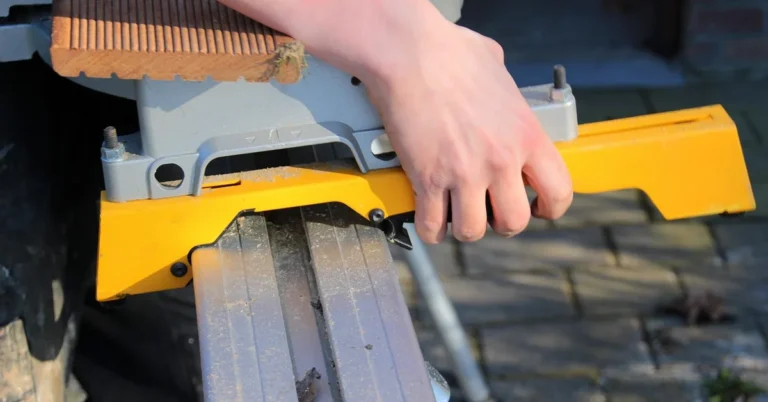
- Release the miter lock lever at the front of the table, swing to your angle, and let the detent pin drop into place if you’re cutting a common angle.
- On a TS1345L, expect positive detent stops at 0°, 15°, 22.5°, 31.6°, and 45° left and right — that 31.6° stop is for standard roof pitch cuts, not a typo.
- For a bevel cut, release the separate bevel lock at the back of the head and tilt the blade using the bevel scale, then relock it before cutting.
- For compound cuts (miter and bevel together, like crown molding), set the miter angle first, then the bevel, and check both locks are tight before you power on the saw.
For a compound angle you’re not sure of by eye, run the numbers through miter angles before you touch the saw — it’s faster than cutting a test piece twice.
Making Your First Cut, Step by Step
- With the saw unplugged, set your miter and bevel angles and lock both.
- Position the wood flat on the table and firmly against the fence. Mark your cut line, then align the laser or LED cutline to the waste side of that line, not the keeper side.
- Clamp the workpiece, or hold it with your off hand at least 6 inches from the blade path.
- Plug in or power on, squeeze the trigger, and let the blade reach full speed before it touches the wood.
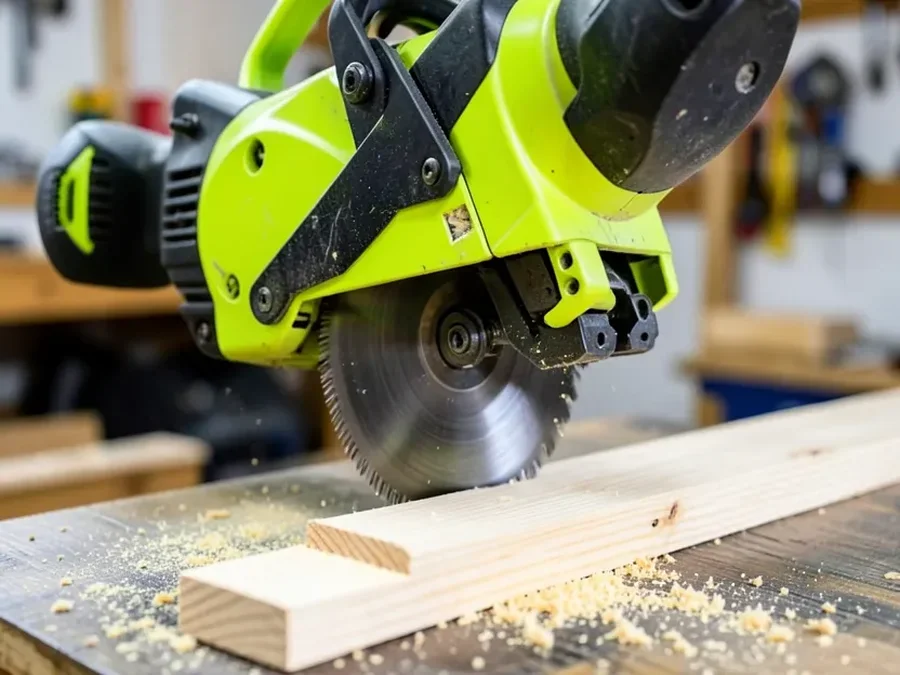
- Push the head down and guide it through the cut in one continuous motion — don’t force it faster than the motor wants to go, which just tears the wood and stalls the blade.
- Release the trigger, wait for the blade to fully stop, then raise the head and clear the offcut.
Calibration and Blade Maintenance
A saw that cuts slightly out of square usually isn’t broken — it’s just drifted out of calibration from being moved around. Check it before you blame the blade.
- Unplug the saw, lower the blade, and hold a combination square against the blade and the fence to check both are at true 90°. If they’re off, full Ryobi miter saw adjustment guide has the bolt-by-bolt fix and a flip test to confirm it.
- Clear sawdust from the blade guard, the table insert, and the motor’s air vents after every session — a clogged vent is a common reason these saws run hotter and bog down on thicker stock.
- Replace the blade when cuts start splintering instead of slicing cleanly, or when you can see chipped or missing carbide teeth. blade on your Ryobi Miter Saw covers the arbor bolt direction, which trips people up because it’s reversed from what they expect.
- If the saw won’t be used for a while, store it with the head locked down in the transport position. Here’s a full storage guide if space is tight in your shop.
Common Mistakes Beginners Make
- Cutting freehand without the fence. Even a straight-looking board needs to sit against the fence, or the cut angle drifts as you push.
- Trusting the laser without checking it. Laser guides can shift after the saw’s been moved. Cut a test piece and measure it before you trust the line on a real workpiece.
- Forcing a dull blade through hardwood. If you’re pushing harder than usual to get through a cut, that’s the blade telling you it needs replacing, not a sign to push harder.
- Setting the bevel and forgetting to reset it. A leftover bevel angle from your last project is an easy way to ruin the next square cut.
Frequently Asked Questions
How Close Can My Hands Be to a Ryobi Miter Saw Blade?
Keep both hands at least 6 inches from the blade on either side while cutting. If your workpiece is too narrow to keep that distance, clamp it down or use a push block instead of holding it by hand.
What Are the Detent Stops on a Ryobi Miter Saw?
On the corded TS1345L, positive detent stops sit at 0°, 15°, 22.5°, 31.6°, and 45° left and right of center. Sliding models like the TSS103 use the same common angles, marked on a slightly larger miter scale for the added crosscut range.
Should I Push or Pull a Ryobi Miter Saw Through the Cut?
Push the blade down and through the workpiece in one motion. Never pull a spinning blade back toward you mid-cut — that lets it climb up out of the wood, which is the main cause of kickback on a miter saw.
How Many Cuts Can the Ryobi 18V ONE+ Cordless Miter Saw Make on One Battery?
Ryobi rates the 18V ONE+ 7-1/4″ cordless miter saw at up to 800 cuts on a single charge with a compatible high-capacity ONE+ battery, though thicker or denser material will bring that number down.
Conclusion
Most of what makes a Ryobi miter saw safe and accurate isn’t complicated: bolt it down, know which detent stops your specific model uses, keep your hands 6 inches back, and push the blade through instead of pulling it. Get those habits right and the rest — clean crosscuts, tight miters, square bevels — follows from there.
Sponsored / affiliate links. As an Amazon Associate I earn from qualifying purchases. I may earn additional commission from eligible campaigns.