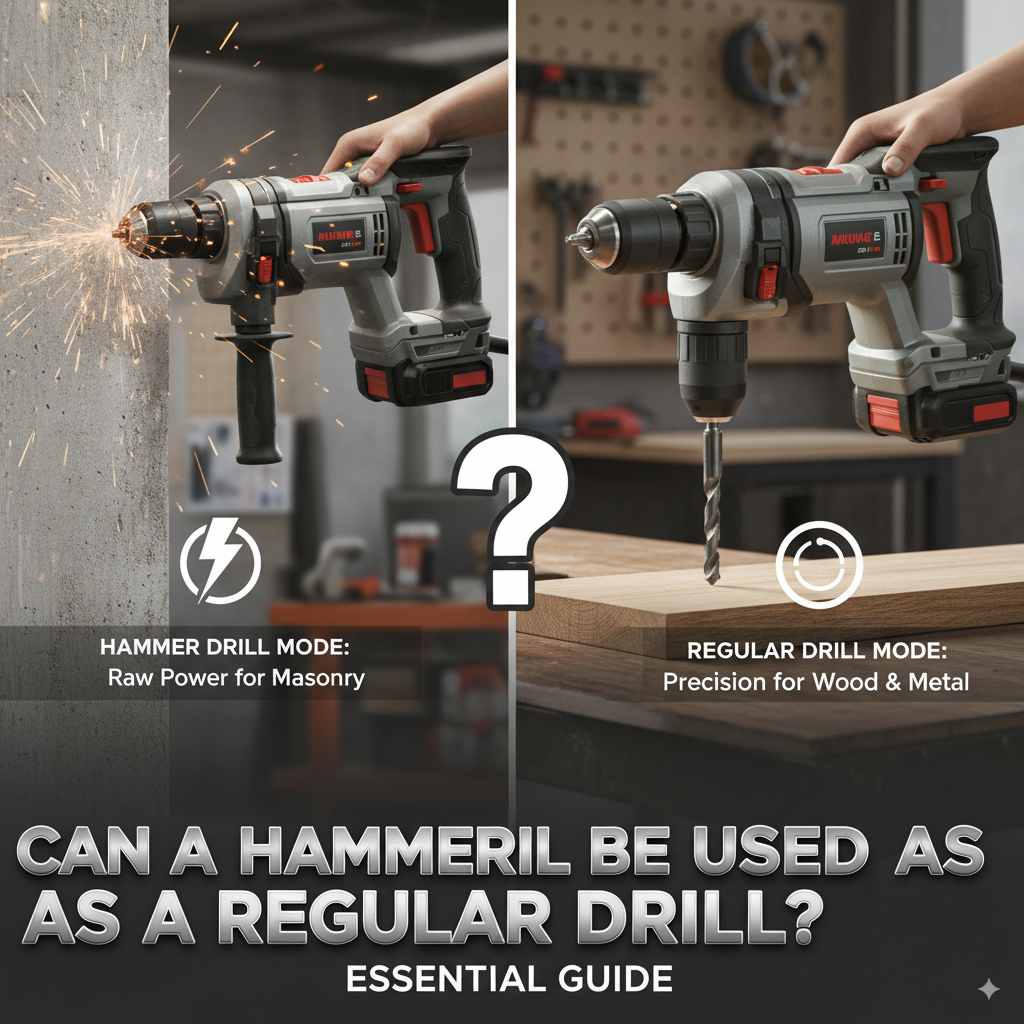
Can A Hammer Drill Be Used As A Regular Drill: Essential Guide
Yes, a hammer drill can absolutely be used as a regular drill! In its standard drilling mode, it functions just like any other drill. The hammer function is an added bonus for tougher materials like masonry, but it can be easily switched off for everyday wood or metal drilling.
Hey there, DIY adventurers! Md Meraj here, your friendly guide to making your home projects a breeze. Ever stared at a tool and wondered, “Can this do that?” It’s a common question, especially when you’re starting out. Today, we’re tackling a big one: the hammer drill. Many of us have one, or are thinking about getting one, and the big question is always, “Can a hammer drill be used as a regular drill?” You’ve probably seen it, maybe even have one collecting dust, and you’re eager to know if you can use it for your everyday woodworking or home repairs. It can get a bit confusing with all the different settings and modes! But don’t worry, I’m here to clear things up. We’ll break down exactly how a hammer drill works and why it’s a perfectly capable regular drill for most tasks. Get ready to unlock more potential from your tools!
Understanding Your Hammer Drill: More Than Just a Pounder
You might see the “hammer” in hammer drill and think it’s only for demolition or hard surfaces. That’s a common misconception, and it’s good you’re asking! A hammer drill is actually a very versatile tool that essentially combines two tools into one, giving you more options for your projects.
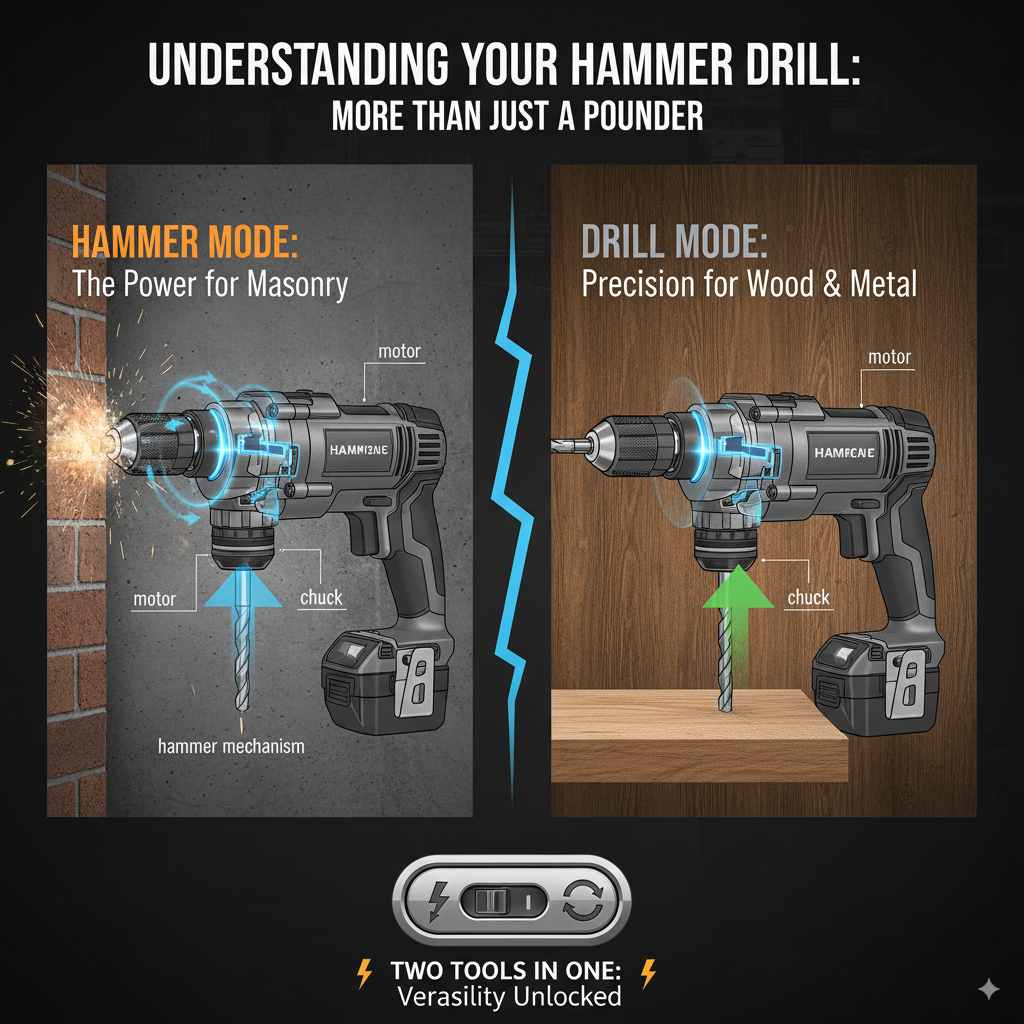
At its core, a hammer drill is a power drill. This means it has a motor that spins a chuck, which holds a drill bit. This spinning action is what allows you to bore holes into materials. The drill bit bites into the material and, with controlled pressure, removes tiny bits of it to create a hole. This is exactly how a standard drill works.
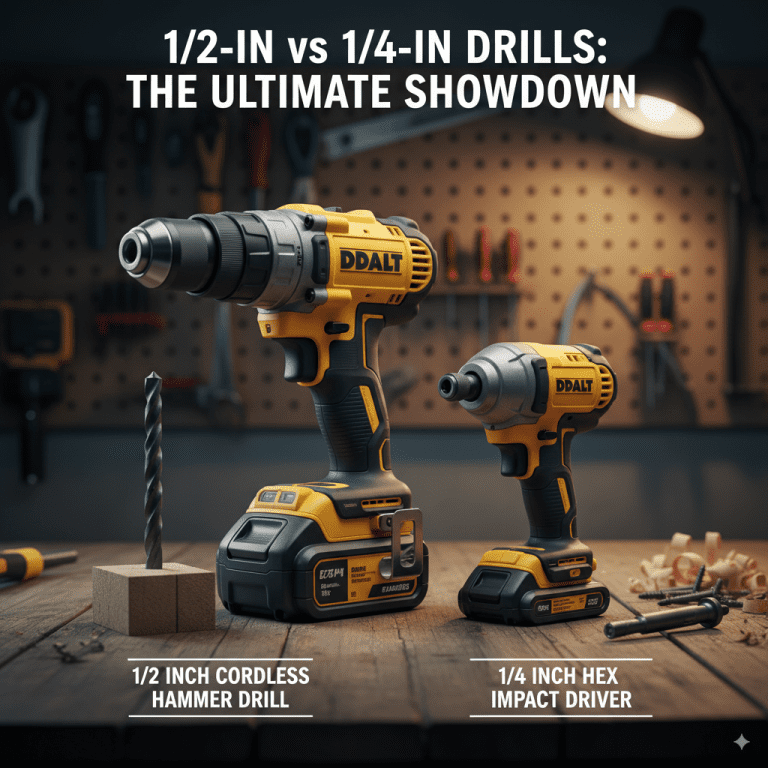
The “hammer” part is the extra feature. When engaged, the hammer drill has a mechanism that, in addition to spinning the bit, also delivers rapid, short, impactful blows forward. Think of it like tapping the drill bit forward very quickly while it’s also spinning. This action is incredibly effective at breaking up hard materials like concrete, brick, and stone, which are difficult or impossible for a regular drill to penetrate effectively.
The key takeaway here is that the hammer action is optional. You can turn it on or off. When the hammer function is off, the tool behaves exactly like a standard drill. This means you can use it for all the tasks you’d normally use a regular drill for.
Can a Hammer Drill Be Used As a Regular Drill? The Simple Answer
Let’s get straight to the point: yes, a hammer drill can be used as a regular drill. It’s designed to be versatile, and its regular drilling mode is just as effective as a stand-alone drill. The “hammer” function is an extra setting that you can choose to activate or deactivate. When you’re working with wood, metal, or even fastening screws, you’ll simply keep the hammer function turned off. This makes it a perfectly capable, and often more powerful, alternative to a standard drill/driver.
Modes of Operation Explained
Hammer drills typically have at least two main modes, and sometimes three:
- Drill Mode (Standard Drilling): This is the mode you’ll use for most of your projects. When engaged, the drill operates with a consistent spinning motion, just like a regular drill/driver. It’s ideal for drilling holes in wood, metal, plastic, and for driving screws. This is the mode you’ll use most often for typical DIY tasks.
- Hammer Drill Mode: In this mode, the drill spins the bit while simultaneously delivering rapid, pulsing blows forward. This is what makes it effective for drilling into masonry (brick, concrete, stone) and other hard materials. It’s like adding a tiny jackhammer action to your spinning drill. Never use this mode on wood or metal, as it can damage the material and the drill bit.
- Hammer Only Mode (Less Common): Some more advanced hammer drills might have a “hammer only” mode, which is essentially a chisel function. This mode provides hammering action without rotation, useful for light demolition or chipping away at surfaces. This is significantly different from standard hammer drilling and is rarely used for typical drilling tasks.
Switching Between Modes
Most hammer drills have a mode selector ring or switch, often located near the chuck or on the body of the tool. You’ll usually see symbols representing the different modes:
- A drill bit symbol (or just a circle): Represents standard drill mode.
- A drill bit symbol with lines radiating from it (or a “hammer” symbol): Represents hammer drill mode.
- Sometimes, a chisel symbol: Represents hammer-only mode.
To use your hammer drill as a regular drill, simply ensure the selector is set to the standard drill mode (the circle or drill bit symbol). You can then attach your desired drill bit or screwdriver bit and proceed as you would with any other drill.
Hammer Drills vs. Standard Drills: What’s the Difference?
Understanding the differences can help you appreciate why a hammer drill is so versatile and when its added function is truly beneficial.
Key Components and Functionality
At their heart, both tools are rotary tools designed to spin bits. However, the internal mechanisms diverge when the hammer function is activated.
Standard Drill
Motor: Powers rotation.
Chuck: Holds the drill bit.
Gearbox: Transmits power from the motor to the chuck.
Trigger: Controls speed and power.
Hammer Drill
All components of a standard drill, PLUS:
Hammer Mechanism: This is often a set of cams or gears that, when engaged, create the rapid forward impacts. It can be a bit more complex internally.
Mode Selector Switch: Allows you to choose between standard drill, hammer drill, and sometimes hammer-only modes.
Power and Torque Differences
Hammer drills often have more powerful motors than comparable standard drills. This is because they need to provide not only rotational force but also the intensity for the hammering action. This means that even in standard drill mode, a hammer drill might offer higher torque (rotational force) and faster RPMs (rotations per minute) than a basic drill/driver. This can be a significant advantage when drilling larger holes or working with tougher woods.
When You Absolutely Need the Hammer Function
While a hammer drill is a great regular drill, there are specific situations where the hammer action is crucial. If you’re tasked with drilling into hard materials like:
Concrete
Brick
Stone
Masonry blocks
…then a standard drill will struggle immensely, if it works at all. The spinning action alone won’t effectively break down these materials. The rapid hammering of a hammer drill, however, pulverizes the material, allowing the spinning bit to remove the debris. For safe and effective operation when drilling into masonry, always use a masonry drill bit designed for hammer drills and ensure the hammer function is engaged.
Using Your Hammer Drill for Regular Drilling Tasks
It’s super simple to switch your hammer drill into its standard drilling mode. Think of it like toggling between your phone’s camera and video settings.
Step-by-Step Guide to Standard Drilling with a Hammer Drill
Here’s how to use your hammer drill like a regular drill:
- Select the Right Drill Bit: Choose a drill bit appropriate for the material you’re drilling into (e.g., a HSS (High-Speed Steel) bit for metal, a brad-point bit for wood). For screw driving, you’ll use a screwdriver bit.
- Ensure the Hammer Function is OFF: Locate the mode selector switch/ring on your hammer drill. Rotate it or slide it until it points to the symbol representing standard drilling (usually a circle or a drill bit icon without any extra lines). This is the most critical step to avoid damaging your workpiece or tool.
- Insert the Drill Bit: Open the chuck (the part that grips the bit) by twisting it. Insert the shank of your drill bit or screwdriver bit firmly into the chuck. Release the chuck, ensuring the bit is held securely – it shouldn’t wobble.
- Set Your Speed (If Applicable): Many hammer drills have a variable speed trigger and a speed selector (e.g., often a 1 and 2 on the top of the drill body). For most drilling tasks in wood, start with a lower speed. For metal, use a slower speed. For driving screws, a lower speed offers more control. Higher speeds are generally better for small-diameter holes in softer materials.
- Position and Drill: Place the tip of the drill bit on your marked spot. Apply firm, steady pressure directly onto the drill. Squeeze the trigger to start the drill slowly, then increase speed as needed. Keep the drill perpendicular to the surface for a clean hole.
- Driving Screws (If Applicable): If you’re driving screws, you’ll typically use a clutch setting (if your drill has one) to prevent over-driving or stripping the screw head. This is usually a numbered ring around the chuck. Lower numbers means less torque, higher numbers mean more.
Drill Settings Cheat Sheet for Regular Use
To make things even easier, here’s a quick reference for when you’re using your hammer drill in standard mode:
| Material | Mode Setting | Drill Bit Type | Speed Setting | Chuck Setting (for screws) |
|---|---|---|---|---|
| Wood (Soft/Hard) |  Standard Drill Mode Standard Drill Mode | Wood drill bits (brad-point, spade, auger) | Variable (Low to Medium) | N/A (unless driving screws, then use clutch) |
| Metal | Standard Drill Mode | HSS (High-Speed Steel) bits | Low | N/A |
| Plastic | Standard Drill Mode | Plastic or HSS bits | Low to Medium | N/A (unless driving screws, then use clutch) |
| Drywall | Standard Drill Mode | Drywall bit (often a Phillips head screw bit) | Medium | Low to Medium Clutch Setting |
| Driving Screws (General) | Standard Drill Mode | Screwdriver bits (Phillips, Torx, etc.) | Low | Adjustable Clutch Setting (start low and increase) |
Note: Icon represents standard drill mode. Always refer to your tool’s manual for specific symbols and settings.
Advantages of Using a Hammer Drill as a Regular Drill
So, you’ve confirmed you can use it as a regular drill. But why might you want to? There are some neat benefits!
1. Extra Power and Durability
As mentioned, hammer drills often come with more robust motors. This means they can often handle more demanding tasks even in standard mode. If you’re drilling larger holes in dense hardwoods or dealing with tough applications, the extra grunt of a hammer drill can make a noticeable difference. They are built to withstand more demanding use, which can equate to a longer lifespan.
2. Versatility in One Tool
This is the biggest win! Having a tool that can do double duty means less money spent on multiple tools and less clutter in your toolbox. If you anticipate needing to drill into masonry for future projects (like mounting shelves on a brick wall), but your primary need is drilling wood for furniture, a hammer drill covers both bases excellently. It’s the ultimate “do-it-all” drill for many DIYers.
3. Compactness (Compared to Specialized Tools)
While a hammer drill might be slightly larger than a base model drill/driver, it’s significantly more compact and manageable than buying a separate rotary hammer for masonry work. For most homeowner DIY tasks, the portability and size of a hammer drill are ideal. You get the power for masonry without the bulk of a dedicated, heavy-duty rotary hammer.
4. Forward Compatibility
If you’re buying a new drill and are unsure if you’ll ever need hammer functionality, getting a hammer drill futures-proofs your purchase. You get a capable standard drill now, and the option for masonry drilling later, without needing to buy a second tool.
When NOT to Use a Hammer Drill (Even in Standard Mode)
While your hammer drill is a fantastic regular drill, there are a couple of minor considerations to keep in mind, mainly relating to where the hammer function could be activated accidentally.
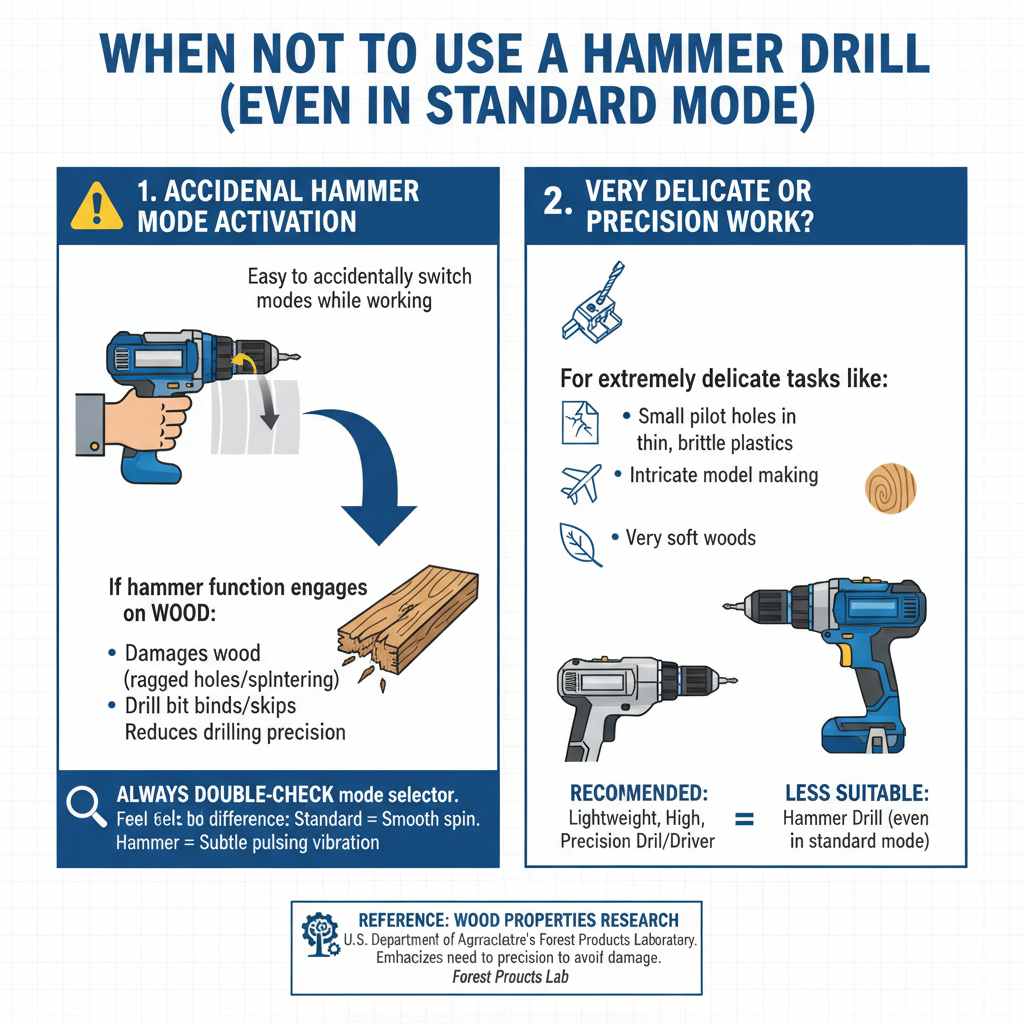
Accidental Hammer Mode Activation
The most common pitfall for beginners is accidentally switching the mode selector while working. If you’re drilling into wood and the hammer function engages, it can:
- Damage the wood, leaving ragged holes or splintering.
- Cause the drill bit to bind or skip.
- Reduce the precision of your drilling.
Always double-check your mode selector before you start drilling. A quick visual scan ensures you’re in the right mode. You can also feel the difference – a standard drill spins smoothly, while the hammer drill mode has a subtle vibratory or pulsing sensation even when just spinning the bit faster.
For reference, here’s how delicate some materials can be. The U.S. Department of Agriculture’s Forest Products Laboratory has extensive research on wood properties, highlighting how carefully you have to treat different species to avoid damage. While not directly about drilling modes, it emphasizes the need for precision, which is why you’d want to avoid the hammer action on wood:
Wood Properties Research – Forest Products Laboratory
Very Delicate or Precision Work?
For extremely delicate tasks, like drilling very small pilot holes in thin, brittle plastics or intricate model making, a lightweight, high-precision drill/driver might offer slightly more finesse. However, for the vast majority of home DIY, woodworking, and general repairs, a hammer drill in standard mode is perfectly suitable and often superior due to its power.
Frequently Asked Questions (FAQ)
Q1: Is a hammer drill harder to use than a regular drill?
No, not at all for standard drilling. When the hammer function is off, it operates exactly like a regular drill. The controls are the same, and the spinning action is identical. The only difference is the extra mode you can choose to ignore if you’re working with wood or metal.
Q2: Can I use a hammer drill to drive screws?
Absolutely! In standard drill mode, you can use your hammer drill to drive screws just like any regular drill/driver. Many hammer drills even come with a clutch setting to help prevent over-tightening or stripping screws, making them excellent for this task.
Q3: Will using a hammer drill in standard mode wear out the tool faster?
Generally, no. Hammer drills are built to be robust. Using it in standard drill mode is well within its design limits. In fact, their more powerful motors might even offer better longevity for demanding standard drilling tasks compared to lower-end regular drills.
Q4: What happens if I accidentally use the hammer function on wood?
You will likely damage the wood. The forceful impacts can cause splintering, tear out material unevenly, and make the hole much messier than intended. It’s best to avoid this and always ensure the hammer mode is switched off for wood.