Difference between a Drill And a Drill Driver: Key Features Explained
Are you confused about whether you need a drill or a drill driver for your next project? You’re not alone.
Many people mix these two tools up, but knowing the difference can save you time, money, and frustration. You’ll discover exactly what sets them apart and which one fits your needs best. By the end, you’ll feel confident choosing the right tool for your DIY tasks—making your work easier and more efficient.
Keep reading to unlock the secret to smarter tool choices!
Drill Basics
Understanding the basics of a drill helps you choose the right tool. Drills are common in many toolkits. They make tasks easier by creating holes or driving screws. Knowing their features and uses saves time and effort.
Drills come in different types, each suited for specific jobs. Learning about these types helps you pick the best one for your needs.
Purpose And Use
A drill’s main job is to make holes in wood, metal, or plastic. It can also help with fastening screws. Some drills only drill holes, while others can do both tasks. Choosing the right drill depends on your project needs. Drills are useful for home repairs and larger construction tasks.
Common Types
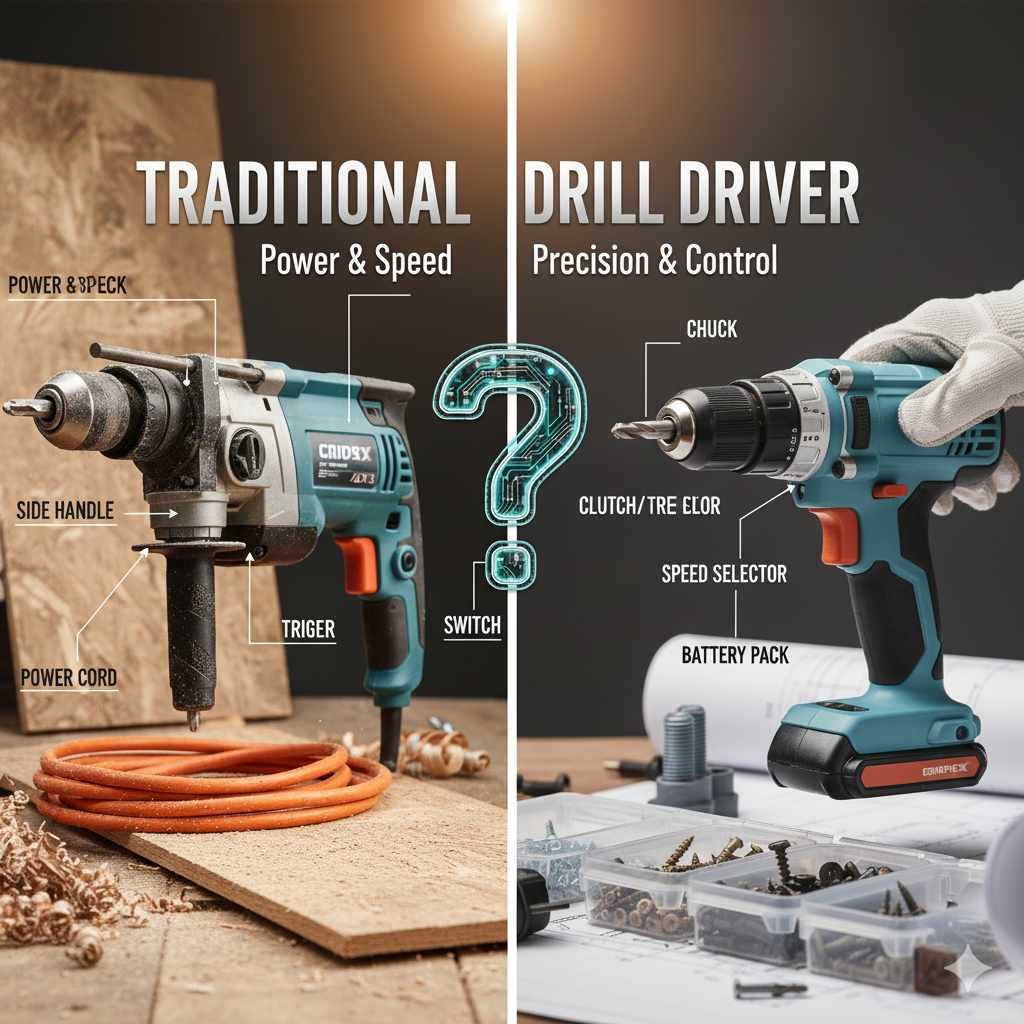
The basic drill type is the cordless drill. It uses batteries and is easy to carry around. Another type is the corded drill, which plugs into power. Corded drills offer more power but less mobility. There is also the hammer drill, designed for tough materials like concrete. Drill drivers combine drilling and screw driving in one tool. Knowing these types helps you pick the right tool for each job.
Drill Driver Features
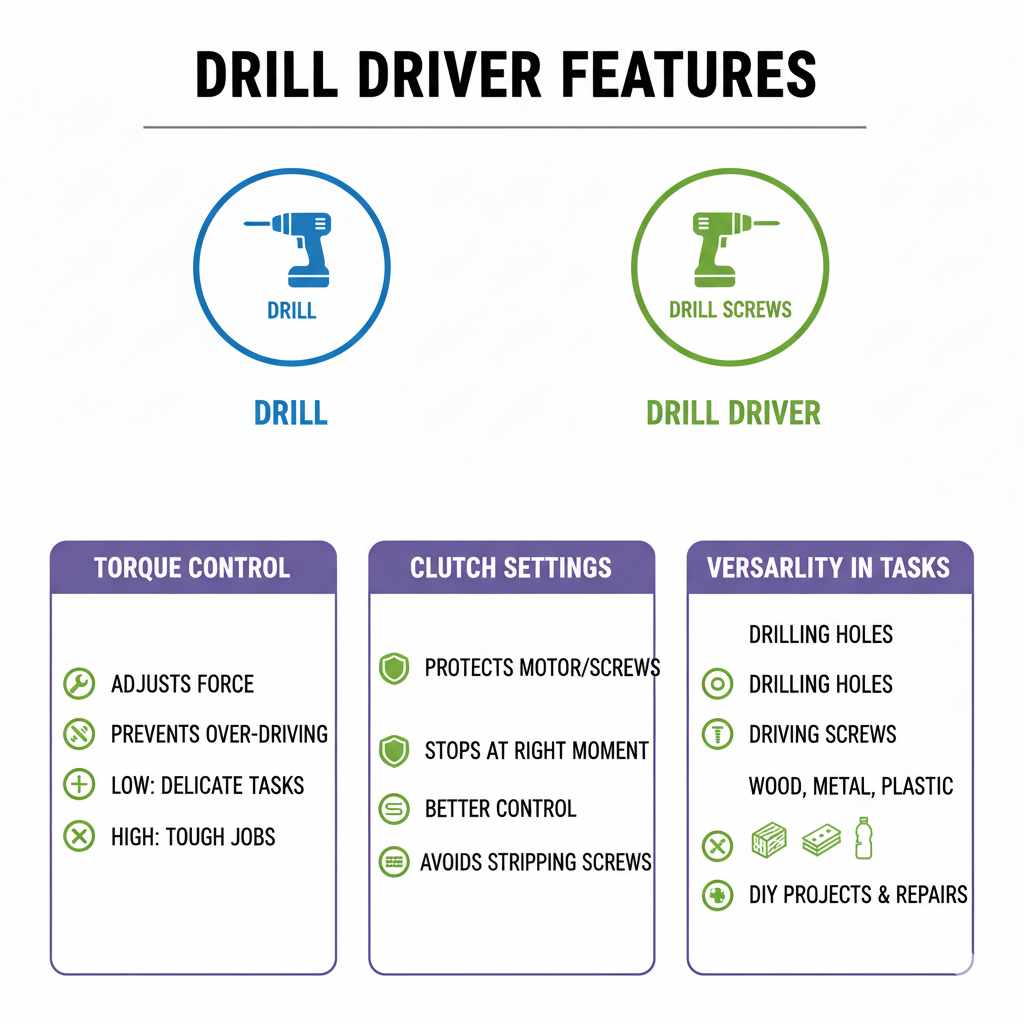
A drill driver combines the power of a drill with the control of a screwdriver. It offers features that make it useful for many tasks around the home or workshop. Understanding these features helps you pick the right tool for your needs.
Torque Control
Torque control lets you adjust the force the drill driver uses. This helps prevent over-driving screws or damaging materials. Lower torque is good for delicate tasks, while higher torque works for tough jobs.
Clutch Settings
Clutch settings help protect the motor and screws by stopping the drill driver at the right moment. You can choose different settings depending on the task. It gives better control and avoids stripping screws.
Versatility In Tasks
Drill drivers can handle drilling holes and driving screws easily. They work well on wood, metal, and plastic. This makes them useful for many DIY projects and repairs.
Comparing Power And Speed
Power and speed are key factors when choosing between a drill and a drill driver. Both tools serve different purposes, and understanding their motor strength and speed settings helps you pick the right one. These aspects affect how well the tool performs on various tasks.
Motor Strength
Drills usually have strong motors designed for heavy-duty tasks. They can handle tough materials like metal and hardwood. Drill drivers have motors built for lighter work. They focus on driving screws and small drilling jobs. Stronger motors deliver more torque, which means more twisting power.
Torque is important for drilling deep holes or driving large screws. A drill with high torque works better on thick materials. Drill drivers offer less torque but more control for delicate tasks. Choosing the right motor strength depends on your project needs.
Speed Settings
Speed settings control how fast the drill or drill driver spins. Drills often have multiple speed options for different jobs. Lower speeds give more power for tough drilling. Higher speeds are good for quick drilling in soft materials.
Drill drivers also have variable speeds but usually fewer settings. They focus on adjusting speed to avoid stripping screws. This precision helps with delicate assembly and repair work. Speed control is crucial for matching the tool to the task.
Design And Ergonomics
Design and ergonomics play a key role in how drills and drill drivers perform. These tools look similar but feel quite different when used. Their shape, size, and grip affect comfort and control. This section explores these differences to help you choose the right tool for your tasks.
Size And Weight
Drills are usually smaller and lighter. This makes them easy to carry and use for long times. Drill drivers tend to be a bit bigger because they have more power and features. Their extra weight helps with control but can tire your hand faster. Pick a tool that fits your strength and job needs.
Grip And Handling
Drills often have simple grips designed for quick jobs. They focus on easy handling and fast drilling. Drill drivers feature ergonomic grips with soft materials to reduce hand strain. Their design helps you hold the tool steady, especially when driving screws. Good grip means better precision and less fatigue.
Battery And Corded Options
Choosing between a drill and a drill driver often depends on the power source you prefer. Both tools come in battery-powered and corded versions. Each option has its own benefits and limitations. Understanding these differences helps you pick the right tool for your tasks.
Battery Life
Battery-powered drills and drill drivers offer great mobility. They allow you to work without being near an outlet. Battery life varies by model and usage. Most modern tools use lithium-ion batteries. These batteries last longer and charge faster. Still, heavy use drains batteries quickly. Carrying extra batteries can keep you working longer. Cordless tools give freedom but need charging breaks.
Power Source Differences
Corded drills and drill drivers plug directly into power outlets. This means constant power during use. You don’t worry about battery running out. Corded tools usually have more power for tough jobs. But the cord limits movement and can get in the way. Battery-powered tools are easier to move around. Corded tools suit long projects without stopping. Battery models fit quick jobs or places without power.
Choosing The Right Tool
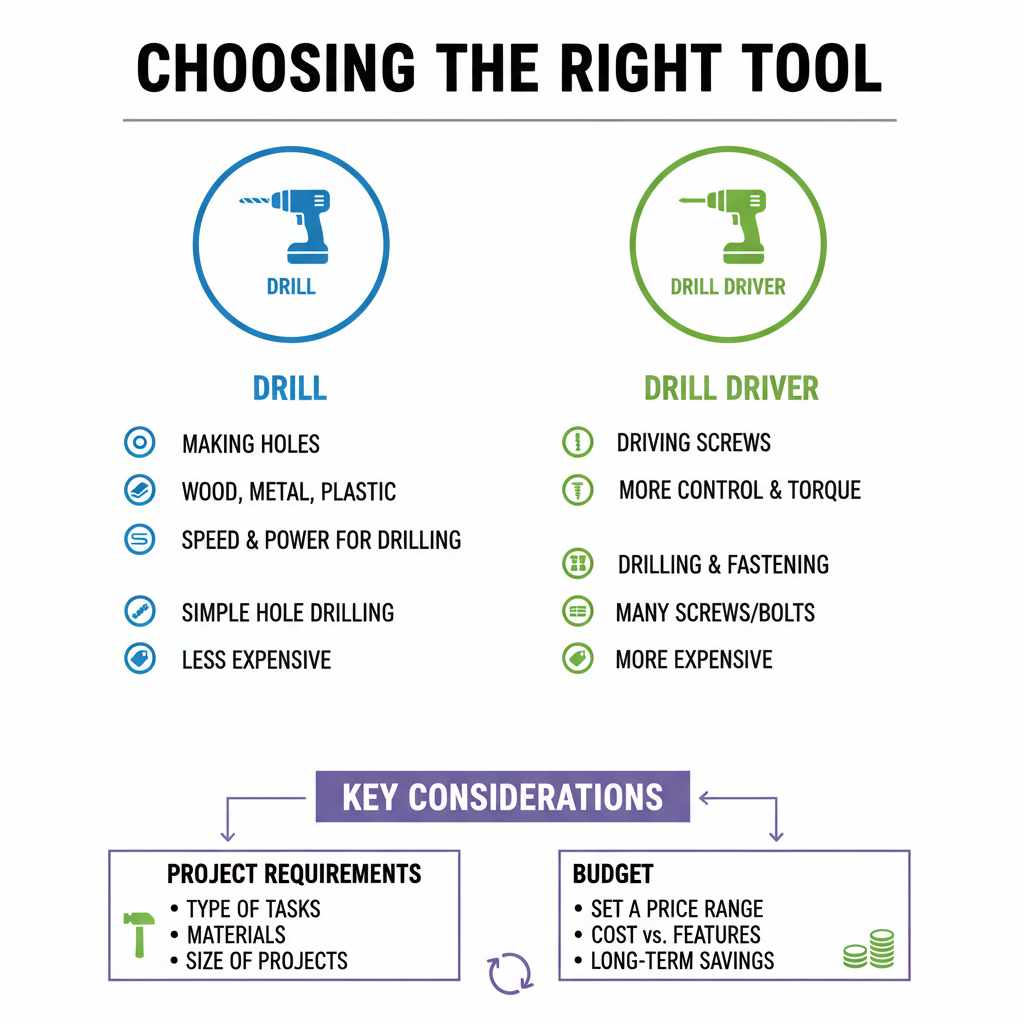
Choosing the right tool for your work affects the quality and ease of the job. Picking between a drill and a drill driver depends on what you need to do. Each tool serves a different purpose. Knowing their strengths helps you make the best choice.
Project Requirements
Drills work well for making holes in wood, metal, or plastic. They focus on drilling tasks with speed and power. Drill drivers add more control and torque for driving screws. They suit projects that involve both drilling and fastening. Consider the types of tasks you will do most.
If your work needs many screws or bolts, a drill driver is helpful. For simple hole drilling, a basic drill may be enough. Think about the size and materials of your projects too. Some drills handle tougher materials better.
Budget Considerations
Price can guide your tool choice. Drills tend to be less expensive than drill drivers. Drill drivers often cost more because of their extra features. You might pay more for adjustable torque settings and multiple speeds.
Set a budget before buying. Choose a tool that fits your price range and needs. Spending a little more may save money later by avoiding extra tools. A drill driver might serve you well for various jobs.
Frequently Asked Questions
What Is The Main Difference Between A Drill And Drill Driver?
A drill primarily drills holes, while a drill driver also drives screws. Drill drivers have adjustable clutch settings for better control.
Can A Drill Driver Replace A Drill For All Tasks?
A drill driver can handle most drilling and screw-driving tasks but may lack power for heavy-duty drilling. For tough jobs, a dedicated drill is better.
Which Tool Is Better For Diy Home Projects?
Drill drivers are ideal for home projects due to versatility. They combine drilling and screw-driving functions in one compact tool.
How Does The Clutch On A Drill Driver Work?
The clutch controls torque, preventing overdriving screws or damaging materials. This feature provides precision and protects fasteners during use.
Conclusion
A drill and a drill driver serve different purposes. A drill mainly creates holes in materials. A drill driver can also drive screws with ease. Choosing the right tool depends on your task. For simple drilling, a drill works fine.
For both drilling and screwing, pick a drill driver. Understanding these tools helps you work better and faster. Use the right tool to save time and effort. This knowledge makes your projects smoother and less stressful.