
Why a Delta Table Saw Parts Diagram Is Your Best Friend
My first table saw was a Delta, a dusty old beast I found at a garage sale. I thought fixing it would be a breeze, but without a Delta table saw parts diagram, I was lost! This article will show you what a parts diagram is, why it’s a game-changer for repairs, and how to use one. Whether you’re a beginner cutting your first board or a pro building furniture, I’ll share easy tips, fun examples, and mistakes to avoid. Let’s make your Delta saw hum like new!
What Is a Delta Table Saw Parts Diagram?
A Delta table saw parts diagram is a picture that shows every part of your saw, like a map. It labels pieces like the blade, motor, and fence, so you know what’s what.
Why It Matters
This diagram is like a treasure map for fixing your saw. It helps you find the right part to replace, saving time and money. Without it, you might order the wrong nut or bolt—trust me, I’ve been there!
How to Find Your Delta Table Saw Parts Diagram
Finding a diagram is easy if you know where to look. Here’s how I do it:
- Check the Manual: Most Delta saws come with a manual. Look for a parts list or diagram in the back.
- Visit Delta’s Website: Go to Delta Machinery and search their document library for your model’s manual.
- Use Third-Party Sites: Sites like eReplacementParts.com or Sears PartsDirect have diagrams for many Delta models.
- Know Your Model Number: Find your saw’s model number (like 36-600 or 34-440) on a sticker under the table. This helps you get the right diagram.
Visual Idea: A screenshot of a Delta manual’s parts page, highlighting the model number and diagram section, would be super helpful here.
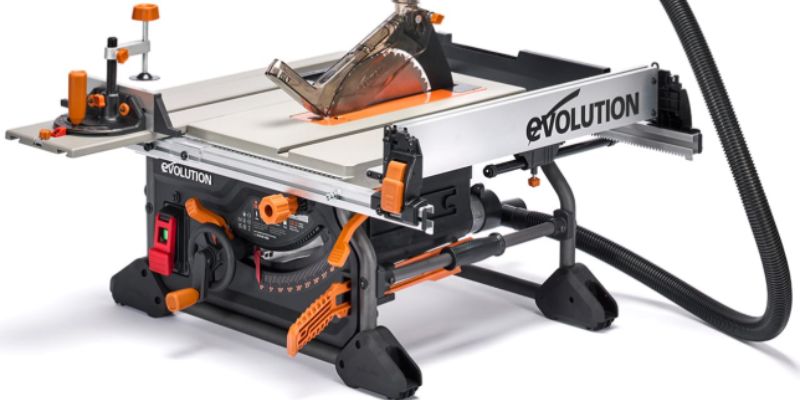
Common Delta Table Saw Parts You’ll Need
Your saw has lots of parts, but some break or wear out more often. Here’s a quick rundown:
| Part | What It Does | Common Issue |
|---|---|---|
| Arbor Nut | Holds the blade tight | Strips or loosens |
| Motor Brushes | Powers the motor | Wears out, stops motor |
| Belt | Connects motor to blade | Cracks or snaps |
| Fence | Guides wood for straight cuts | Misaligns or wobbles |
| Table Insert | Covers the blade slot | Cracks or gets lost |
Caption: Table of common Delta table saw parts and their issues.
Why These Parts Matter
When my arbor nut stripped, my blade wobbled like a bad dancer. A parts diagram helped me order the right one fast. Knowing these parts saves you from guessing games.
Step-by-Step Guide: Using a Delta Table Saw Parts Diagram
Let’s walk through how to use a diagram to fix a broken belt. This is based on my own trial-and-error fixing a Delta 36-600.
- Find the Diagram: Get your model’s diagram from Delta’s site or eReplacementParts.com.
- Locate the Belt: Look for the belt in the diagram (usually labeled with a part number like 901608).
- Order the Part: Use the part number to buy from a site like Renovo Parts.
- Turn Off the Saw: Unplug it! Safety first, folks.
- Access the Belt: Flip the saw onto a soft surface (I use old towels). Remove the bottom cover.
- Replace the Belt: Slide off the old belt, clean the pulleys, and pop on the new one.
- Test It: Plug in the saw and run it. If the blade spins smoothly, you’re golden!
Visual Idea: A labeled diagram of a Delta saw’s underside, showing the belt and pulleys, would make this crystal clear.
Common Mistakes to Avoid
- Wrong Part Number: Double-check your model number. I once ordered a belt for a 36-649 instead of my 36-600—oops!
- Skipping Safety: Always unplug the saw. I learned this the hard way when a spark scared me silly.
- Not Cleaning Pulleys: Dirt on pulleys can wreck a new belt. Wipe them down first.
Benefits of Using a Delta Table Saw Parts Diagram
Using a diagram is like having a woodworking buddy who knows everything. Here’s why it’s awesome:
- Saves Time: You find the right part fast, no guesswork.
- Saves Money: No buying wrong parts or paying for pro repairs.
- Builds Confidence: Even beginners can fix a saw with a good diagram.
Drawbacks to Watch For
Diagrams aren’t perfect. Older models (like my 34-440) may have discontinued parts, which is a bummer. Also, some diagrams are tiny or hard to read. Zoom in or print them out!
My Top Tips for Delta Table Saw Repairs
After years of tinkering, here are my go-to tips:
- Keep Your Manual: Store it in a safe spot. It’s your repair bible.
- Label Parts: When you take apart your saw, put screws in labeled bags. My first repair was a puzzle without this!
- Check YouTube: Videos can show you what diagrams don’t. Search “Delta table saw repair” for visuals.
- Buy OEM Parts: Original Delta parts last longer than cheap knockoffs.
Visual Idea: A photo of a workspace with labeled bags of screws and a printed diagram would be a great reference.
Comparing Replacement Part Sources
Not all part sources are equal. Here’s a quick comparison:
| Source | Pros | Cons | Cost Range |
|---|---|---|---|
| Delta Machinery | Official parts, reliable | Slow shipping, pricey | $10-$50 |
| eReplacementParts.com | Fast shipping, wide selection | Some parts not in stock | $5-$40 |
| Renovo Parts | Good for older models | Limited selection | $8-$45 |
| eBay | Cheap, used options | Risk of non-OEM parts | $5-$30 |
Caption: Comparison of popular sources for Delta table saw parts.
A Fun Example: Fixing a Wobbly Fence
Last summer, my Delta saw’s fence wobbled, messing up my cuts. Using a parts diagram, I found the fence rail (part number 426020630001). I ordered it from eReplacementParts.com, swapped it out in 10 minutes, and my cuts were straight again. It was a piece of cake! Try fixing your fence—it’s a great starter project.
Alternative Approaches to Repairs
If you can’t find a part, don’t panic. You can:
- Check Forums: Sites like LumberJocks have tips for finding rare parts.
- Use Universal Parts: Some belts or brushes fit multiple saws. Check compatibility first.
- Upgrade Your Saw: If parts are obsolete, consider a new Delta model. It’s a big step, but worth it for heavy use.
Frequently Asked Questions
What Is a Delta Table Saw Parts Diagram?
A picture showing all parts of a Delta table saw, like the blade and motor, with labels and part numbers. It helps you find and replace broken parts easily.
Where Can I Find a Delta Table Saw Parts Diagram?
Check your saw’s manual, Delta’s website, or sites like eReplacementParts.com or Sears PartsDirect. Use your model number to get the right diagram.
Why Is My Delta Saw Not Working?
A worn belt, bad motor brushes, or loose arbor nut could be the issue. Use a parts diagram to identify and replace the faulty part.
Can I Use Non-Delta Parts?
Yes, but OEM parts are best for fit and durability. Check compatibility on forums or with suppliers to avoid issues.
How Do I Know My Saw’s Model Number?
Look for a sticker under the table or on the motor. It’s usually a number like 36-600 or 34-440.
Are Parts for Old Delta Saws Hard to Find?
Some parts for older models are discontinued. Try Renovo Parts or eBay for used options, or check woodworking forums.
How Do I Stay Safe While Fixing My Saw?
Always unplug the saw before repairs. Wear gloves, use a clean workspace, and follow the diagram carefully to avoid mistakes.
Conclusion
A Delta table saw parts diagram is your key to fixing your saw like a pro. From finding the right arbor nut to swapping a worn belt, it makes repairs easy and fun. My first fix was a mess, but with a diagram, I got it right. Try fixing a small part yourself—it’s super rewarding! Share your repair stories in the comments or ask me for tips. Let’s keep those saws buzzing!