The Table Saw That Doesn’t Cut Fingers: A Game-Changer for Woodworking Safety
Hey there, fellow woodworker! If you’re like me, your workshop is your sanctuary—a place where creativity flows, and the smell of fresh-cut wood fills the air. But let’s be real: table saws, while incredible tools, can be intimidating. The thought of a spinning blade slicing through wood (and potentially more) is enough to make anyone cautious. That’s why I was thrilled when I first heard about a table saw that doesn’t cut fingers. It sounded like something out of a sci-fi movie, but it’s real, and it’s changing the way we work with wood.
In this article, I’m diving deep into the world of finger-saving table saws, exploring how they work, why they matter, and whether they’re worth the investment for hobbyists and pros alike. So, grab a coffee, settle in, and let’s talk about this revolutionary technology that’s making woodworking safer than ever.
Why Table Saw Safety Matters to Me
I’ve been woodworking for over a decade, and I’ve had my share of close calls. Once, while ripping a narrow piece of oak, my hand slipped just a hair too close to the blade. My heart raced, and I shut off the saw, grateful I still had all ten fingers. That moment stuck with me. Table saws are responsible for thousands of injuries every year in the U.S.—some sources estimate over 4,000 finger amputations annually. That’s a scary number for anyone who loves woodworking as much as I do. Safety isn’t just a buzzword; it’s personal. A table saw that doesn’t cut fingers isn’t just a fancy gadget—it’s a lifeline for keeping our passion safe and enjoyable.
What Is a Finger-Saving Table Saw?
So, what exactly is a table saw that doesn’t cut fingers? It’s a saw equipped with technology that detects human flesh and stops the blade before it can cause serious harm. The most well-known brand pioneering this is SawStop, a company that’s become synonymous with table saw safety. Their saws use a unique system that senses the electrical conductivity of human skin. If your finger gets too close, the blade stops in milliseconds—faster than you can blink. Other brands, like Bosch with its REAXX saw, have also explored similar tech, though SawStop remains the gold standard. These saws don’t just reduce the risk of cuts; they can prevent life-altering injuries. I’ve seen demos where a hot dog (standing in for a finger) touches the blade and comes out with barely a nick. It’s mind-blowing!
How Does the Technology Work?
Let’s get into the nitty-gritty of how these saws pull off this magic trick. The technology behind a finger-saving table saw is both simple and genius. Here’s how it works in plain English:
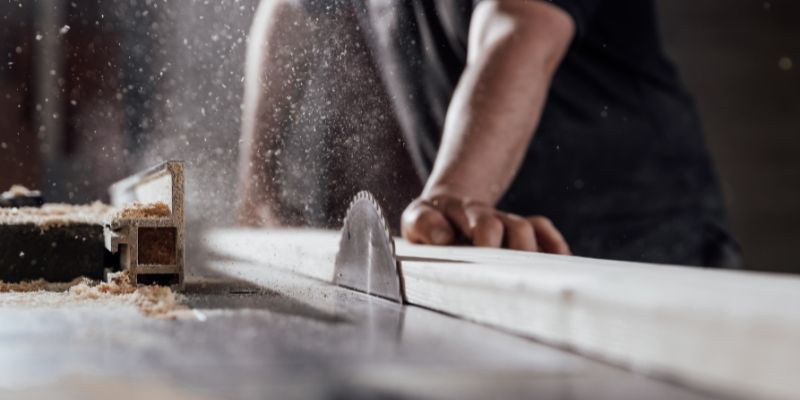
The blade carries a small electrical signal. Your body is conductive—meaning it can carry electricity—while wood is not. When your finger touches the blade, the system detects a change in the electrical signal. In less than 5 milliseconds, a brake slams into the blade, stopping it dead. On some models, the blade also drops below the table to get it out of harm’s way. The whole process is so fast you barely realize what happened until it’s over.
I remember watching a video where a woodworker tested this with a dummy finger. The blade stopped so quickly that the “finger” had just a tiny scratch. The catch? The brake cartridge is a one-time-use deal, and replacing it costs about $70-$100. But compared to a hospital bill or losing a finger, that’s a small price to pay.
The Benefits of a Finger-Saving Table Saw
Why should you consider a table saw with this technology? Let me break it down for you with some real talk.
Peace of Mind
When I first got my SawStop, I noticed something amazing: I wasn’t as tense while cutting. Knowing the saw had my back let me focus on my craft instead of worrying about a slip-up. That peace of mind is huge, especially for beginners who might feel nervous around a table saw.
Protecting Your Livelihood
If you’re a professional woodworker, your hands are your livelihood. A single accident could end your career or at least sideline you for months. For hobbyists like me, it’s about staying safe so we can keep enjoying our passion. A finger-saving saw is like insurance for your hands.
No Compromise on Performance
Here’s the thing: these saws aren’t just about safety. They’re built to perform. My SawStop cuts as smoothly and powerfully as any high-end table saw I’ve used. Whether I’m ripping hardwood or crosscutting plywood, it handles the job with precision. You’re not sacrificing quality for safety.
Setting a Safety Standard
Using a finger-saving saw sets a good example, especially if you have apprentices or kids around your shop. It shows that safety comes first, and that’s a lesson worth teaching. I’ve had friends visit my workshop and marvel at the technology—it’s a conversation starter and a reminder to prioritize safety.
Are There Any Downsides?
Nothing’s perfect, right? So, let’s talk about the potential drawbacks of a finger-saving table saw. I’ve spent enough time with mine to know the good and the bad.
Higher Cost
These saws aren’t cheap. A SawStop contractor saw can set you back $1,500-$2,000, and their cabinet saws are even pricier. Compare that to a decent standard table saw, which might cost half as much. For hobbyists on a budget, that’s a big consideration. I saved up for mine, and while I don’t regret it, I know the price tag can sting.
Brake Cartridge Costs
As I mentioned earlier, the brake cartridge is a one-time-use item. If the safety system activates, you’ll need to replace the cartridge and possibly the blade, which can add up. I’ve only had to replace mine once (thankfully, it was a false alarm caused by wet wood), but it’s something to keep in mind.
False Triggers
Speaking of wet wood, certain materials—like green or pressure-treated lumber—can trigger the safety system because they’re conductive. This means you might need to bypass the safety feature for some cuts, which feels a bit like defeating the purpose. I’ve learned to double-check my material before starting a cut to avoid this.
Brand Limitations
Right now, SawStop dominates the market for finger-saving saws. While that’s great for quality, it means fewer options. Bosch tried to compete with their REAXX saw, but patent issues pulled it from the market. I’d love to see more brands innovate in this space, but for now, SawStop is the main player.
Comparing Finger-Saving Table Saws
To help you decide if a finger-saving table saw is right for you, I’ve put together a quick comparison of popular SawStop models. This table breaks down the key features to make your choice easier.
| Model | Type | Price Range | Power | Best For | Key Features |
|---|---|---|---|---|---|
| SawStop Compact | Portable | $900-$1,200 | 1.75 HP | Beginners, small shops | Lightweight, basic safety features |
| SawStop Contractor | Contractor | $1,500-$2,000 | 1.75 HP | Hobbyists, small projects | Portable, reliable safety system |
| SawStop Professional | Cabinet | $2,500-$3,500 | 3 HP | Serious hobbyists, pros | Heavy-duty, larger table, dust collection |
| SawStop Industrial | Cabinet | $4,000-$5,500 | 5-7.5 HP | Professional workshops | Maximum power, advanced safety features |
I started with the Contractor model because it fit my budget and needs as a hobbyist. If you’re just starting out, the Compact might be enough, but pros will likely want the Professional or Industrial for bigger projects.
Who Should Buy a Finger-Saving Table Saw?
Not sure if this tech is for you? Let’s break it down by who benefits most.
Beginners
If you’re new to woodworking, a finger-saving saw is a fantastic investment. Table saws can feel overwhelming when you’re learning, and the safety system gives you confidence to experiment without fear. I wish I’d had one when I was starting out—it would’ve saved me a lot of stress.
Professionals
For those who make a living with woodworking, this is a no-brainer. Your hands are your tools, and protecting them is non-negotiable. Plus, clients love knowing you use top-notch safety equipment—it adds to your credibility.
Parents and Mentors
If you’ve got kids or students in your shop, a finger-saving saw is a must. I’ve let my teenage son try some cuts under supervision, and knowing the saw won’t harm him makes me feel so much better. It’s also a great teaching tool for emphasizing safety.
Budget-Conscious Hobbyists
If you’re on a tight budget, you might hesitate. I get it—I was there too. But think of it as a long-term investment. The cost of an injury (medical bills, time off work, emotional toll) far outweighs the upfront expense. If it’s still out of reach, consider saving up or looking for used models.
Tips for Using a Finger-Saving Table Saw Safely
Even with this amazing technology, you still need to be smart. Here are some tips I’ve learned from years of using my SawStop:
- Read the Manual: I know, manuals are boring, but they explain how to use the safety system properly, including how to bypass it for conductive materials.
- Check Your Wood: Avoid false triggers by ensuring your wood is dry and free of metal (like nails or staples).
- Use Push Sticks: The safety system is awesome, but keeping your hands away from the blade is still the best defense. I always keep a push stick handy.
- Maintain Your Saw: A well-maintained saw performs better and reduces the chance of accidents. I clean mine regularly and check the brake cartridge to make sure it’s ready.
- Practice Good Habits: Don’t get complacent just because you have a safety net. Focus on proper technique, like standing to the side of the blade to avoid kickback.
The Future of Table Saw Safety
The idea of a table saw that doesn’t cut fingers is just the beginning. I’m excited to see where this technology goes. There’s talk of new systems that could be even faster or more affordable. Some brands are exploring sensors that detect proximity rather than contact, which could prevent even minor scratches. There’s also hope that regulations might make this technology standard in the U.S., which would drive down costs and make it accessible to more woodworkers. For now, SawStop is leading the charge, and I’m grateful for it.
My Personal Experience with a Finger-Saving Saw
I’ll never forget the day my SawStop saved me. I was working late, tired, and not as focused as I should’ve been. My hand got a little too close while adjusting a piece of walnut. The blade stopped instantly, and all I got was a tiny nick—barely a paper cut. Replacing the cartridge was a hassle, but I was so thankful to walk away with all my fingers. That moment made every penny I spent on the saw worth it. It’s not just a tool; it’s a guardian.
Is It Worth the Investment?
After years of using my finger-saving table saw, I can say it’s one of the best purchases I’ve ever made. The safety, performance, and peace of mind are unmatched. Yes, it’s expensive, and yes, there are some quirks, but the benefits outweigh the drawbacks. Whether you’re a beginner, a pro, or somewhere in between, this technology can make woodworking safer and more enjoyable. If you’re on the fence, think about what your hands mean to you—your ability to create, to work, to live your passion. For me, that’s worth protecting.
Conclusion
Woodworking is a beautiful craft, but it comes with risks. A table saw that doesn’t cut fingers is more than just a cool invention—it’s a game-changer that lets us focus on creating without fear. From the moment I brought my SawStop into my shop, it transformed how I work. The technology is incredible, the performance is top-notch, and the peace of mind is priceless. Whether you’re just starting out or you’ve been woodworking for years, I can’t recommend this technology enough. It’s not just about saving fingers; it’s about preserving your love for woodworking. So, if you’re ready to take your safety to the next level, a finger-saving table saw might just be your next big purchase. Happy woodworking, and stay safe out there!
Frequently Asked Questions
How Does a Finger-Saving Table Saw Detect Skin?
The saw uses an electrical signal on the blade. Your skin is conductive, so when it touches the blade, the signal changes. This triggers the brake to stop the blade in milliseconds. It’s like a super-fast reflex that protects you.
Are Finger-Saving Table Saws Safe for All Materials?
Mostly, yes, but wet or conductive materials, like green wood or pressure-treated lumber, can trigger the safety system. You can bypass the system for these cuts, but always double-check your material first.
How Much Does It Cost to Replace the Brake Cartridge?
A replacement cartridge typically costs between $70 and $100, depending on the model. You might also need a new blade if it’s damaged, which can add to the cost.
Can Beginners Use a Finger-Saving Table Saw?
Absolutely! These saws are great for beginners because they reduce the fear factor. The safety system gives you confidence to learn without worrying about serious injuries.
Are There Alternatives to SawStop?
Currently, SawStop is the main brand offering this technology. Bosch had a similar saw called REAXX, but it’s no longer available due to patent issues. Keep an eye out for new brands entering the market.
Do Finger-Saving Saws Affect Cut Quality?
Not at all! My SawStop cuts just as cleanly and powerfully as any high-end table saw. You’re getting top-notch performance with the added bonus of safety.