Drill vs Hammer Drill vs Impact Driver: Your Essential Guide
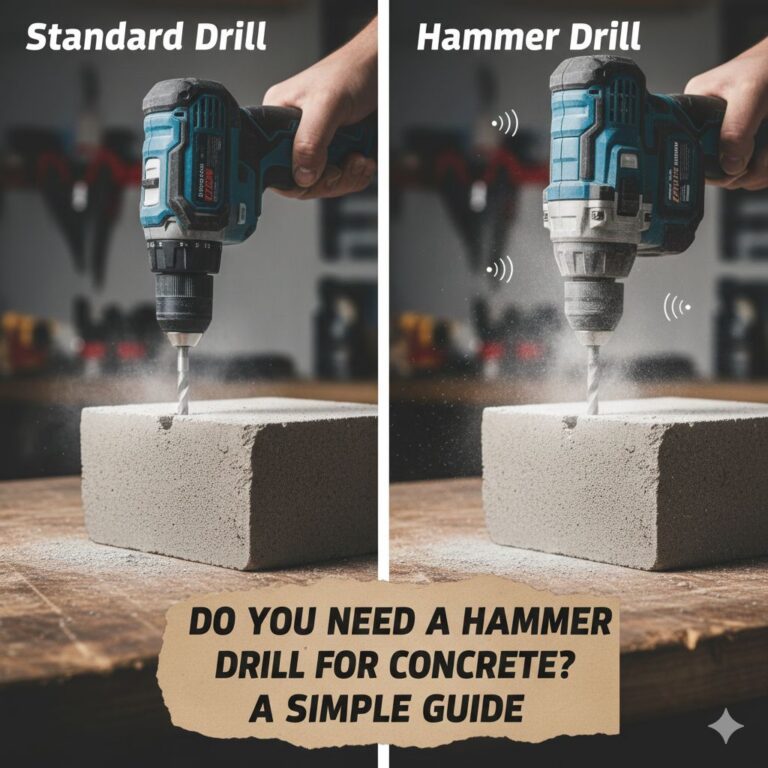
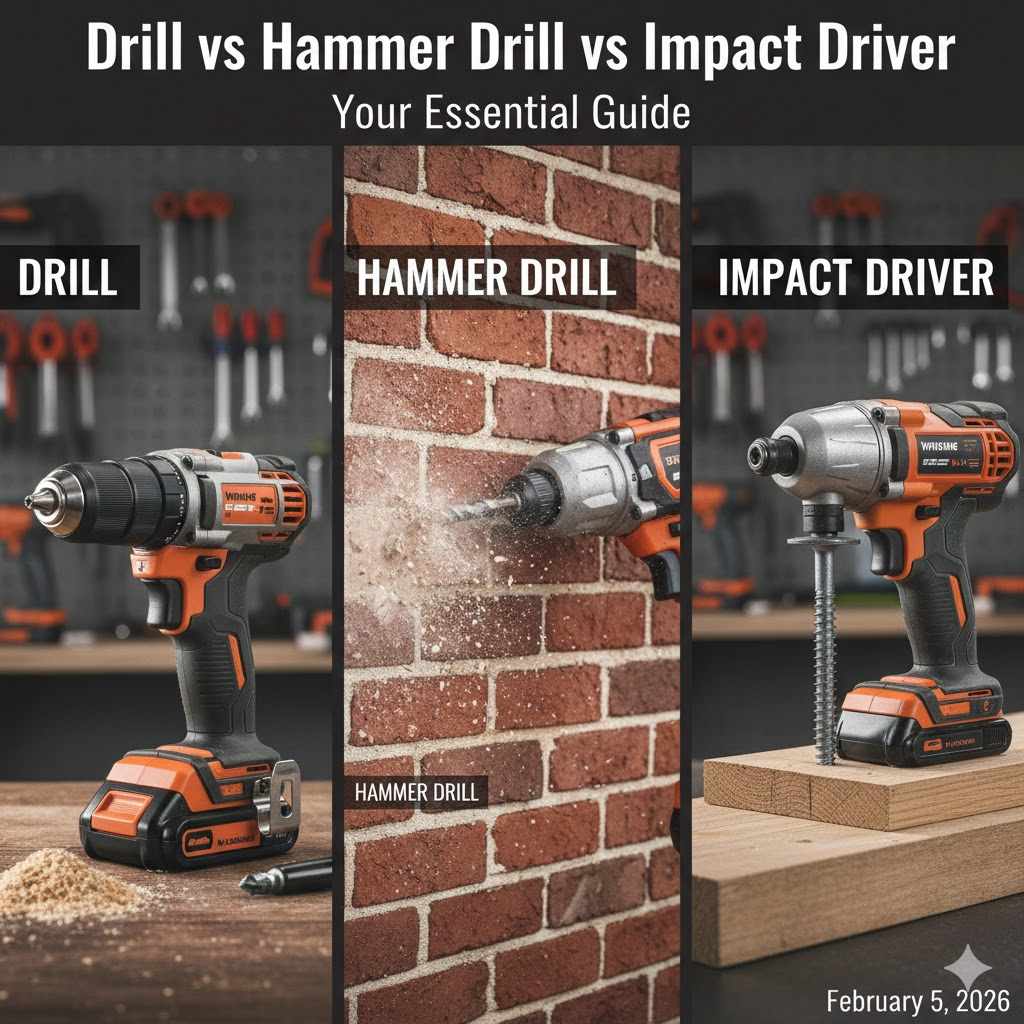
A standard drill spins to make holes and drive screws in softer materials like wood. A hammer drill adds a forward-punching action for drilling into hard materials like brick and concrete. An impact driver uses powerful rotational bursts to drive long screws and bolts with high torque, preventing stripping.
Walking into a tool aisle can feel overwhelming. You see rows of tools that look almost the same, yet they have different names and prices. Drill, hammer drill, impact driver—what’s the difference? It’s a question every new DIYer asks. It’s easy to feel stuck, worried you might buy the wrong tool for your project.
But don’t worry, it’s simpler than it looks. Think of it like choosing the right knife in the kitchen. You wouldn’t use a butter knife to chop vegetables. Each tool has a special job it does best. Today, we’re going to clear up all the confusion. We’ll break down what each of these tools does, when to use it, and how to choose the perfect one for you. Let’s get you building with confidence.
Meet the Tools: Understanding the Core Three
Let’s get to know our three main players. Each one is a champion in its own right, but they shine in very different arenas. Once you understand their unique talents, you’ll know exactly which one to grab for the job at hand.
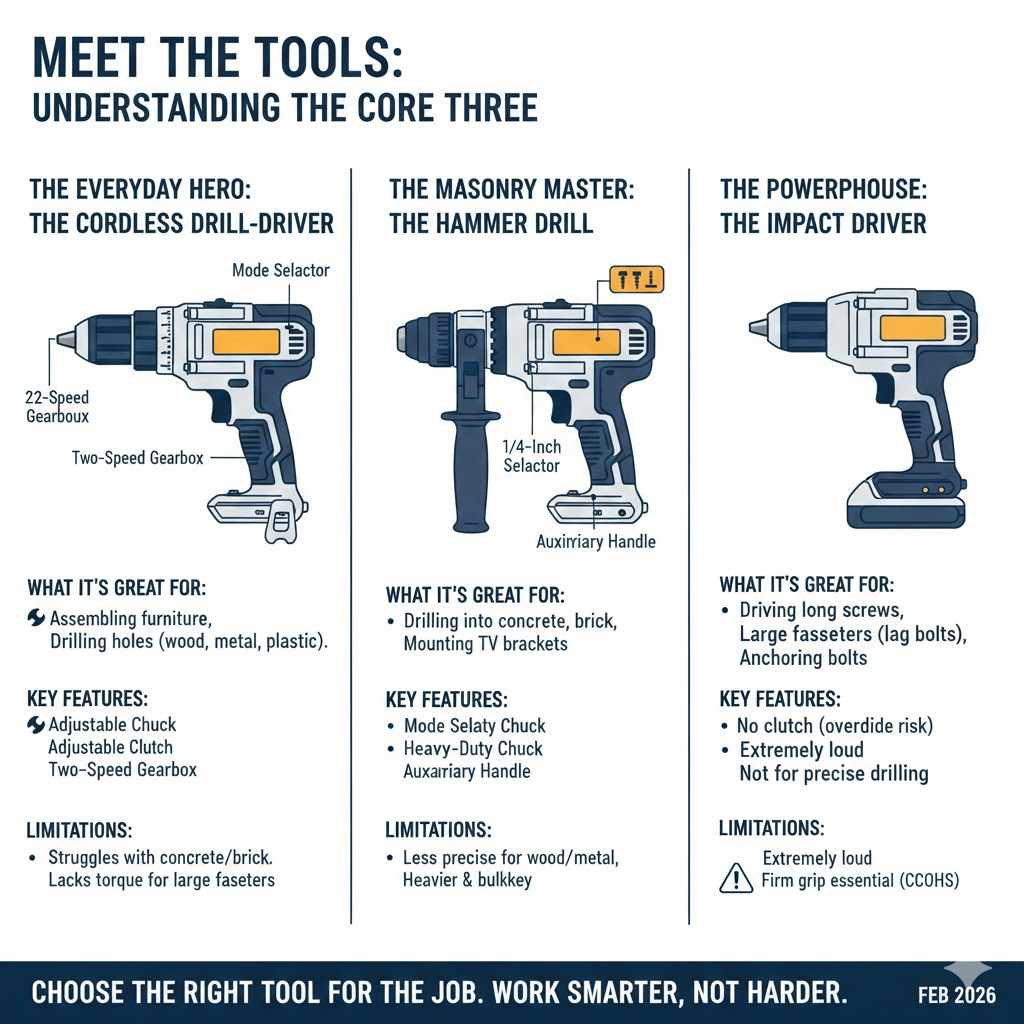
The Everyday Hero: The Cordless Drill-Driver
This is the tool you probably picture when you hear the word “drill.” The standard drill-driver is the most common and versatile of the bunch. It’s the trusty all-rounder for most homeowners and beginners. Its main job is to do two things very well: drill holes and drive screws.
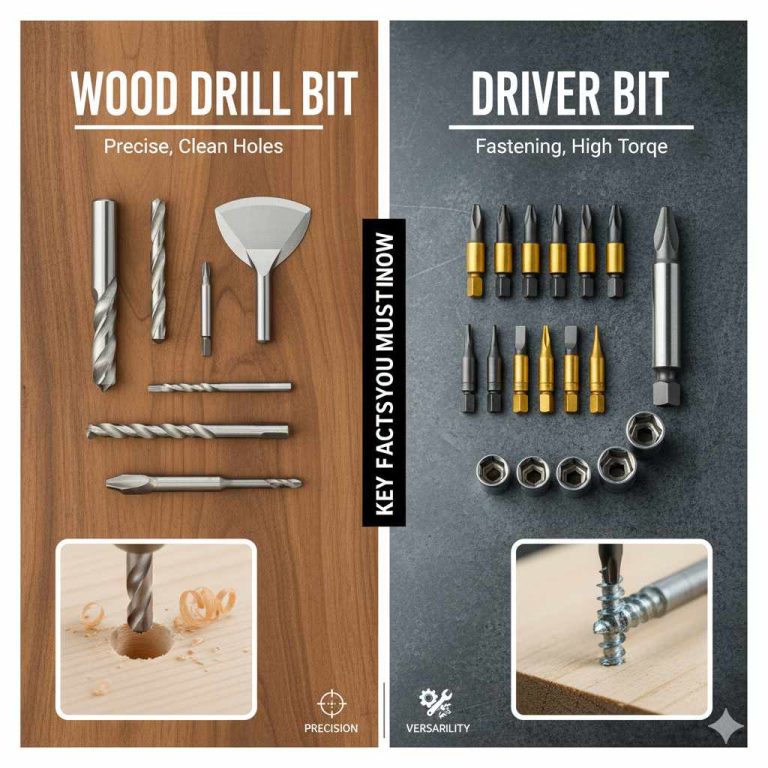
A drill works by applying constant, steady rotational force. The key feature you’ll notice is the adjustable chuck at the front—that’s the part that grabs the drill bit or driver bit. You can tighten or loosen it by hand to change bits. The other important feature is the adjustable clutch, usually a numbered collar right behind the chuck. This lets you control the amount of turning force (torque) to avoid driving a screw too deep or stripping the screw head.
What It’s Great For:
- Assembling flat-pack furniture
- Hanging pictures, shelves, and curtain rods on drywall or wood studs
- Drilling holes in wood, drywall, metal, and plastic
- Light-duty screw driving tasks around the house
- Projects that require precision and control over screw depth
Key Features:
- Adjustable Chuck: Typically a 3/8-inch or 1/2-inch chuck that holds a wide variety of round and hex-shank bits.
- Adjustable Clutch: A numbered collar that lets you set the torque. When the set torque is reached, the clutch “slips,” making a clicking sound and stopping the screw from going deeper. This is your best friend for delicate work.
- Two-Speed Gearbox: Most drills have a switch for high speed (for drilling) and low speed (for driving screws).
Limitations:
A standard drill struggles with very hard materials. Trying to drill into concrete, brick, or block with a regular drill will be a slow, frustrating process that can burn out your drill’s motor. It also lacks the high torque needed to drive very long or large fasteners, like lag bolts, into dense wood without pre-drilling.
The Masonry Master: The Hammer Drill
A hammer drill looks very similar to a standard drill-driver, but it has a secret weapon: a hammering mechanism. When you switch it to “hammer mode,” the tool not only spins the bit but also rapidly punches it forward and backward thousands of times per minute. These tiny, powerful blows work to pulverize hard, brittle materials like concrete or brick, allowing the spinning flutes of the masonry bit to clear out the debris.
Think of it as combining a drill’s rotation with a jackhammer’s power, just on a much smaller scale. This hammering action makes drilling into masonry incredibly fast and easy compared to using a regular drill.
Most modern hammer drills are actually “combi drills,” meaning you can turn the hammer function off. With the flick of a switch, it behaves exactly like a standard drill-driver, allowing you to drill wood and drive screws. This makes it a very versatile tool.
What It’s Great For:
- Drilling holes in brick, mortar, concrete, and stone
- Mounting TV brackets or shelves on a brick wall
- Anchoring bolts into a concrete slab or foundation
- Any task that requires drilling into hard masonry surfaces
Key Features:
- Mode Selector: A switch or ring that lets you choose between drill mode, drive mode, and hammer mode.
- Heavy-Duty Chuck: Often a robust 1/2-inch metal chuck to withstand the hammering forces.
- Auxiliary Handle: Most come with a removable side handle to give you better control and leverage against the powerful force.
Limitations:
The hammer action is powerful but not very precise for regular drilling or driving. You should always turn the hammer mode off when working with wood, metal, or plastic, as the hammering can damage the material or the fastener. It can also be heavier and bulkier than a standard drill-driver.
The Powerhouse: The Impact Driver
The impact driver is the specialist of the group, designed for one primary mission: driving fasteners with extreme power. It looks different—shorter and stubbier than a drill, with a 1/4-inch hex-shaped collet instead of a three-jaw chuck. It works differently, too.
An impact driver applies rotational force like a drill, but when it meets resistance, an internal mechanism kicks in. A small hammer and anvil system delivers incredibly powerful and rapid concussive blows rotationally (in the direction of the spin). This is different from a hammer drill, which punches forward. These rotational impacts, called “ipm” (impacts per minute), generate immense torque that drives even the longest, toughest screws with ease and without much effort from you.
What It’s Great For:
- Driving long screws for projects like building a deck or a fence
- Working with large fasteners like lag bolts and lag screws
- Repetitive screw driving, as it reduces cam-out (when the driver bit slips out of the screw head)
- Removing stubborn or over-tightened screws and bolts
Key Features:
- 1/4-Inch Hex Collet: A quick-release chuck designed to hold 1/4-inch hex-shank bits. You can’t use round drill bits in it.
- High Torque: Delivers significantly more turning force than a standard drill.
- Compact and Lightweight: Its smaller size makes it great for getting into tight spaces.
Limitations:
The impact driver is a brute, not a surgeon. It has no clutch, so it’s very easy to overdrive a screw and damage your workpiece. It is also extremely loud. While you can technically drill with special hex-shank drill bits, its impacting action makes it difficult to start a clean, precise hole. For drilling, a standard drill or hammer drill is always the better choice. According to the Canadian Centre for Occupational Health and Safety, the high torque can also create a reaction force, so a firm grip is essential.
At a Glance: Drill vs. Hammer Drill vs. Impact Driver Comparison
Sometimes a simple chart is the best way to see the differences side-by-side. Here’s a breakdown of our three tools.
| Feature | Drill-Driver | Hammer Drill | Impact Driver |
|---|---|---|---|
| Primary Use | General-purpose drilling and driving | Drilling in masonry (brick, concrete) | Driving long or large fasteners (screws, bolts) |
| Mechanism | Continuous rotation | Rotation + Forward hammering blows | Rotation + Rotational impacting blows |
| Best For Materials | Wood, metal, plastic, drywall | Concrete, brick, stone, block (and wood/metal in drill mode) | Driving fasteners into wood or metal |
| Chuck Type | Adjustable 3-jaw chuck | Adjustable 3-jaw chuck (usually heavy-duty) | 1/4-inch quick-release hex collet |
| Precision Control | Excellent (thanks to the clutch) | Good (when hammer mode is off) | Poor (no clutch, high power) |
| Noise Level | Quiet | Loud in hammer mode | Very Loud |
| Common Project | Assembling furniture | Installing a handrail on a brick wall | Building a wooden deck |
Which Tool Should You Use? A Practical Project Guide
Theory is great, but let’s put it into practice. Imagine you’re in your workshop or garage, looking at your next project. Here’s a simple guide to help you decide which tool to pick up.
Grab Your Drill-Driver For Tasks That Need Finesse:
Think of your drill-driver as your go-to tool for everyday tasks that require control. If you need a clean hole or need to set a screw perfectly without driving it too deep, this is your champion.
- Assembling Furniture: The adjustable clutch is perfect for putting together bookshelves or cabinets without stripping the delicate hardware or damaging the particleboard.
- Hanging Decorations: Whether it’s a picture frame, a small shelf, or a mirror on a drywall or wood wall, the drill gives you the light touch you need.
- Drilling Precise Holes: If you’re building a project that requires accurately placed holes in wood or plastic, the drill-driver offers the smooth, consistent speed you need.
- Cabinetry and Hinge Installation: Attaching cabinet hinges and hardware requires setting small screws just right. The clutch on a drill is essential here.
Reach for the Hammer Drill For Hard Surfaces:
When your wall fights back, it’s time to bring in the muscle. Any time you’re working with masonry, the hammer drill is the only right choice. Don’t even think about trying these with a regular drill!
- Mounting Heavy Items on Brick: Putting up a large TV mount, sturdy shelving, or a trellis on an exterior brick wall requires drilling anchor holes. The hammer drill makes this a quick job.
- Working with Concrete: Need to install storage racks in a garage with a concrete block wall? Or anchor a railing to a concrete step? A hammer drill is non-negotiable.
- Drilling into Tile: While you need a special tile bit, the hammer function (sometimes on a low setting) can help get through tough porcelain or ceramic tile. Be sure to check your tool’s manual for this specific application.
Remember to always switch the tool back to regular “drill” mode when you’re done with the masonry part. It’s a dual-purpose tool, so use it that way!
The Impact Driver Shines When Power and Speed are Key:
For big jobs with big fasteners, the impact driver saves your wrist, your time, and your energy. It blasts through tasks that would stall a regular drill.
- Building a Deck: Driving hundreds of 3-inch deck screws is the classic job for an impact driver. It sinks them flush quickly and without stripping the heads.
- Driving Lag Bolts: When you’re joining large framing lumber, like building a workbench or a garden shed, an impact driver will drive hefty lag bolts without needing a ratchet.
- Working in Tight Spaces: Because of its compact, “snub-nose” design, an impact driver can often fit between studs or into corners where a bulky drill cannot.
- Automotive Work: It’s great for removing stubborn nuts and bolts that aren’t torqued to a specific high value (like lug nuts).
Can One Tool Do It All for a Beginner?
This is the million-dollar question for anyone starting their tool collection. If you could only buy one, which should it be? For 90% of beginners, the answer is straightforward.
Your first purchase should almost always be a good quality cordless drill-driver. It is by far the most versatile of the three. It can drill the holes you need for most home projects and drive the screws for assembly and repair tasks. A model with a 1/2-inch chuck and at least two speed settings will cover a massive range of jobs.
Many homeowners might go years without ever truly needing an impact driver or a hammer drill. Most projects simply don’t involve driving massive fasteners or drilling into concrete. Start with the all-rounder, and let your projects tell you when you need to expand your toolkit.
The first upgrade for many is a combi drill (a drill-driver with a hammer mode). This single tool can do everything a standard drill can do, but it gives you the option to tackle that occasional brick or concrete project. If you know you’ll be mounting things on masonry, starting with a combi drill is a smart move.
You’ll know you need an impact driver when you face a big project. The first time you try to build a deck or a fence with just a regular drill, you’ll feel the strain on your wrist and see how easily you can strip screw heads. That’s the moment the impact driver becomes a must-have, not just a nice-to-have. It’s a specialized tool that makes big jobs feel small.
Frequently Asked Questions (FAQ)
Can I use a hammer drill as a regular drill?
Absolutely! Most hammer drills have a mode selector that allows you to turn the hammering action off. When you do this, it functions exactly like a standard drill-driver, making it a very versatile tool for drilling wood, metal, and plastic, as well as driving screws.
Is it okay to use an impact driver to drill holes?
You can, but it’s not ideal. You need to buy special drill bits with a 1/4-inch hex shank to fit the collet. The impacting action makes it hard to start a clean hole, and it lacks the precision of a drill. For drilling clean, accurate holes, a regular drill is always the better choice.
What is the main difference in sound between these tools?
A standard drill is relatively quiet. A hammer drill is moderately loud in drill mode but becomes very loud and vibrates a lot when the hammer function is engaged. An impact driver is extremely loud, producing a rapid, machine-gun-like hammering sound as it drives a fastener. Hearing protection is highly recommended when using a hammer drill or impact driver.
Do I need special bits for an impact driver?
Yes, it’s highly recommended. While any 1/4-inch hex shank bit will fit, you should use “impact-rated” bits. These bits are made from a more ductile metal that can withstand the violent torque and impacts without shattering. Using standard bits in an impact driver can cause them to break, which is a safety hazard.
Are all three tools available in cordless versions?
Yes. Today, high-quality cordless versions of all three tools are the standard for both homeowners and professionals. Modern battery technology provides more than enough power for most tasks, offering incredible convenience without being tied to a power cord.
What is a “combi drill”?
A “combi drill” is another name for a drill-driver that includes a hammer drill setting. It’s a combination tool that can perform three functions: drilling, screw driving, and hammer drilling into masonry. This is often an excellent choice for a first drill, as it covers a wider range of potential projects.
Which tool is best for building wood furniture?
For building furniture, the standard drill-driver is the best tool. Its adjustable clutch gives you precise control to set screws perfectly without damaging the wood or hardware. An impact driver is too powerful and will likely split the wood or drive the screws too deep, while a hammer drill’s extra bulk is unnecessary.
Your Next Step: Choosing with Confidence
And there you have it. The mystery is solved! The drill-driver is your versatile friend for everyday tasks. The hammer drill is your tough specialist for brick and concrete. And the impact driver is your powerhouse for driving screws and bolts with unstoppable force.
They aren’t competitors fighting for the same job; they’re a team, each with a unique skill set. Understanding those skills is the key to working more efficiently, getting better results, and, most importantly, enjoying your time creating and building.
So the next time you’re standing in that tool aisle or planning your next project, you’ll be able to look at these tools with confidence. You now know what they do and which one is the perfect partner for the job ahead. Choose the right tool, work safely, and go make something you’re proud of.