Drill Driver vs Hammer Drill: Key Differences Explained
Choosing between a drill driver and a hammer drill can be tricky, especially if you’re new to home improvement or construction. Many people get confused about the differences, leading to frustrating projects and maybe even the wrong tool for the job. This post aims to clear up the confusion surrounding Drill Driver vs Hammer Drill: Key Differences Explained. We’ll break down the features, uses, and situations where each tool shines. Don’t worry, we’ll keep it simple, and by the end, you’ll know exactly which drill is right for your next project. First, let’s explore some basics!
Drill Drivers and Their Typical Uses
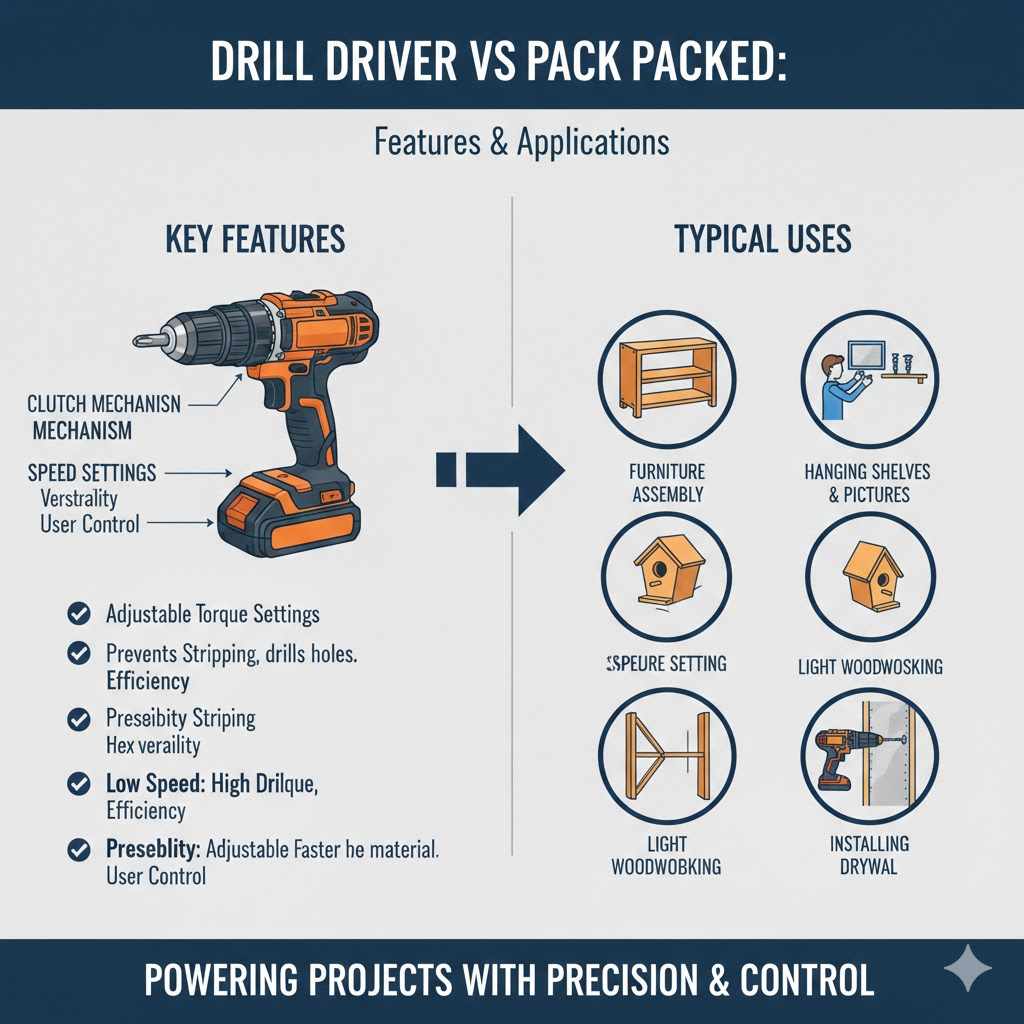
A drill driver is your go-to tool for everyday tasks that involve drilling holes and driving screws. Think about assembling furniture, hanging shelves, or even putting together a new playset for the kids. Drill drivers are built for precision and control, making them perfect for tasks that require careful handling. They generally have adjustable clutches, which is a great feature that allows you to control the torque, preventing you from stripping screws or damaging your materials.
Drill drivers are best known for their versatility. They’re lightweight and easy to maneuver, which makes them great for a variety of projects. They also often come with multiple speed settings, offering flexibility for different tasks. Whether you’re working with softwoods, hardwoods, or even metal, the drill driver has got your back.
Clutch Mechanisms in Drill Drivers
The clutch is one of the most important features of a drill driver. It’s a safety mechanism that prevents over-tightening of screws and protects both the tool and the workpiece. The clutch allows the drill to disengage when it senses resistance. This means when the screw is fully driven, or the drill hits a snag, the clutch will “click” and stop the drill from turning further. This feature is especially beneficial when you’re working with delicate materials.
- Adjustable Torque Settings: Drill drivers usually have multiple torque settings. These settings let you control the force the drill applies. Lower settings are for driving small screws into soft materials, while higher settings are used for larger screws and tougher materials.
- Preventing Stripping: By setting the clutch correctly, you can stop the drill before it strips the screw head or damages the material you’re working with. This will save you time, effort, and possibly the cost of replacing damaged materials.
- Versatility: This function allows the drill driver to be used for a wide range of tasks, from assembling furniture to installing drywall. The ability to adjust the power makes it a truly versatile tool.
- Efficiency: Adjusting the clutch saves time by preventing the user from having to manually adjust the depth of the screws, resulting in quicker and more accurate results.
- User Control: It provides the user with more control over the drilling and driving process, reducing the chances of errors and making for a smoother workflow.
Speed Settings
Most drill drivers offer multiple speed settings, giving you control over the rotational speed of the drill bit or screw. These settings are usually labelled as “low” and “high.” The low setting gives you more power and is useful for driving screws or drilling larger holes. The high setting is better for drilling smaller holes or tasks that need more speed.
- Low Speed: Low speed settings provide more torque, or turning force. This is perfect when you need more power to drive screws into dense materials or drill larger diameter holes.
- High Speed: High speed settings offer faster drilling action, suitable for drilling small holes or working with softer materials.
- Versatility: Different speed settings increase the versatility of the drill, letting you tackle a wider array of tasks.
- Efficiency: The ability to choose the right speed for the job boosts efficiency, reducing the risk of mistakes and damage.
- Precision: Precise speed control leads to better accuracy, improving the quality of your work.
Drill Driver Applications
The drill driver’s strength lies in its ability to handle a variety of tasks efficiently and with precision. From small home repairs to bigger construction projects, this tool is ready for action. Learning more about its applications will help you determine how it might be used at your home or for your next project.
- Furniture Assembly: A drill driver is perfect for quickly putting together flat-pack furniture. Its ability to control the torque means you can avoid stripping screws, making the process smoother and faster.
- Hanging Pictures and Shelves: Need to put up some artwork or add a new shelf? A drill driver lets you pre-drill holes and drive screws with ease. The adjustable clutch prevents you from damaging the wall.
- Light Woodworking: If you enjoy small woodworking projects, like building a birdhouse or small wooden toys, a drill driver is ideal. The precision and control let you create clean, accurate holes.
- Installing Drywall: Drill drivers are excellent for installing drywall. You can drive the screws quickly and accurately, thanks to the adjustable clutch.
Hammer Drills and Their Distinctive Characteristics
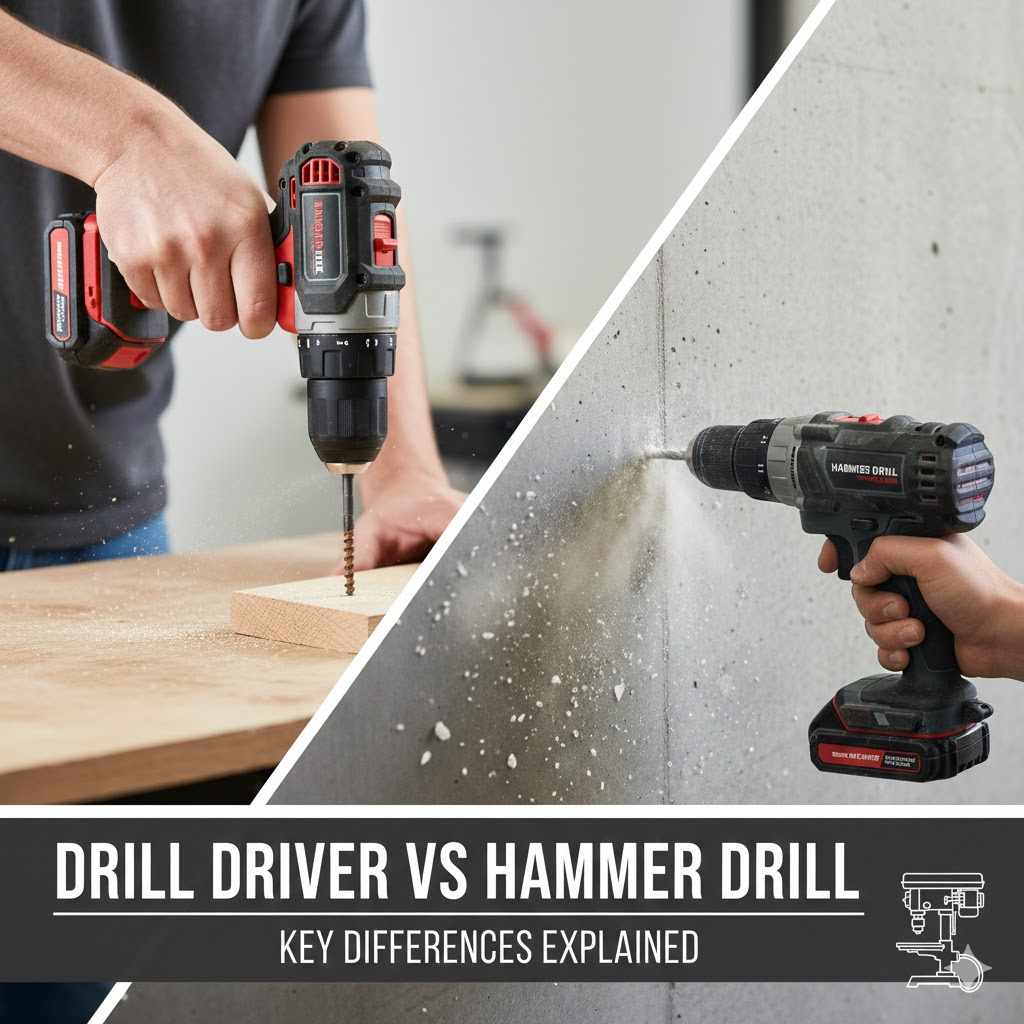
Hammer drills are built to tackle tougher jobs that involve drilling into hard materials like concrete, brick, and stone. They combine a rotating drill bit with a hammering action, which makes them capable of breaking up material as they drill. This hammering action is the key difference between a hammer drill and a drill driver. It helps the drill bit break through the tough surfaces.
The hammering action is measured in blows per minute (BPM). Higher BPM ratings mean more impacts, which translates to faster drilling in hard materials. Hammer drills often have a selector switch, allowing you to choose between the hammer and drill modes. This makes them versatile, since they can also be used as standard drill drivers.
Hammering Action
The hammering action is what sets a hammer drill apart from a standard drill driver. This action involves a mechanism that rapidly strikes the drill bit as it rotates, enabling it to break up hard materials. This function is extremely useful for drilling into concrete, brick, and other masonry materials that would be difficult or impossible to penetrate with a standard drill.
- Mechanism of Action: The hammer action is typically created by two notched discs or a cam mechanism that creates a back-and-forth motion, causing the drill bit to pound against the surface.
- BPM (Blows Per Minute): Hammer drills are rated by BPM. The higher the BPM, the faster the drilling process, and the easier it is to drill through tough materials.
- Efficiency: Hammer action drastically increases drilling efficiency in hard materials, saving time and effort.
- Material Applications: Hammer drills excel in masonry applications, making them essential tools for construction, renovation, and DIY projects.
- Operator Comfort: Many hammer drills come with features that reduce vibration, improving operator comfort and reducing fatigue.
Selecting Between Hammer and Drill Modes
A major advantage of hammer drills is their ability to switch between hammer and drill modes. This feature allows the user to adjust the tool to different materials. Whether it’s the hammering for concrete or the standard drilling for wood, this tool can change with your needs.
- Drill Mode: In drill mode, the hammer action is turned off, and the drill acts like a standard drill driver. This is used for drilling into wood, metal, or plastic, where the hammering action isn’t needed.
- Hammer Mode: When hammer mode is activated, the hammering action engages, making it possible to drill into concrete, brick, or stone.
- Versatility: This function increases the tool’s versatility, letting it be used for a wide range of tasks and materials.
- Protection: The option to switch between modes also provides a layer of protection to the workpiece, making sure that it’s only using the mode necessary.
- Cost Savings: This versatility can lower costs since the user can use one tool for multiple different projects.
Hammer Drill Applications
Hammer drills are perfect for projects that involve hard surfaces, like setting up a new fence or mounting something onto a brick wall. The power and efficiency of this tool make it a must-have for people doing a variety of home improvement and construction tasks. Let’s explore some of its common uses.
- Installing Anchors in Concrete: Need to mount something heavy on a concrete wall? A hammer drill makes it easy to drill holes for anchors. This is common for hanging shelves, installing a mailbox, or setting up security cameras.
- Drilling into Brick and Stone: Whether it’s for running electrical wiring or installing a mailbox, the hammer drill handles this job with ease. Its hammering action lets you drill through these surfaces without trouble.
- Building Decks and Patios: If you’re building a deck or patio, a hammer drill is perfect for drilling through concrete footings or setting posts.
- General Construction Projects: The hammer drill’s ability to drill through hard materials makes it a go-to tool for general construction projects. This will range from installing siding to remodeling a room.
Key Differences and Practical Usage
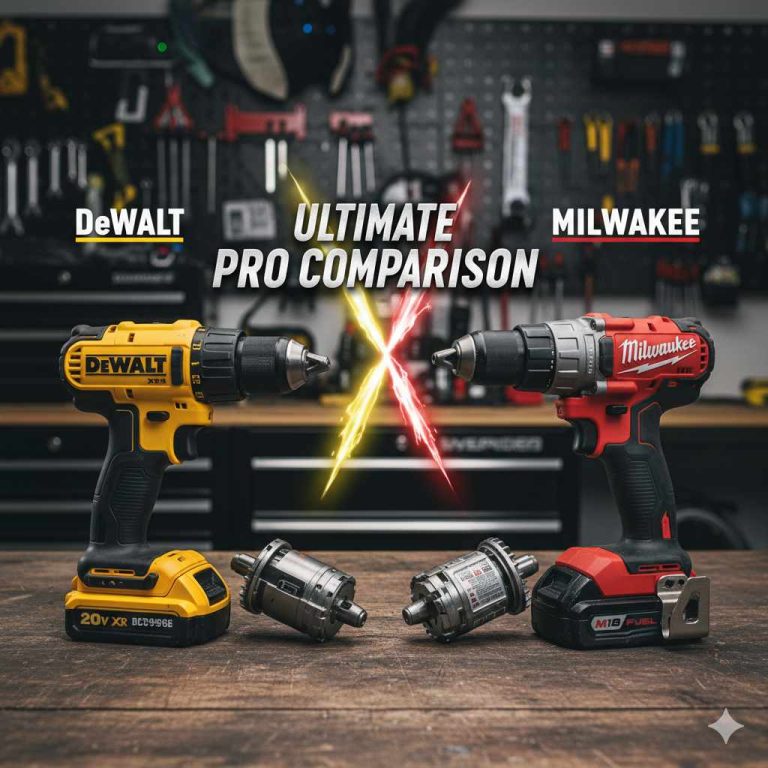
The core difference lies in the mechanism of action. A drill driver focuses on rotation, while a hammer drill combines rotation with a hammering action. This difference dictates how each tool performs in different scenarios, and it’s essential to match the tool to the task for the best results. Drill drivers excel in tasks requiring precision and control, while hammer drills are made for tackling tough materials.
By comparing their features, you can better understand which tool will meet your needs. Understanding the differences between these two tools gives you the ability to select the right tool and boost the quality of your work.
Power and Torque
The power and torque ratings of a drill and a hammer drill are factors that decide how well a tool performs. Power, usually measured in volts (V) or amps (A), indicates the tool’s strength. Torque, measured in inch-pounds (in-lbs) or Newton-meters (Nm), tells you how much twisting force the drill can deliver. Both metrics are key to understanding the capabilities of each tool.
- Power (Voltage/Amperage): Higher voltage or amperage in a drill usually means more power, which allows it to handle harder tasks and larger bits. The power rating directly impacts the tool’s ability to drill through different materials.
- Torque (Inch-Pounds/Newton-meters): Higher torque ratings mean the tool can deliver more twisting force. This is important for driving screws and drilling into tough materials.
- Hammer Drill Advantage: Hammer drills, with their extra hammering action, often need more power and torque to drill into hard materials like concrete.
- Drill Driver Advantage: Drill drivers, though less powerful, are designed for precision and control, with adjustable torque settings that allow you to prevent over-tightening.
- User Considerations: When selecting a tool, consider the types of projects you’ll be doing. For simple tasks, a lower power drill driver might be perfect. For tougher tasks, a higher-powered hammer drill would be preferable.
Speed Settings and Controls
The speed settings of a drill affect its performance, letting you choose the right speed for the job. Having the ability to switch between different speed settings allows for greater control when using the tool, and also provides a greater range of applications.
- Variable Speed Control: Most drill drivers and hammer drills feature a variable speed trigger, which gives you precise control over the drill’s speed.
- Dual-Speed Settings: Both tools often have two or more speed settings that provide extra versatility. A lower speed offers more torque and a higher speed is for faster drilling.
- Hammer Drill Controls: Hammer drills have a mode selector to change between drill, hammer, and sometimes a screw-driving mode. This control is useful for moving between different projects.
- Drill Driver Controls: Drill drivers focus on control with adjustable clutch settings. This prevents stripping screws and helps with precise control.
- Application of Controls: Using the right controls for a job will help save time and improve results. The right settings will allow the user to have a better experience.
Materials Best Suited
Each drill is built to work best with certain materials. Drill drivers are made for materials that need accuracy, while hammer drills are best suited for tough materials. Knowing the ideal materials for each tool helps ensure that you use the right one and get the best outcome.
| Drill Type | Ideal Materials |
|---|---|
| Drill Driver | Wood, soft metals, plastic, drywall, and composite materials. |
| Hammer Drill | Concrete, brick, stone, and other masonry materials. |
In 2023, the global power tool market was valued at around 36 billion U.S. dollars. This is partly due to the growing popularity of DIY projects, which require the correct tools for the task.
- Drill Driver Focus: Drill drivers excel in tasks where precision and control are key. They’re perfect for working with wood, soft metals, plastics, and drywall.
- Hammer Drill Focus: Hammer drills are built to tackle hard materials such as concrete, brick, and stone. The hammering action helps them penetrate these surfaces efficiently.
- Mixed Materials: If you work with a mixture of materials, you may need both a drill driver and a hammer drill. This lets you switch between different tasks.
- Choosing the Right Tool: Always select the tool that best fits the material. Using the wrong tool can lead to damage and a lot of work.
- Project Planning: Planning your projects and thinking about the materials beforehand can make the tool selection easier.
Maintenance and Safety
Taking good care of your drills and following the proper safety steps keeps them working well and protects you from harm. This includes regular cleaning, checking for damage, and always using the right safety gear. By doing so, you can use your tools safely, while making sure they are ready to go when you need them.
Proper care of your drills not only extends their life but also guarantees your safety during use. In the US, each year there are roughly 400,000 emergency room visits due to injuries involving power tools.
Proper Maintenance Procedures
Proper maintenance is essential to make sure your tools perform well and last longer. Regular upkeep, like cleaning, checking for damage, and proper storage, is important to keep both drills in great condition.
- Cleaning: After each use, remove dust and debris from the drill. Use a brush or compressed air to clean the vents, chuck, and housing.
- Inspection: Check the drill for any signs of damage like cracks, loose parts, or frayed cords. Fix any issues before using the drill.
- Battery Care: If your drill is cordless, make sure to follow the battery manufacturer’s care instructions. Do not leave the battery in extreme heat or cold and charge it regularly.
- Storage: Store your drills in a dry, safe place away from moisture and extreme temperatures.
- Professional Servicing: Get the tool professionally serviced yearly to keep it running well.
Safety Practices
Safety should always be the priority when using any power tool. Always put safety gear on, such as safety glasses, gloves, and ear protection. Also, you should follow all manufacturer safety guidelines.
- Eye Protection: Always wear safety glasses or goggles to protect your eyes from flying debris.
- Hearing Protection: Use earplugs or earmuffs to protect your hearing, especially when using a hammer drill.
- Gloves: Wear gloves to improve your grip and protect your hands.
- Clothing: Wear clothing that is suitable to the work. Avoid loose clothing that could get caught in the drill.
- Work Area: Make sure your work area is clear, well-lit, and free of any potential hazards.
Cost and Budgeting Considerations
The price of both drill drivers and hammer drills can vary widely depending on the brand, features, and power. It is important to know your budget to decide which tool is right for you, or if you may need to buy both. Also, consider the types of projects you plan to work on, as this will affect your choice.
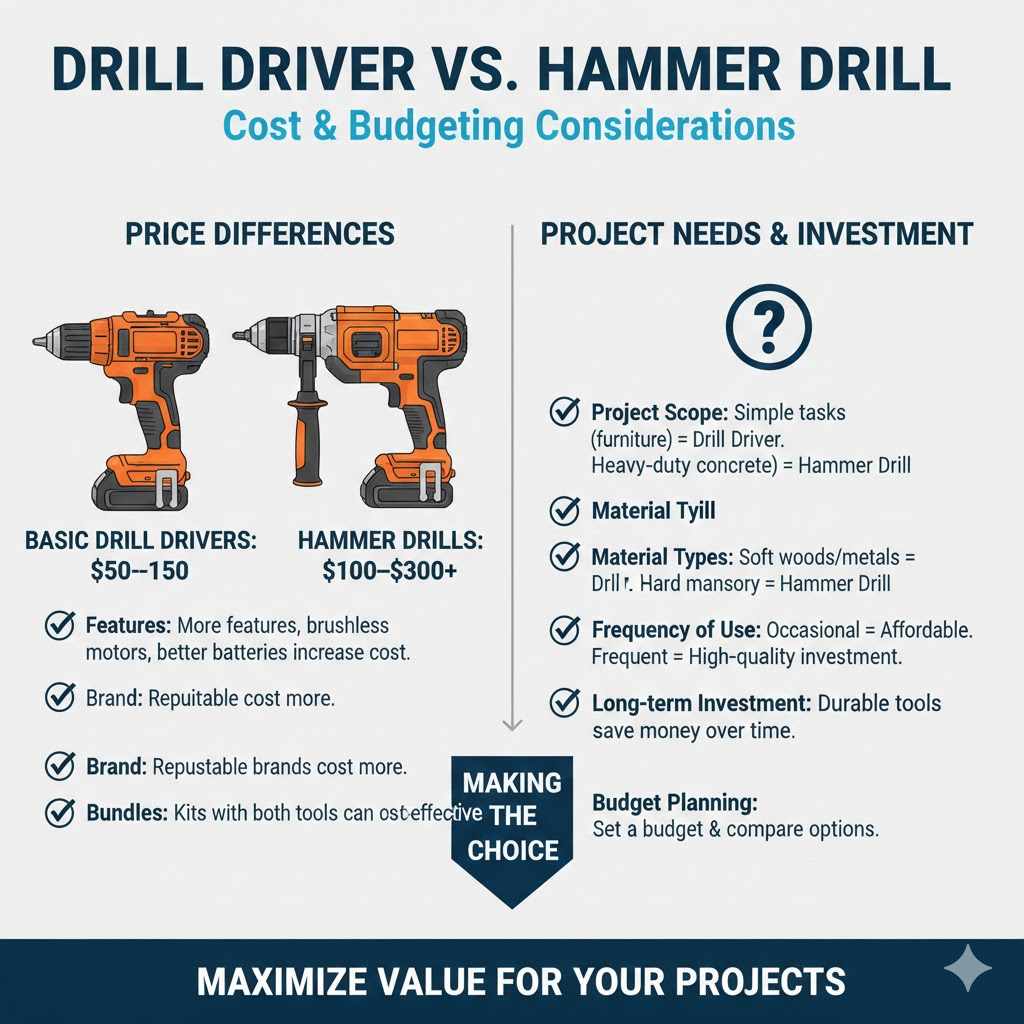
On average, a basic drill driver can range from $50 to $150, while a hammer drill might cost between $100 and $300 or more. The total price varies based on the features, brand, and type. More expensive options frequently provide more power, extra features, and are generally built to last.
Price Differences
The cost of a drill driver and a hammer drill can vary significantly depending on their features. Understanding these differences can assist you in choosing the best tool for your budget and needs.
- Basic Drill Drivers: These are typically more affordable, with prices ranging from $50 to $150.
- Hammer Drills: Due to their complex mechanisms and power, hammer drills generally cost more, ranging from $100 to $300 or more.
- Features: Models with more features, such as multiple speed settings, brushless motors, and better battery technology, will cost more.
- Brand: The brand will also affect the price, with well-known and reputable brands usually costing more.
- Bundles: Buying a kit that includes both tools might be more cost-effective if you need both.
Project Needs and Investment
When selecting between a drill driver and a hammer drill, consider the types of tasks you will undertake. This helps in making a wise investment that satisfies your needs and budget.
- Project Scope: If you mainly work on light projects such as furniture assembly, a drill driver will be enough.
- Material Types: If your work involves drilling into hard surfaces such as concrete, you will need a hammer drill.
- Frequency of Use: If you only do occasional projects, a more affordable option might be suitable. For frequent use, it could be best to invest in a higher-quality tool.
- Long-term Investment: Consider the lifespan and durability of the tools. Spending more on a well-built tool might be cheaper in the long run.
- Budget Planning: Set a budget and compare options before making a final choice. Make sure the tool meets your needs while fitting your budget.
Frequently Asked Questions
Question: Can I use a drill driver to drill into concrete?
Answer: No, a drill driver is not designed to drill into concrete. The hammering action of a hammer drill is needed to break through this tough material.
Question: What’s the main difference between a hammer drill and an impact driver?
Answer: A hammer drill combines rotation with a hammering action, mainly for drilling into hard surfaces. An impact driver adds a rotational impact for driving screws.
Question: Is it possible to use a hammer drill as a regular drill driver?
Answer: Yes, hammer drills usually have a drill-only mode. In this mode, they function the same as a drill driver.
Question: What do I need to look for when buying a drill?
Answer: Consider the power (voltage or amps), torque, speed settings, and the types of projects you’ll be doing. Look for models with features like adjustable clutches.
Question: Can I use the same drill bit for both a drill driver and a hammer drill?
Answer: Generally, yes, but for drilling into concrete with a hammer drill, you will need special masonry drill bits.
Final Thoughts
Selecting between a drill driver and a hammer drill involves assessing your project needs. Drill drivers are ideal for accurate tasks like assembling furniture and installing shelves. Hammer drills, on the other hand, are the go-to tools for tough tasks such as working with concrete. The key distinctions lie in their power, functions, and the materials each tool is made for. Considering things like power, torque, and cost is important.
Take time to know the different features of each tool and what they are best suited for. By taking the time to learn the differences, you’ll be able to decide which tool is right for you, or if you need both. This information is key to starting your next project successfully.