Can You Cut Aluminum With a Chop Saw? Yes, Here’s How
Yes, a chop saw can cut aluminum, but only after you change the blade. The wood-cutting blade that ships on most chop saws has a positive hook angle built to pull wood fiber into the teeth, and on aluminum that same aggressive bite becomes a problem: the blade can self-feed into the cut, yank the stock, or slam the saw arm down hard enough to catch a hand resting near the fence. The fix is specific, not vague “be careful” advice: a blade with a negative hook angle, an RPM you’ve actually checked against the blade’s rating, a workpiece that is clamped every single time, and a lubricant to keep the cut from overheating.
Yes, But a Wood Blade Turns This Into a Real Kickback Risk
Built for Aluminum, Not Retrofitted
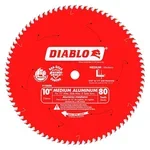 |
Diablo D1080N 10″ 80-Tooth Aluminum Blade – $63.80 This is the blade swap this whole article is built around: a negative hook angle designed to stop your chop saw from self-feeding into aluminum.
|
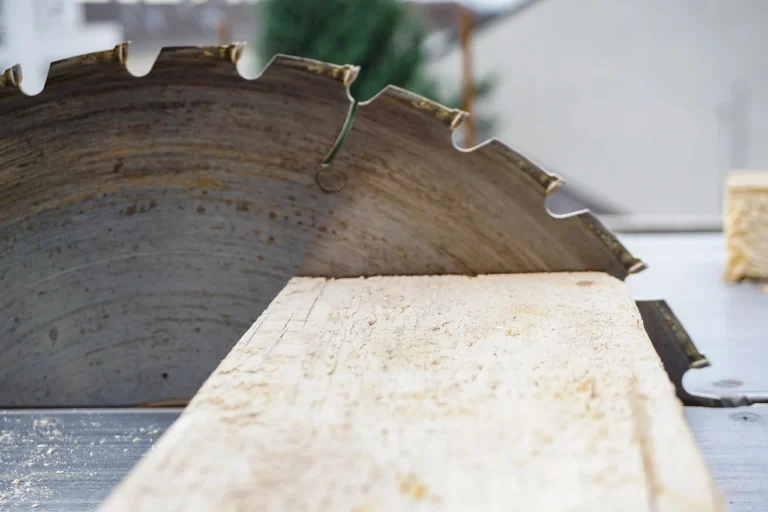
Here’s the actual mechanism, not just “use the right blade.” A standard wood blade has teeth angled forward (a positive hook angle) so they dig in and pull the board through on their own, which is exactly what you want in wood. Aluminum is soft enough that the same forward-angled teeth grab it too, except aluminum doesn’t split apart the way wood fibers do. Instead, the blade can suddenly self-feed, jerking the workpiece or the saw arm and creating a real kickback risk in the fraction of a second before you can react. Add in the heat from friction, and aluminum readily gums and welds itself onto standard blade teeth, which dulls the blade fast and leaves torn, dangerous edges on the cut. Neither of those is a minor inconvenience; both are documented, recurring failure modes any time someone runs a wood blade against aluminum.
What Actually Makes a Blade Aluminum-Safe
Three specs matter more than the “for metal” label on the box. The first is hook angle: a blade built for aluminum and other non-ferrous metal uses a negative hook, commonly around -5°, where the teeth lean slightly backward instead of forward. That geometry pushes the blade out of the cut instead of pulling it in, which is what keeps the feed controlled instead of self-accelerating. The second is tooth grind. Look for a triple-chip grind (TCG), which alternates a flat-topped tooth with a beveled one so the cutting load is shared across the pair instead of concentrated on a single edge the way a standard wood-grind tooth is. The third is carbide quality; aluminum is abrasive enough on a microscopic level that a soft or thin carbide tip dulls within a handful of cuts. A blade like the D1080N above checks all three boxes at once, which is why it shows up repeatedly in professional recommendations for cutting aluminum extrusion, angle, and tubing on a chop or miter saw rather than a dedicated cold saw.
RPM: The Other Half of the Safety Equation
A blade rated for aluminum still has a maximum RPM stamped on it, and running past that number is not a theoretical risk, it’s how carbide teeth shear off a spinning disc. Before you make a single cut, compare your saw’s actual no-load RPM (check the nameplate or manual) to the max RPM printed on the blade. Metal generally wants a slower, steadier feed than wood, and some dedicated metal-cutting chop saws are geared to run at roughly half the RPM of a standard wood chop saw specifically to manage heat and control. If your only saw is a high-RPM wood chop saw and you can’t confirm it stays under the blade’s rating, don’t force it, that’s the point where a dedicated cold saw (below) is the safer tool for the job, not a workaround.
Clamp It Every Time, No Exceptions
Unclamped stock is the single most common way a routine aluminum cut turns into an ER visit. Even a short offcut has enough mass to become a projectile if the blade catches it, and aluminum’s tendency to grab a wood-geometry blade makes an unsecured workpiece far more dangerous than the same scenario in wood. Use a vise, a bar clamp, or your saw’s built-in material clamp, and make sure the clamp is snug against the piece before the blade ever touches it, not just resting nearby. This applies to thin stock too; thinner aluminum actually chatters and grabs more easily than a thick, rigid piece, so “it’s too small to bother clamping” is backwards.
Use a Cutting Wax or Lubricant Stick
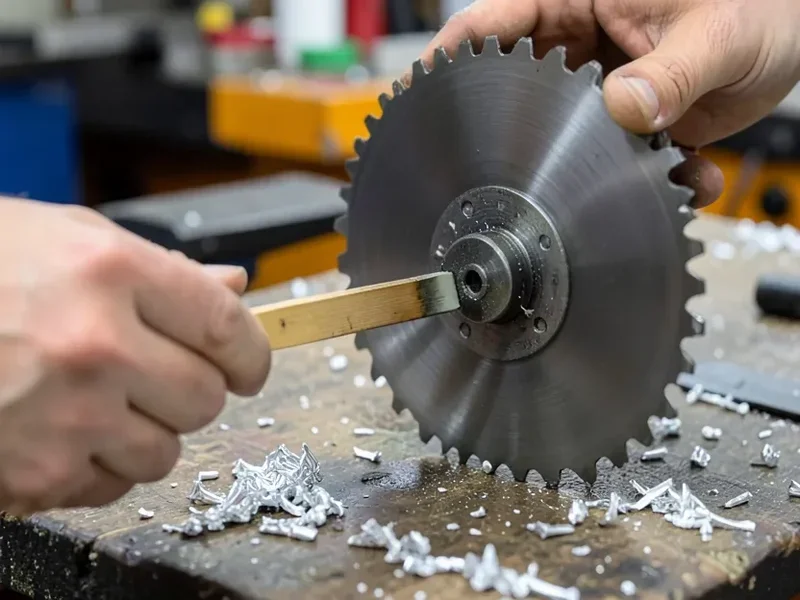
A cutting wax or lubricant stick, the same category used for band saw and reciprocating saw metal cutting, does two things at once: it reduces the friction heat that causes aluminum to gum onto the teeth, and it lowers the drag that makes a blade want to self-feed in the first place. Run the stick lightly along the teeth before you start cutting and reapply every few cuts on a longer job. It’s a cheap, low-effort addition and one of the few steps here that has essentially no downside, unlike skipping a clamp or ignoring RPM, there’s no safety trade-off to leaving it out other than a shorter blade life and a rougher edge.
Step-by-Step: Making the Cut Safely
Mark your cut line on the aluminum, then clamp the piece so the line sits just clear of the clamp itself. Confirm the blade is the negative-hook, TCG aluminum blade, not the wood blade the saw shipped with, and confirm its max RPM against your saw’s rating. Apply cutting wax to the teeth. Put on eye and hearing protection before you touch the trigger. Start the saw and let it reach full speed before it contacts the aluminum, then lower it with a slow, steady, continuous feed, don’t pause partway through the cut and don’t force the feed rate to speed things up. Let the blade fully stop before you lift it back up or release the clamp.
PPE That Actually Matters Here
Safety glasses or a full face shield are non-negotiable; aluminum throws small, sharp chips rather than the sawdust you’re used to, and they come off at eye level. Hearing protection matters too, a chop saw cutting metal is louder and higher-pitched than the same saw cutting wood. Gloves are a judgment call: snug-fitting cut-resistant gloves are useful for handling the piece and its sharp cut edges before and after the cut, but loose or bulky gloves near a spinning blade are their own hazard, take them off for the actual cut if they don’t fit close to your hand.
When a Cold Saw Makes More Sense Than a Chop Saw
If you’re cutting aluminum regularly, in larger cross-sections, or your only chop saw runs faster than any aluminum blade you can find for it, a dedicated cold saw is worth considering instead of forcing a chop saw to do the job. Cold saws are built specifically for metal: they’re geared down to the slower RPM non-ferrous cutting wants, and many include a built-in clamp and coolant delivery rather than leaving those steps up to you. For occasional cuts on a project, a chop saw with the correct blade covers the job fine; for frequent aluminum work, a cold saw removes several of the variables covered above instead of relying on you to get each one right every time. A stationary table saw fitted with the same negative-hook blade works too and is often what’s already sitting in the shop – see our guide to cutting metal on a table saw for the setup differences.
Frequently Asked Questions
Do I need a special blade to cut aluminum on a chop saw?
Yes. A standard wood-cutting blade has a positive hook angle that grabs aluminum instead of cutting it cleanly, which creates a real kickback risk. Use a blade built for non-ferrous metal, with a negative hook angle (commonly around -5°) and a triple-chip grind, like the Diablo D1080N above.
What RPM should I run to cut aluminum safely?
Run at or below the maximum RPM printed on the blade itself, not just your saw’s default speed. Many dedicated aluminum blades top out around 6,000 RPM, and metal cutting generally wants a slower, steadier feed than wood. If your saw’s no-load RPM exceeds the blade’s rating, use a different saw or blade rather than proceeding anyway.
Why does aluminum grab or weld to the saw blade?
Friction heat plus the wrong tooth geometry causes aluminum to gum and weld itself onto the teeth, a problem called galling. A negative-hook, triple-chip-grind blade combined with a cutting wax or lubricant stick significantly reduces this by keeping heat and drag down during the cut.
Do I still need to clamp thin aluminum stock?
Yes, always. Thin aluminum actually chatters and grabs more easily than a thick, rigid piece, so it needs a secure clamp just as much as, if not more than, a heavier workpiece. Unclamped stock is one of the most common causes of kickback injuries when cutting metal.
Bottom Line
A chop saw can cut aluminum cleanly and safely, but only once you’ve addressed all four pieces together: a negative-hook TCG blade instead of the stock wood blade, a confirmed RPM under the blade’s rating, a workpiece that’s clamped every time, and a wax or lubricant stick to manage heat. Skip the blade swap and you’re relying on a tool built for a different material’s fiber structure to somehow behave the same way on metal, and that’s exactly the gap where kickback injuries happen. Get those four things right and cutting aluminum on a chop saw is a routine, controllable job. See our related guide on cutting other metals with a chop saw if you’re working with steel or rebar as well, and check our full breakdown of the best saws for cutting aluminum if a chop saw isn’t the only tool you’re considering for the job.
Sponsored / affiliate links. As an Amazon Associate I earn from qualifying purchases. I may earn additional commission from eligible campaigns.