How to Unlock a Delta Miter Saw (It’s Probably the Transport Pin)
If your Delta miter saw’s head won’t lift, you’re almost certainly looking for the transport lock pin, not the miter or bevel lock. Nearly every Delta miter saw ships with the blade head locked down in the lowered position for shipping and storage. That pin (usually a knob near the back of the head, close to the main hinge) has to be pulled out or turned before the head will lift at all — and it’s the lock people usually mean when a “brand new” or recently moved saw seems completely stuck.
The Three Locks on a Delta Miter Saw (and Which One You Actually Need)
While You Have the Head Open, Check the Blade
 |
DEWALT 12 in. 60-Tooth Finish Blade (DWA11260) – $43.83 A dull or damaged blade is a common reason a saw feels like it’s fighting you even after every lock is released — a 60-tooth blade gives smooth, splinter-free crosscuts.
|
A compact or sliding Delta miter saw has up to three separate locks, and it’s easy to search for “unlock” when you actually need a different one:
- Head-down transport lock (the one people usually mean): A pin or knob near the hinge at the back of the motor head. Push down slightly on the handle to take pressure off it, then pull or turn the pin to release the head so it springs up.
- Miter lock (turntable angle lock): A lever at the front of the base, under the handle. This locks the horizontal swing angle for cutting miters. Squeeze or lift it to swing the table to a new angle, then release it to lock that angle in place.
- Bevel lock: A lever or knob at the back of the saw’s fence area. This locks the tilt of the blade for bevel cuts. Loosen it to tilt the head, then tighten it once you’ve set your angle.
Sliding compound models add a rail lock — a small knob on top of the sliding rails that keeps the head from moving forward and back during a bevel-only cut. If your saw slides when you don’t want it to, that’s the one to check.
Step-by-Step: Releasing the Transport Lock
- Unplug the saw. Never work around the blade area with the saw powered on, even just to release a lock.
- Place one hand on the handle and push down very slightly — just enough to take spring tension off the lock pin, not enough to force anything.
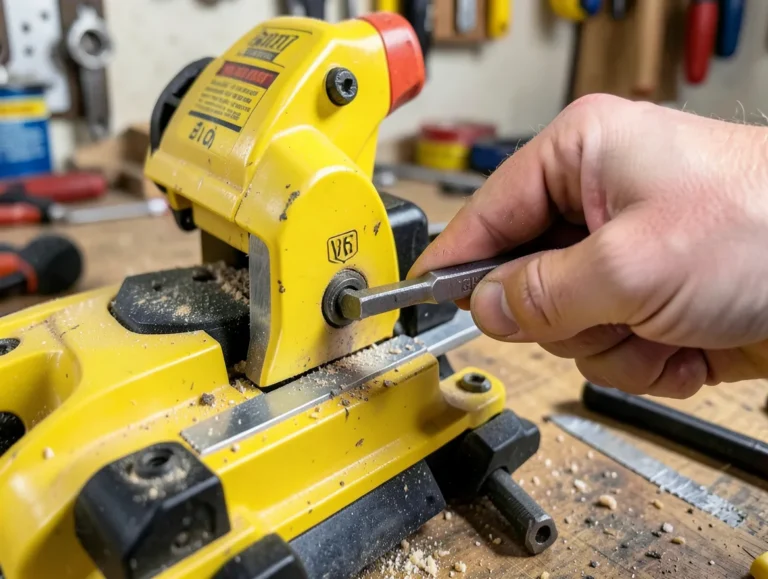
- Locate the lock pin near the hinge at the back of the head. On most Delta models it’s a knob you pull outward or a pin you rotate a quarter turn.
- Release the pin while keeping light downward pressure on the handle, then slowly let the head rise under its own spring tension.
- If the pin won’t budge, don’t force it. Sawdust packed around the pin is the most common cause — a few seconds of compressed air or a stiff brush around the pin housing usually frees it.
Troubleshooting a Stuck Lock
- Pin won’t pull or turn: Usually sawdust buildup in the pin housing. Clean it out with compressed air or a brush before applying any lubricant.
- Pin releases but the head won’t rise: Check for a second, separate lock — some models have both a pin and a small latch that both need to be clear.
- Head is loose or drops on its own after unlocking: That’s a spring tension issue, not a lock issue, and it’s worth checking Delta’s support resources or a service center rather than continuing to use the saw, since an uncontrolled head drop is a real safety hazard.
- Miter or bevel lock feels gritty: A light coat of dry lubricant (not a heavy oil that attracts sawdust) on the lever’s pivot point usually smooths it back out.
Frequently Asked Questions
Why is my brand new Delta miter saw locked and won’t move?
New saws ship with the head-down transport lock engaged to keep the head secure in the box. Look for a pin or knob near the hinge at the back of the head and release it before trying to lift the head.
What’s the difference between the miter lock and the bevel lock?
The miter lock is a lever at the front of the base that locks the horizontal swing angle of the table. The bevel lock is at the back of the saw and locks the tilt angle of the blade itself. They control two different types of angled cuts.
My transport lock pin won’t budge. What should I do?
Clean sawdust out of the pin housing with compressed air or a stiff brush first — that’s the most common cause. Avoid forcing the pin, since that can bend it and make the problem worse.
Is it safe to keep using a saw if the head drops on its own?
No. If the head doesn’t hold its raised position once the lock is released, that’s a spring or hinge problem, not a lock problem, and it’s a real safety hazard. Stop using the saw until it’s inspected or serviced.
Sponsored / affiliate links. As an Amazon Associate I earn from qualifying purchases. I may earn additional commission from eligible campaigns.