![How to Adjust Laser on Chicago Electric Miter Saw? [A Step-By-Step Guide]](https://cdn.woodworkingadvisor.com/2023/01/How-to-Adjust-Laser-on-Chicago-Electric-Miter-Saw-_A-Step-By-Step-Guide_.webp)
How to Adjust the Laser on a Chicago Electric Miter Saw (6 Steps)
A misaligned laser on a Chicago Electric miter saw almost always comes down to one loose lock nut behind the laser housing, not a broken unit. Cutting with an unadjusted beam wastes lumber and can throw a miter joint off by 1/16 inch or more. This guide covers locating the adjustment screw, aligning the beam to the blade at 0 degrees, and fixing a laser that’s dim, flickering, or won’t turn on.
Quick Answer
Unplug the saw and set the miter and bevel to 0 degrees. Clamp a scrap board against the fence, lower the blade until it touches the wood, then turn on the laser. Loosen the adjustment screw near the laser housing about 1/8 turn and nudge the beam until it sits on the blade’s kerf line. Retighten and test-cut.
Tools You’ll Need to Adjust the Laser
Best Laser Calibration Pick
Oshlun LG-M02 Green Laser Guide
A direct-fit laser replacement with a green beam that stays visible in a bright shop.
- Best for: replacing a laser that’s cracked, dead, or too dim to see in daylight
- Why we picked it: green laser lines stay visible far better than the stock red laser most Chicago Electric saws ship with
- Main drawback: costs more than a basic red replacement and still needs the same 1/8-turn calibration once installed
Compare more laser calibration options
 Option 1 GemRed Digital Angle Finder
|
 Option 2 Arrow 12-Inch Combination Square
|
 Option 3 Rechargeable Type-C Laser Guide
|
As an Amazon Associate we earn from qualifying purchases.
Gather these before you start. Most Chicago Electric miter saws use a small Phillips-head or hex adjustment screw, and the same basic process applies whether you’re on a 10-inch model or a 12-inch Chicago Electric saw. If you’re new to sliding compound saws in general, our beginner’s guide to sliding compound miter saws covers the basics first.
- Phillips or hex screwdriver (matches your saw’s adjustment screw)
- A scrap board or plywood offcut for test cuts
- A combination square or digital angle finder to confirm true 0 degrees
- A work clamp to hold the test board against the fence
- A soft, lint-free cloth for the laser lens
How to Align the Laser With the Blade (Step by Step)
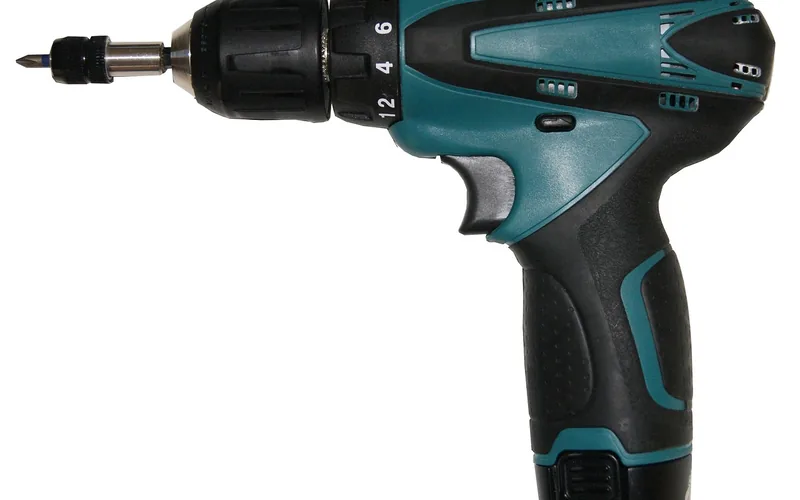
- Unplug the Saw and Zero the Angles: Unplug the saw and set both the miter and bevel scales to 0 degrees. Working at zero removes angle-related guesswork from the alignment.
- Clamp a Test Board Against the Fence: Secure a piece of scrap wood or plywood with a work clamp, tight against the fence, and mark a straight reference line across it with a combination square.
- Turn On the Laser and Lower the Blade: Plug the saw back in, press the laser rocker switch, then lower the cutting head until the blade just touches the board without cutting into it.
- Locate the Lock Nut and Adjustment Screw: Look on top of the laser housing near the thumbscrew for a small lock nut and adjustment screw, which is what actually moves the beam.
- Loosen the Screw and Nudge the Beam: With a Phillips screwdriver, loosen the adjustment screw about 1/8 turn. Gently move the laser housing until the beam sits directly on the reference line, then retighten the lock nut.
- Test-Cut and Fine-Tune: Make a cut on scrap material and compare the actual kerf to where the laser predicted it. Repeat the 1/8-turn adjustment if the line is off by more than a hair.
Why Does the Laser Go Out of Alignment in the First Place?
A miter saw laser typically drifts for one of four reasons: vibration from repeated cuts gradually loosens the mounting screws, transport (tossing the saw in a truck bed or trailer) knocks the housing out of position, manufacturing tolerance means even a new saw may not be perfectly zeroed out of the box, and a bumped or dropped saw can throw off the alignment in a single impact. None of these mean the unit is defective. They’re the normal reason laser guides need occasional recalibration.
“On job-site saws that ride in a truck bed between stops, we recalibrate the laser almost every week. Shop saws that stay bolted to one stand can go months without needing a touch.”
Chicago Electric Miter Saw Laser Not Working? Troubleshooting Guide
If the laser doesn’t turn on at all, alignment isn’t the problem yet. Check these first.
| Symptom | Likely Cause | Fix |
|---|---|---|
| No light at all | Dead or missing batteries | Replace with fresh batteries, check polarity |
| Light is dim or flickering | Weak batteries or a dirty lens | Replace batteries; wipe the lens with a soft cloth |
| Beam looks broken or scattered | Cracked lens or damaged diode | The laser module likely needs replacement |
| Beam is steady but off the cut line | Alignment drift, not a power issue | Follow the 6-step adjustment above |
📊 Most Chicago Electric miter saw manuals recommend rechecking laser alignment any time you change blades or reset the miter/bevel scale to zero — Source: Harbor Freight Chicago Electric miter saw owner’s manuals
Keeping the Laser Accurate After You Adjust It
- Clean the lens every few uses with a dry microfiber cloth. Sawdust film scatters the beam more than people expect.
- Work in decent light. A laser that looks solid in a dim garage can nearly disappear in direct sun.
- Re-zero the laser any time you switch to a noticeably thicker or thinner blade. See our 80 vs. 100-tooth blade guide for how tooth count changes kerf width, since kerf width changes where the beam needs to sit.
- If you swap between miter and bevel cuts often, recheck alignment at each angle rather than assuming zero-degree calibration holds everywhere.
If the laser drift has you wondering whether it’s time to upgrade, our Chicago Electric vs. DeWalt and Chicago Electric vs. Admiral comparisons break down where the budget saw still holds up.
Frequently Asked Questions
How do I turn on the laser on my miter saw?
Most Chicago Electric models have a separate rocker switch on the laser housing, apart from the main power trigger. Press it after the saw is plugged in. Some models turn the laser on automatically when you squeeze the main trigger partway.
Why is my Chicago Electric miter saw laser not working?
The most common causes are dead batteries, a loose power connection, or a dirty lens blocking the beam. Check batteries and connections first. Replacing the laser module is a last resort if those don’t fix it.
Can I adjust the laser for bevel cuts?
Yes. The 6-step process above works at any bevel angle, but check the alignment separately for each angle you cut at regularly, since the housing position that’s correct at 0 degrees bevel may drift slightly at 45 degrees.
Is the laser line accurate enough to cut without measuring first?
No. A laser beam is roughly 1/32 to 1/16 inch wide, wider than most blade kerfs, so it’s a visual guide, not a substitute for marking and measuring on precision work. Confirm critical cuts with a square or tape measure before cutting.
Can I replace the laser module myself?
Yes. On most Chicago Electric models, the laser housing is held by two or three screws and unplugs from a simple connector. Order a compatible replacement, match the connector type, and recalibrate using the same 6-step process once it’s installed.
How often should I check and adjust the laser?
Check it whenever you switch blades, reset the miter or bevel scale to zero, or move the saw between job sites. For a saw that stays in one shop, a monthly check is usually enough.
Conclusion
A drifting laser doesn’t mean your Chicago Electric miter saw is wearing out. It means the lock nut behind the housing worked loose, which is a five-minute fix with a Phillips screwdriver and a scrap board. Zero the angles, nudge the screw an eighth-turn at a time, and confirm with a real test cut before you trust the line on anything that matters.
Sponsored / affiliate links. As an Amazon Associate I earn from qualifying purchases. I may earn additional commission from eligible campaigns.