Router Table vs Handheld: Which Is Better?
Choosing between a router table and a handheld router can be tricky, especially when you’re just starting out. Both have their strengths, and deciding which one fits your needs best often feels like a puzzle. This guide will break it all down simply.
We’ll show you the clear differences and help you pick the right tool for your projects. Get ready to know exactly Router Table vs Handheld: Which Is Better?
This section explains why the choice between a router table and a handheld router is a big deal for many DIYers and woodworkers. We’ll cover the main reasons this question comes up so often and highlight what makes each tool unique. Understanding these differences is the first step to making the right decision for your workshop and your specific woodworking tasks.
We will explore the advantages and disadvantages of each, helping you see which tool truly suits your woodworking style and project demands.
What Is A Router Table
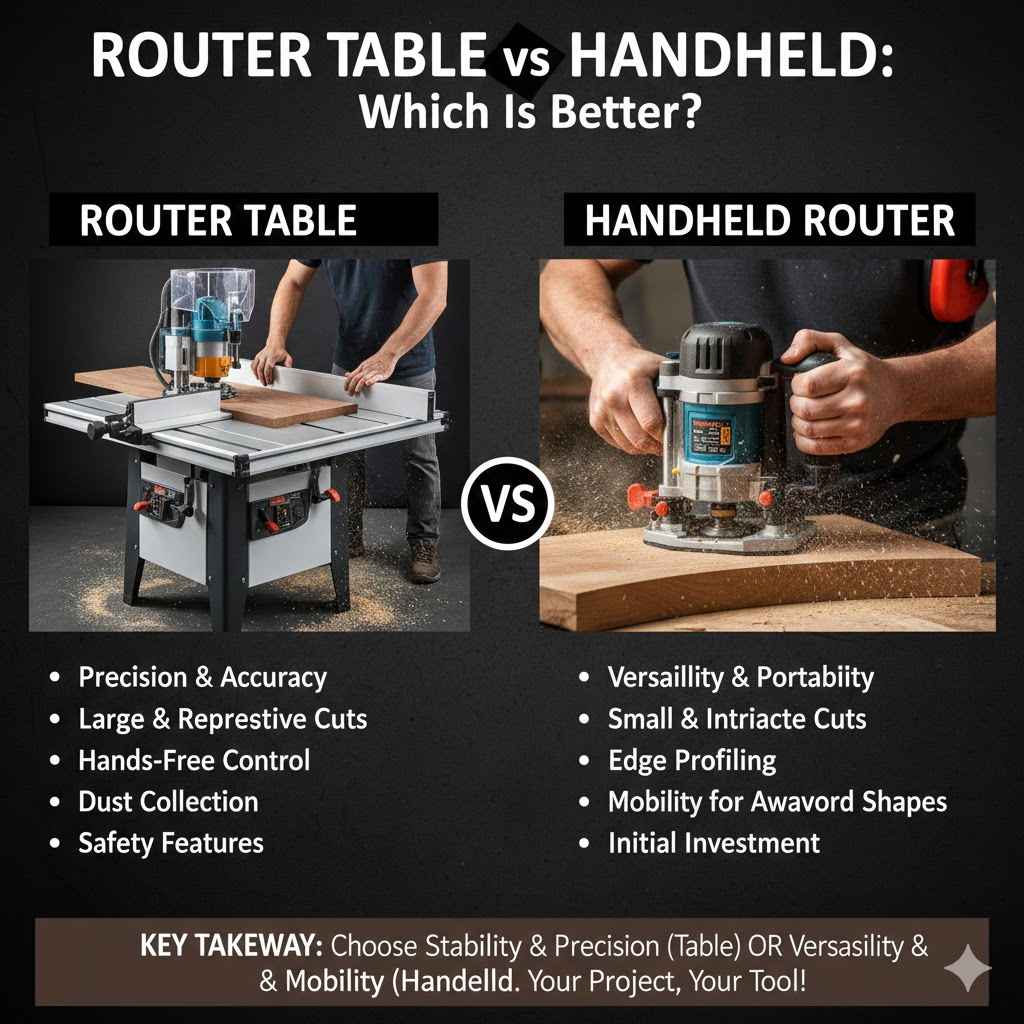
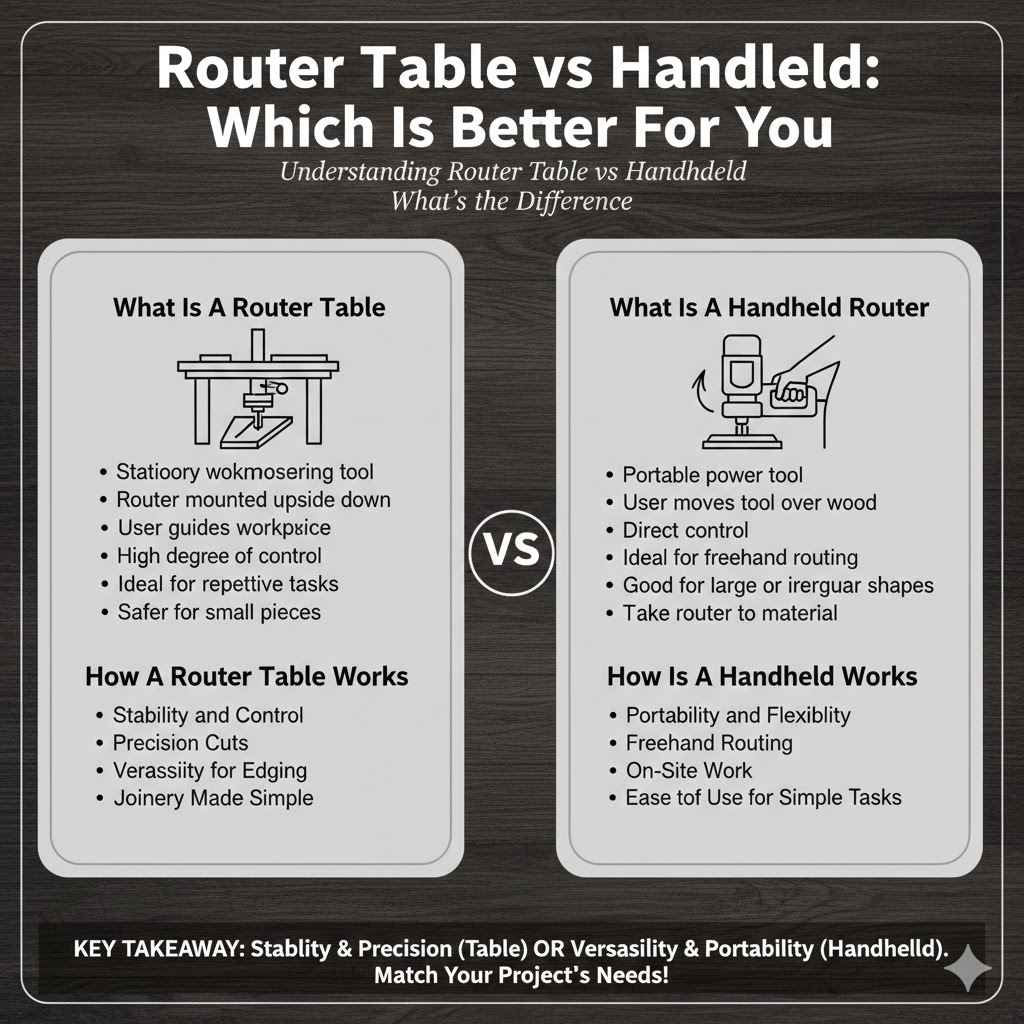
A router table is a stationary woodworking tool that consists of a router mounted upside down beneath a table surface. This setup allows the user to guide the workpiece over the spinning router bit, rather than moving the router itself. This fixed position of the router bit offers a high degree of control and stability.
Router tables are excellent for repetitive tasks, creating decorative edges, jointing, and other operations that require precision and a steady hand. They also make it safer to work with smaller pieces of wood.
How A Router Table Works
In a router table, the router is secured to the underside of a flat tabletop, with its bit extending through an opening. You then push the wood you want to shape across the top of the table. The table provides a stable platform, and often has fences and guides to help you keep your cuts straight and accurate.
This method allows for very consistent results, especially when making many identical cuts. It’s like having a stationary shaper that uses your router’s power and bits.
- Stability and Control: The fixed router bit and stable table surface provide unmatched stability. This means less chance of errors and a much safer working experience.
- Precision Cuts: Repeating identical cuts is simple and accurate. You can set up fences and jigs to ensure every piece is cut exactly the same way.
- Versatility for Edging: Applying decorative edges to cabinet doors or shelves becomes easier and more professional-looking. The workpiece moves smoothly over the bit.
- Joinery Made Simple: Tasks like cutting dadoes, rabbets, and tenons are more straightforward and repeatable. You can achieve clean, precise joints consistently.
What Is A Handheld Router
A handheld router is a portable power tool where the user grips the tool and moves it over the workpiece. The router motor is housed in a body with handles, allowing for direct control during operation. This makes it ideal for tasks that involve freehand routing, working on larger or irregularly shaped pieces, or when you need to take the router to the material rather than bringing the material to the router.
Its portability is its biggest asset.
How A Handheld Router Works
With a handheld router, you hold the tool and guide it along the edge of your wood or across its surface. The motor spins a router bit, which does the cutting. You control the depth and the path of the cut by moving the router with your hands.
This offers a lot of freedom to shape and decorate wood in various ways. It’s great for jobs where a table might be too restrictive, like rounding over the edges of a large tabletop or carving details into a curved surface.
- Portability and Flexibility: You can use it anywhere, on any size project, even on-site. It’s easy to carry to your work area.
- Freehand Routing: Perfect for freehand work, creating curves, or doing inlay work where precise movement is key.
- On-Site Work: Ideal for installing trim, doors, or doing repairs directly on existing structures without moving large pieces.
- Ease of Use for Simple Tasks: For quick edge profiling or small adjustments, picking up a handheld router is often faster than setting up a table.
Router Table vs Handheld Which Is Better For Beginners
When you’re new to woodworking, the question of Router Table vs Handheld: Which Is Better? can feel overwhelming. Beginners often wonder if they should invest in a large, stationary tool or a more manageable handheld one.
The good news is, understanding the basics of each will make this decision much clearer. We’ll walk through how to assess your needs and confidently choose the right router for your first projects and beyond. This will set you up for success without unnecessary confusion.
Ease of Use for Beginners
For someone just starting out, simplicity and safety are paramount. A handheld router can seem more intuitive at first because you are directly controlling the tool’s movement. However, this direct control also means a steeper learning curve for achieving consistent and precise results.
A router table, while requiring a bit more setup, often provides a more guided and stable experience once it’s ready. This can lead to less frustration for beginners trying to get clean cuts.
- Handheld Initial Setup: Simply plug it in and go. For very basic tasks, it’s ready to use in seconds.
- Router Table Initial Setup: Requires mounting the router, setting up the fence, and ensuring the bit is at the right height. This takes more time initially.
- Learning Curve Handheld: Mastering smooth, straight cuts and consistent depth control with a handheld router takes practice.
- Learning Curve Router Table: Once set up, creating repeatable cuts is often easier, though understanding how to use fences and jointers takes some learning.
Safety Considerations for Beginners
Safety is a top concern for anyone starting woodworking. Both router types have their own safety considerations. With a handheld router, the risk involves moving the tool and bit over the wood, which can lead to kickback or slips if not handled properly.
A router table, because the bit is fixed and you push the wood, can feel safer for some tasks. However, it’s crucial to always use push sticks and understand how to manage the wood against the spinning bit. Proper safety gear is essential for both.
- Kickback Risk Handheld: If the router bit snags on the wood, the tool can be forcefully thrown back towards the user.
- Kickback Risk Router Table: While less common, kickback can still occur if the wood is not properly supported or guided against the fence.
- Blade Guarding: Most handheld routers have guards, but they can sometimes obstruct visibility. Router table inserts often have dust collection shrouds that also act as guards.
- Eye and Hearing Protection: Essential for both. Wearing safety glasses or a face shield and ear protection is non-negotiable when operating any router.
Cost and Space
For beginners, budget and workshop space are often major factors. Handheld routers are generally much less expensive than a full router table setup. You can often find good quality handheld routers for a fraction of the cost of a table.
In terms of space, a handheld router is compact and can be stored easily in a toolbox or cabinet. A router table, especially a dedicated one, requires a significant amount of dedicated space in your workshop, which many beginners might not have.
| Tool Type | Initial Cost | Space Required | Portability |
|---|---|---|---|
| Handheld Router | Lower | Minimal | High |
| Router Table | Higher | Significant | Low |
Budget-Friendly Options
You can get started with a basic handheld router for under $100. Many good options are available from reputable brands. For a router table, even a basic benchtop model can cost a few hundred dollars, and a cabinet-style table with a good lift can run into the thousands.
However, DIY router table plans are available if you are handy and want to build your own at a lower cost.
Space-Saving Solutions
If space is tight, a handheld router is the clear winner. You can even purchase router table inserts that fit into a workbench or a custom-built cabinet, turning a portion of your existing space into a router table without a dedicated unit. Some portable router tables are also available, offering a compromise between size and functionality.
Router Table vs Handheld Which Is Better For Specific Tasks
Understanding how a router table and a handheld router perform for different woodworking jobs is key to making the right choice. Each tool excels in certain areas, and knowing these specific strengths will help you match the tool to your project’s needs. We’ll look at common woodworking tasks and determine which type of router is generally more suitable for each, ensuring you can tackle your projects with the best possible equipment.
Edge Profiling and Decorative Cuts
Edge profiling is a common task where both tools can be used, but a router table often provides superior results for consistency and ease. For decorative edges on furniture, shelves, or cabinets, a router table allows you to simply run the edge of the workpiece along the spinning bit. This is much easier and safer than trying to move a handheld router along a long, potentially wobbly edge.
The table’s stability helps create smooth, unbroken profiles.
With a handheld router, you can achieve similar results, but it requires more skill and control. You need to maintain a steady hand and consistent pressure, often using a router edge guide or fence for support. This can be challenging on longer pieces or when working with delicate bits.
However, for small items or curved edges where a table is impractical, a handheld router is the only option.
- Router Table Advantages: Perfect for consistent, repeatable decorative edges on straight pieces. Easy to change bits and adjust height for different profiles. Less strain on the user.
- Handheld Router Advantages: Ideal for small items, curved edges, or when the workpiece cannot be brought to a table. Offers more freedom for intricate freehand designs.
One real-life example: A woodworker creating a set of dining chairs needed to apply a decorative cove profile to the edges of the chair seat and back. Using a router table made this task simple. They could cut all the seats identically by pushing them across the table against the fence and bit.
If they had used a handheld router, maintaining a consistent depth and line along the curved edges would have been significantly more difficult and time-consuming, potentially leading to uneven results.
Making Joints Dadoes and Rabbets
Cutting joinery like dadoes (grooves across the grain) and rabbets (grooves along the edge) is where a router table truly shines. These cuts require precision and a stable reference point. On a router table, you can set a fence to guide the wood, ensuring the groove is cut at the exact desired distance from the edge and at a perfectly consistent depth.
This is crucial for strong, well-fitting joints in cabinets, drawers, and other furniture.
While a handheld router can also make these cuts, it is generally more challenging. You would typically use a router edge guide for rabbets or a universal jig for dadoes. Achieving a perfectly straight and consistent groove can be difficult, especially on longer pieces.
The tendency for the router to wander is higher. For repetitive joint-making or when accuracy is paramount, the router table is the preferred tool.
Dadoes and Rabbets Comparison
| Task | Router Table Best For | Handheld Router Best For |
|---|---|---|
| Dadoes (Grooves Across Grain) | High precision, repeatability, long cuts | Small, quick dadoes; when material is too large for table |
| Rabbets (Grooves Along Edge) | Consistent width and depth along straight edges | Small rabbets on curved pieces; when material is too large for table |
Consider building a set of drawers. The drawer sides need precise rabbets to accept the drawer bottom, and the drawer front needs a dado for the side. Using a router table allows you to set the fence and depth once and then cut all the necessary rabbets and dadoes for multiple drawers with consistent results.
Trying to achieve this accuracy with a handheld router would be significantly more demanding and prone to errors, especially if you are not an experienced woodworker.
Working with Larger or Irregularly Shaped Pieces
When dealing with large or oddly shaped workpieces, a handheld router is often the more practical choice. Imagine wanting to round over the edges of a massive tabletop or add a decorative profile to a large, curved cabinet door. It’s simply not feasible to move such a large item across a router table.
The handheld router allows you to bring the tool to the material, offering the necessary flexibility for these jobs.
For these situations, a handheld router can be equipped with various accessories, like edge guides or circle-cutting jigs, to improve accuracy. However, even with these aids, maintaining perfect consistency can be more challenging than with a router table. The sheer size and weight of the workpiece can make it difficult to handle smoothly.
Still, for these types of projects, the handheld router’s portability is indispensable.
Scenario 1 Large Tabletop
You’ve just finished building a large custom dining table. Now you need to round over all the edges to make them safe and comfortable. The tabletop is too large to fit on your router table.
You would use your handheld router with a roundover bit. You would start at one end, carefully guide the router along the edge, maintaining consistent pressure and depth. Using an edge guide attachment would help ensure the radius is applied evenly all the way around.
Scenario 2 Curved Cabinet Door
You’re crafting a decorative curved cabinet door. You want to add a simple ogee edge profile along the curved perimeter. Since the door is curved, it cannot be placed flat on a router table fence for a straight pass.
Your handheld router, with the appropriate bit, would be used to carefully trace the curve, guiding the router along the edge. A steady hand and potentially a jig designed for curves would be necessary for a smooth, even finish.
Engraving and Inlay Work
For detailed work like engraving, carving, or inlay, a handheld router, particularly a smaller trim router or a specialized engraving router, is often preferred. These tools offer precise control and maneuverability for intricate designs. The ability to see exactly where the bit is going and to make small, controlled movements is critical for fine detail work.
The portability allows you to work on the piece directly without needing to maneuver it onto a table.
A router table is generally not suited for this type of work. The fixed position of the bit and the need to push the wood make it difficult to create delicate patterns or controlled freehand cuts. While some advanced setups might allow for angled or specialized cuts on a table, it’s not the typical tool for detailed artistic work.
The fine control required for inlays and engravings is best achieved by holding the tool directly.
- Precision Control: Smaller handheld routers offer exceptional control for detailed cuts and fine lines needed in engraving.
- Maneuverability: Easily move the router in any direction to follow complex patterns or curves for inlay designs.
- Visibility: Direct line of sight to the cutting area allows for precise placement and execution of detailed work.
- Specialized Bits: A wide variety of small bits are available for handheld routers, perfect for intricate engraving and carving.
Router Table vs Handheld Which Is Better for Power and Performance
When we talk about Router Table vs Handheld: Which Is Better?, power and performance are important considerations. Both types of routers come with various motor sizes and features that affect how well they can cut through different types of wood and perform demanding tasks. Understanding these differences will help you choose a tool that has the muscle you need for your woodworking projects.
Motor Power and RPMs
Router motors are measured in horsepower (HP) and revolutions per minute (RPM). Generally, higher horsepower means more power to cut through tough materials without bogging down. Higher RPMs can lead to smoother cuts, especially with certain types of bits.
Handheld routers come in a wide range, from small trim routers (around 1 HP) to powerful production routers (2.5 HP or more). Router table setups typically use routers with at least 1.5 HP for good performance.
A router table setup often uses a router that is dedicated to the table, meaning it doesn’t need to be as lightweight as a handheld unit. This allows for more powerful motors. For instance, a router designed for table use might have a more robust motor and cooling system, capable of running for extended periods under heavy load.
This sustained power is crucial for continuous cutting operations.
- Horsepower (HP): Indicates the motor’s power. More HP means it can handle harder woods and larger bits with less strain. A good handheld router is usually 1.5 HP to 2.5 HP. For a router table, 2 HP or higher is ideal for most tasks.
- Revolutions Per Minute (RPM): The speed at which the bit spins. Typical ranges are 10,000 to 25,000 RPM. Lower RPMs with larger bits can provide a cleaner cut in hardwoods. Variable speed control is a key feature for both types.
For example, when cutting a large, decorative profile into a hard oak board with a 1-inch diameter bit, a 1.5 HP handheld router might struggle and overheat, resulting in a rough cut. A 2.5 HP handheld router or a powerful router mounted in a table would handle the task with ease, producing a smooth, clean edge with consistent speed. This demonstrates how motor power directly impacts performance on demanding cuts.
Depth Control and Adjustments
Accurate depth control is vital for many woodworking tasks. Both handheld routers and router tables offer ways to adjust the depth of the cut. Handheld routers typically have a plunge mechanism or a base that allows you to set the bit depth.
Some come with fine-tuning knobs for precise adjustments. Router tables often use router lifts, which are specialized mechanisms mounted in the table insert that allow for very fine, easy adjustments from above the table.
The ease and precision of depth adjustment can vary greatly. For quick changes, a handheld router might be faster to adjust. However, for making very precise, repeatable depth settings, especially when plunging a bit into the wood, a router lift on a table offers superior accuracy and convenience.
This is because the lift mechanism is designed for fine-tuning, often with a crank that allows for millimeter adjustments.
Depth Adjustment Methods
| Tool Type | Adjustment Method | Precision Level | Ease of Use |
|---|---|---|---|
| Handheld Router | Base adjustment, plunge mechanism, fine-tuning knob | Good to Very Good | Quick for general use, can be fiddly for micro-adjustments |
| Router Table (with lift) | Above-table crank system | Excellent | Very easy, precise for consistent depth |
Imagine you need to cut a series of dadoes at exactly 3/8 inch deep for cabinet shelves. With a router table and a router lift, you can set this depth precisely and lock it in. If you used a handheld router, you might have to set it, test cut on scrap, and then adjust multiple times to get it just right.
The router lift simplifies this process dramatically, especially if you need to make many similar cuts.
Bit Compatibility and Variety
Both handheld routers and router tables can use a vast array of router bits. The main difference lies in how the bit is mounted and the maximum size of the bit that can be effectively used. Most routers use a 1/4-inch or 1/2-inch collet, which is the part that holds the router bit shank.
Router tables can often accommodate larger diameter bits, some up to 3 inches or more, which are not practical or safe for handheld use.
Router table setups, especially those with powerful motors and router lifts, are designed to handle these larger bits for tasks like panel raising or creating large decorative profiles. Handheld routers, particularly smaller trim routers, might be limited to smaller diameter bits. However, for the vast majority of common woodworking tasks, both types of routers can utilize a wide variety of bits to achieve different cuts and profiles.
- Collet Size: Most routers use 1/4-inch or 1/2-inch collets. Some professional models have interchangeable collets. Ensure your bits match your router’s collet size.
- Maximum Bit Diameter: Router tables can effectively use much larger diameter bits (e.g., 3-4 inches) for tasks like panel raising, which are not feasible with handheld routers.
- Bit Types: Both can use straight bits, roundover bits, cove bits, chamfer bits, ogee bits, Roman ogee bits, and more. The size and complexity of the bit you can use might vary.
For example, if you want to create a raised panel door for a cabinet, you would need a large panel-raising bit. These bits are often 3 inches in diameter and require a powerful router motor and a very stable setup. This is a task perfectly suited for a router table.
A handheld router, even a powerful one, would be difficult and dangerous to use for this purpose due to the size of the bit and the required stability.
Router Table vs Handheld Which Is Better Your Project Needs
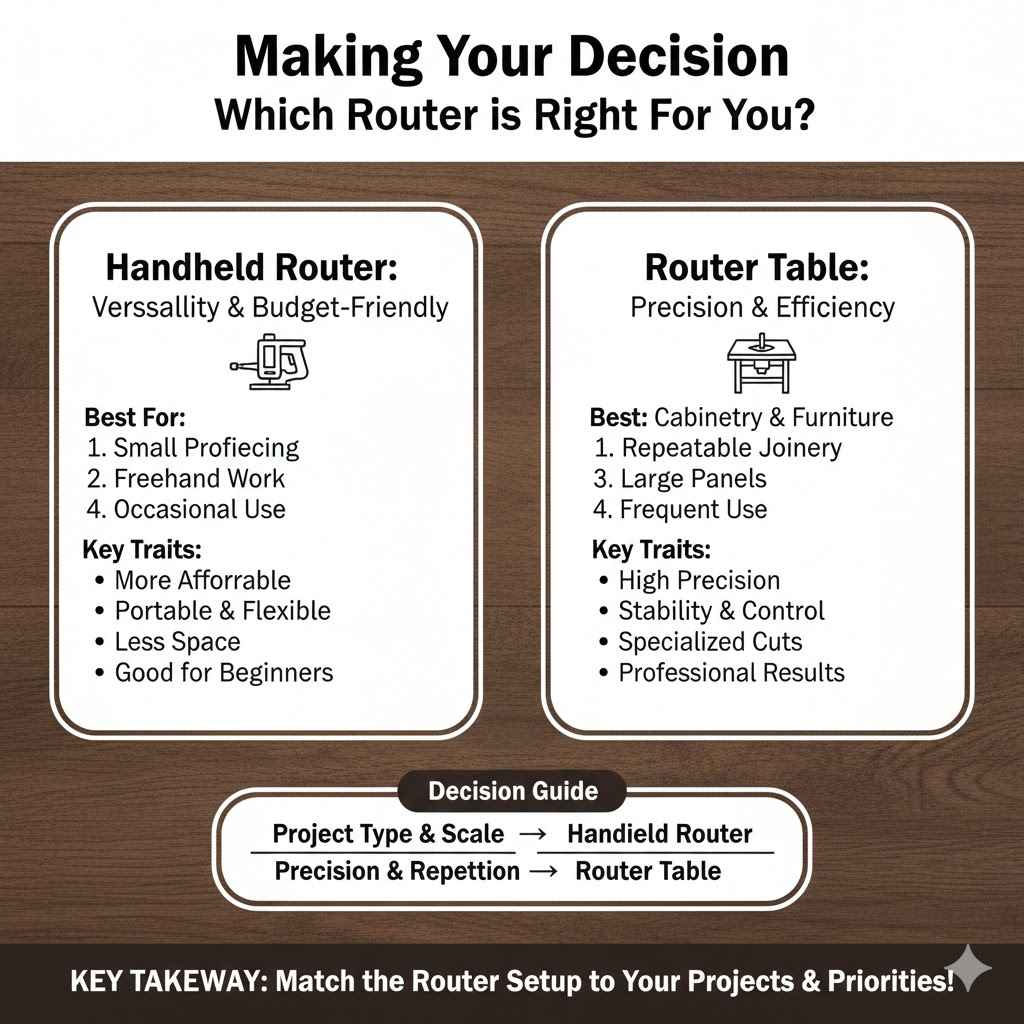
Ultimately, deciding between a Router Table vs Handheld: Which Is Better? comes down to what you plan to do with your router. Your specific woodworking projects are the best guide.
Thinking about the types of cuts you’ll make, the scale of your projects, and how often you’ll use the tool will help you make the right investment. We will help you match your woodworking goals to the right router setup.
Assessing Your Woodworking Projects
Take a moment to list the kinds of projects you envision yourself undertaking. Are you building simple shelves and basic furniture, or are you aiming for complex cabinetry, decorative furniture, or intricate joinery? For simpler, occasional tasks, a handheld router might be sufficient.
If you plan on detailed cabinet work, repeatable joinery, or professional-looking edge treatments, a router table will likely be a valuable addition, if not a necessity.
Consider the size of the pieces you’ll be working with. If you mainly work with small to medium-sized projects, a handheld router offers flexibility. If you plan to work with large panels, tabletops, or cabinet components, a router table provides the stability and control needed.
Also, think about how often you’ll be using the router. For frequent, demanding tasks, a dedicated router table setup can save time and produce better results.
- Project Type: Cabinetry, fine furniture, and repeatable joinery benefit greatly from a router table. Smaller home decor, repairs, or basic projects can be handled by a handheld router.
- Material Size: Small to medium pieces are manageable with handheld routers. Large panels and sheets are easier and safer to work with on a router table.
- Frequency of Use: If you plan to use a router regularly for precise work, a router table is a worthwhile investment. For occasional use, a handheld router is often enough.
Handheld Router as a Starting Point
For many beginners, a handheld router is the ideal first step. It’s versatile enough to handle a wide range of tasks, from basic edge profiling to simple joinery. It’s also more affordable and takes up less space, making it accessible for most workshops.
You can learn the fundamentals of routing with a handheld tool and decide later if you need to upgrade or add a router table.
You can even use a handheld router in conjunction with accessories like router jigs or router table inserts for workbenches. This allows you to simulate some router table functions without purchasing a dedicated table. As your skills grow and your projects become more demanding, you’ll have a better understanding of what features you need in a router table.
This approach minimizes initial investment while allowing for future expansion.
Router Table for Specialized Woodworking
If your woodworking passion leans towards detailed cabinetry, building doors, creating precise joints, or producing furniture with consistent decorative edges, a router table is an investment that will pay off. It transforms the router into a stationary tool that excels at repetitive, high-precision tasks. This specialized capability can significantly elevate the quality and efficiency of your woodworking.
A router table allows for cuts that are often difficult or impossible to achieve with a handheld router. For instance, creating cope-and-stick joints for cabinet doors or cutting intricate joinery like dovetails with a jig becomes much more straightforward and accurate on a router table. The stability and precision it offers are unmatched for these specific applications, leading to professional-grade results.
Frequently Asked Questions
Question: Is a router table worth it for a beginner
Answer: For beginners, a handheld router is often a better starting point due to cost and space. However, if you plan on making many identical cuts or joinery, a router table can be very helpful with practice.
Question: Can a handheld router do the same jobs as a router table
Answer: A handheld router can do many similar jobs, but it requires more skill and often specialized jigs for precision. Router tables offer greater stability and repeatability for many tasks.
Question: What is the main advantage of a router table
Answer: The main advantage is stability and precision for repetitive cuts. It makes tasks like edge profiling and joinery easier and more consistent.
Question: What is the main advantage of a handheld router
Answer: The main advantage is portability and flexibility. You can take it anywhere and use it on large or oddly shaped pieces where a table is impractical.
Question: Which tool is safer
Answer: Both tools have safety risks. A router table can offer more stability for beginners when used correctly, but proper safety practices are essential for both tools.
Summary
Router table vs handheld which is better depends on your projects. Handheld routers offer portability and are great for beginners and on-site work. Router tables provide stability and precision for repetitive cuts and joinery, ideal for serious cabinetmakers.
Consider your needs for detail, repetition, and material size to make the best choice for your woodworking.