Can Impact Driver Be Used As A Drill: Essential Guide
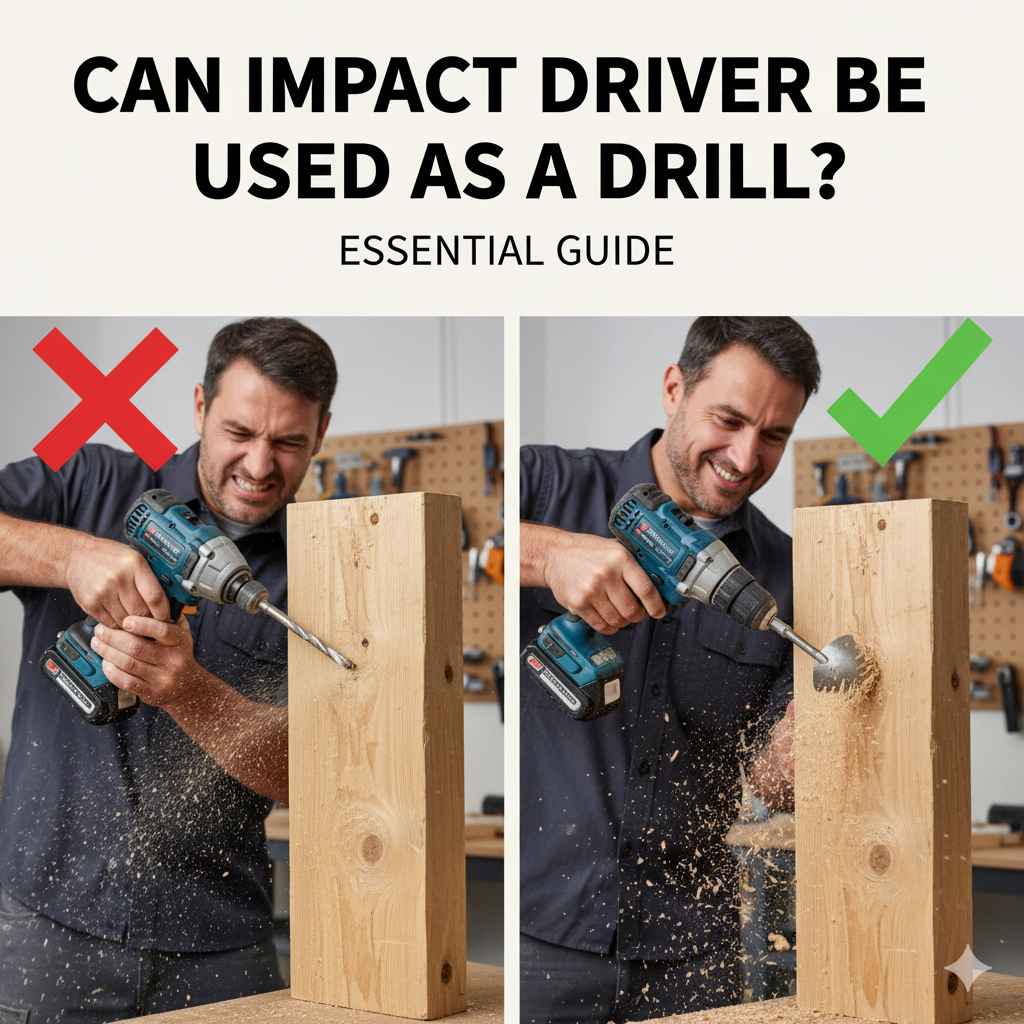
Yes, an impact driver can be used as a drill for many tasks, but it’s not ideal for all drilling jobs. It excels at driving screws and drilling large holes, especially in tough materials, due to its hammering action. However, for delicate drilling or precise small holes, a traditional drill/driver is often better.
Navigating the world of power tools can be a bit tricky, especially when you’re just starting out. You’ve probably wondered, “Can I use my impact driver like a regular drill?” It’s a common question for DIYers and homeowners. You might have an impact driver for its power in driving screws, but you also need to drill holes for projects. Is it worth buying a separate drill, or can your impact driver do double duty? Let’s figure this out together. We’ll explore what an impact driver can do, where it shines, and when you might still need a drill. Stick around, and you’ll know exactly how to use your tools for the best results!
Impact Driver vs. Drill: What’s the Difference?
Before we dive into using an impact driver as a drill, it’s crucial to understand what makes them distinct tools. While they might look similar and both spin bits, their internal mechanisms and intended uses are quite different. This understanding will help you use each tool effectively and safely.
How an Impact Driver Works
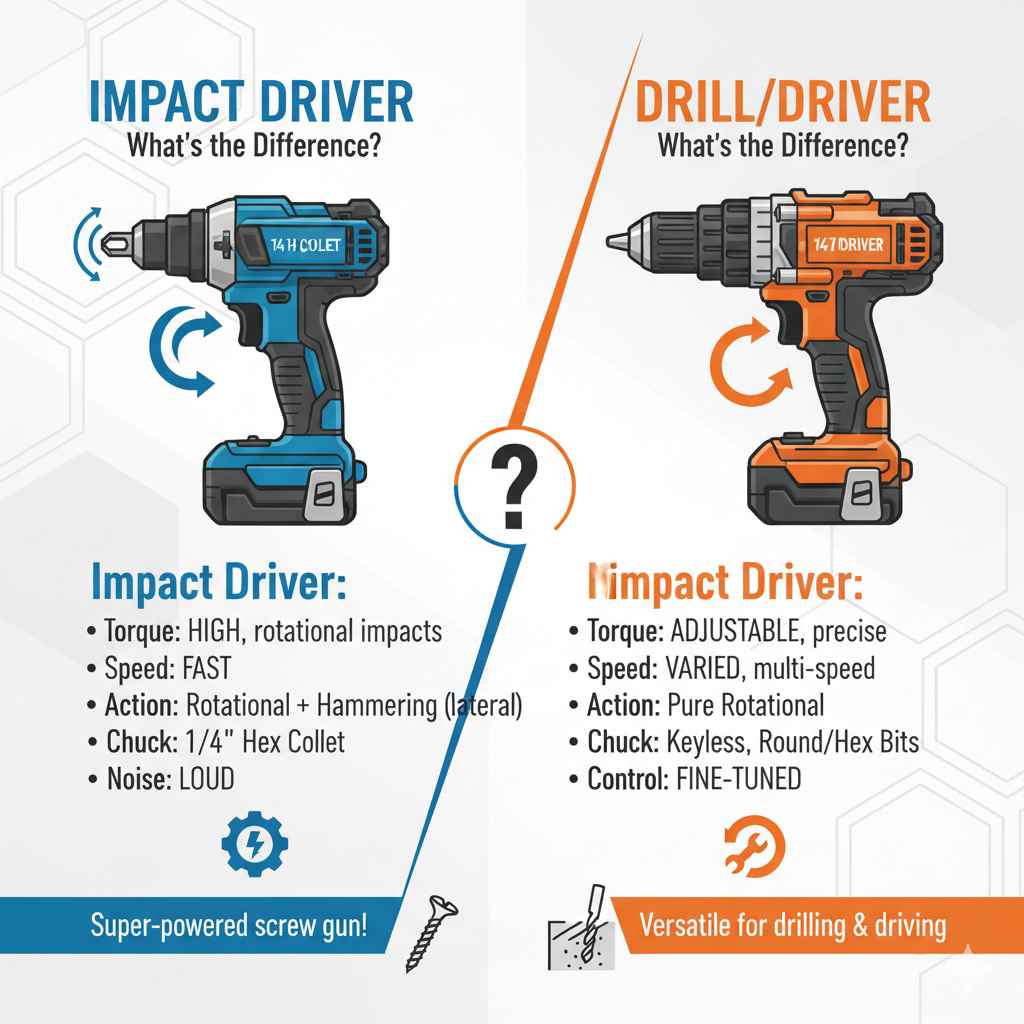
An impact driver delivers rotational force combined with concussive bursts of power, known as impacts. When you pull the trigger and the tool encounters resistance, an internal hammer mechanism strikes an anvil, transferring torque in short, powerful pulses. This action is excellent for driving long screws or fasteners into dense materials without stripping them or requiring excessive user force. Think of it as a super-powered screw gun with a very aggressive twist!
Key characteristics of an impact driver:
- Torque: High rotational force due to the impact mechanism.
- Speed: Typically faster than a drill/driver in its high-speed setting.
- Action: Delivers rotational impacts (hammering action) that are lateral (sideways).
- Chuck: Uses a 1/4-inch hex collet designed for hex-shank bits.
- Noise: Can be louder than a drill/driver due to the impact mechanism.
How a Drill/Driver Works
A standard drill/driver, on the other hand, is designed for both drilling holes and driving screws. It offers a clutch system that allows you to set a torque limit, preventing over-tightening of screws. When drilling, it provides consistent rotational power without the hammering action. This makes it more versatile for a wider range of tasks, especially those requiring precision or gentler handling.
Key characteristics of a drill/driver:
- Torque: Adjustable via a collar clutch; good for controlled screw driving and drilling.
- Speed: Often has multiple speed settings, usually with a lower setting for drilling.
- Action: Pure rotational motion. Some hammer drills have an additional percussive action, but it’s different from an impact driver’s.
- Chuck: Typically has a keyless chuck that can accept round or hex shank bits of various sizes.
- Control: Offers more fine-tuned control over speed and torque.
Can You Use an Impact Driver as a Drill? The Short Answer.
Yes, you absolutely can use an impact driver as a drill for many applications, especially for drilling wood and softer materials, and for drilling larger diameter holes. The powerful torque and rotational force make it very effective at this. However, it’s important to know that it’s not a perfect replacement for a traditional drill/driver in every scenario. Its hammering action, while great for screws, can sometimes be too aggressive for delicate drilling or small pilot holes. We’ll explore the nuances below.
When an Impact Driver Shines as a Drill
Impact drivers are surprisingly capable when it comes to drilling. Their power and unique action make them ideal for tasks where a regular drill might struggle or take much longer. Here are scenarios where your impact driver can step in as your primary drilling tool:
Drilling Large Diameter Holes
When you need to drill holes that are 1/2 inch or larger, an impact driver often has the torque advantage. Tools like large auger bits or hole saws can be challenging for a standard drill to spin through tough materials. The impact driver’s pulsing hammer action helps break through resistance, making the job much easier. This is particularly true for drilling through thick lumber or composite materials.
Drilling into Hard Materials
For materials like hardwoods, treated lumber, or even some denser composites, an impact driver can be a great choice. The bursts of torque help overcome the increased friction and resistance you encounter, preventing the drill bit from binding or bogging down. It makes drilling into denser woods feel almost effortless compared to what a standard drill might handle.
Short, Fast Drilling Tasks
If you’re drilling a few holes quickly in wood and don’t need extreme precision, an impact driver can be faster. Its high RPMs and powerful action mean you can often get through the material in a flash. This is great for quick repairs or pre-drilling for fasteners when speed is a factor.
Driving Large Fasteners
While this isn’t technically drilling, it’s worth noting that impact drivers excel at driving large screws, lag bolts, and coach screws. If your “drilling” task actually involves fastening, the impact driver is the superior tool for the job. It prevents cam-out (stripping the screw head) and drives fasteners deep and true.
When You Might Need a Traditional Drill/Driver (or Hammer Drill)
While impact drivers are powerful, they have limitations. If your project involves any of the following, a traditional drill/driver or a hammer drill might be a better, or even necessary, choice:
Delicate Drilling or Small Pilot Holes
Impact drivers deliver a significant amount of force. For very small drill bits (under 1/4 inch) or when you need to create a precise pilot hole in delicate materials like softwoods or thin plywood, the impact action can be too aggressive. It can cause the bit to wander, enlarge the hole beyond your intention, or even split the material. A drill/driver with its adjustable clutch offers much finer control for these tasks.
Drilling into Metal or Masonry (for small holes)
While an impact driver can drill into metal, it’s not ideal for precise holes. The impacts can make it hard to control shallow holes accurately. For drilling small holes in metal, a drill/driver with a slow speed setting and proper lubrication is usually preferred. Similarly, for drilling significant holes in masonry, a dedicated hammer drill (which has a different type of percussive action designed for masonry) is a far more effective tool than an impact driver.
For an in-depth look at drilling into masonry, consider resources from the This Old House website, which provides excellent guidance on selecting the right tools and techniques for different materials.
Jobs Requiring a Wide Range of Bit Sizes
Impact drivers primarily use 1/4-inch hex-shank drill bits because of their chuck design. While there are adapters available to hold round-shank bits, their effectiveness can be limited, and they may not securely hold larger drill bits. A standard drill/driver with a keyless chuck can accommodate a much wider variety of drill bit shank sizes and types, making it more versatile for general-purpose drilling.
When Precision and Finish are Paramount
If you need perfectly clean, smooth holes with no risk of chipping or splitting, especially on visible surfaces, a drill/driver offers more control. You can use lower speeds, feather the trigger, and utilize the clutch to prevent over-driving, all contributing to a cleaner finish. The powerful, percussive nature of an impact driver can sometimes lead to less refined results in these sensitive applications.
Choosing the Right Drill Bits for Your Impact Driver
Not all drill bits are created equal, and when using an impact driver for drilling, it’s essential to use bits designed for the job. Here’s what you need to know:
Impact-Rated Bits
Look for bits specifically labeled as “impact-rated” or “for impact drivers.” These bits are constructed with more durable steel and feature a design that can withstand the torsional shock and vibrations of an impact driver more effectively than standard bits. They often have a reinforced shank to prevent breakage.
Hex Shank Bits
Impact drivers have a 1/4-inch hex collet that accepts primarily 1/4-inch hex shank bits. This design is quick to load and provides a secure connection perfect for the tool’s action. You’ll find a wide variety of drill bits and driver bits available with hex shanks.
Adapters for Round Shanks
If you have standard round-shank drill bits or larger bits that don’t come in a hex shank version, you can use a 1/4-inch hex to 3-jaw chuck adapter. This attachment fits into your impact driver’s collet and allows you to grip round shank bits. However, be aware that these adapters can sometimes introduce a slight wobble, and they might not be secure enough for very demanding drilling tasks with large bits. Always ensure the bit is firmly seated and securely gripped.
Step-by-Step: Using an Impact Driver for Drilling
Ready to give it a try? Follow these simple steps to use your impact driver for drilling. Remember, safety first!
- Select the Right Bit: Choose an impact-rated drill bit appropriate for the material and hole size you need. Ensure it has a 1/4-inch hex shank or use a hex shank adapter for round bits.
- Insert the Bit: If using a hex shank bit, simply push it firmly into the collet until it clicks or seats securely. If using an adapter, insert the adapter into the collet, then insert your round-shank bit into the adapter’s chuck and tighten it firmly.
- Check Your Impact Driver Settings: Most impact drivers have a variable speed trigger, which is essential. You’ll want to use a relatively fast speed for drilling. Some models may have a specific drilling mode. Consult your tool’s manual if you’re unsure.
- Position Yourself and the Material: Ensure the workpiece is stable and secured with clamps if necessary. Stand in a balanced position.
- Mark Your Hole Location: Use a pencil or marker to clearly indicate where you want to drill. A small dimple made with a center punch or awl can help prevent the bit from wandering, especially on hard surfaces or metal.
- Start Slowly and Steadily: Place the tip of the drill bit on your mark. Apply light pressure and begin to squeeze the trigger gently. Let the bit bite into the material.
- Increase Speed and Pressure Gradually: As the bit starts to cut, increase the trigger pressure for more speed. Apply consistent, moderate pressure. Let the impact driver do the work; don’t force it aggressively.
- Maintain a Straight Angle: Try to keep the impact driver as perpendicular to the surface as possible. Using a drill guide can help with this for critical applications.
- Clear Debris (if needed): For deeper holes, you might need to periodically back the bit out slightly to clear wood chips or dust. This prevents binding.
- Finishing the Hole: As you break through to the other side, ease up on the trigger to avoid blowing out the backside of the material.
Pros and Cons of Using an Impact Driver as a Drill
Like any tool, using an impact driver for drilling has its advantages and disadvantages. Understanding these will help you make the best decision for your specific task.
Pros:
- Power and Torque: Excellent for driving large fasteners and drilling through tough materials.
- Speed: Can drill holes quickly due to its high RPMs and impact action.
- Efficiency: Less user fatigue is often required for demanding drilling jobs.
- Compact Size: Often smaller and lighter than a comparable drill/driver, making them easier to maneuver.
- Prevents Cam-Out: The impact action significantly reduces the chance of stripping screw heads.
Cons:
- Lack of Precision: The impact action can make precise drilling of small holes difficult.
- Material Damage: Can over-drill, split, or chip delicate materials if not used carefully.
- Bit Compatibility: Primarily designed for 1/4-inch hex shank bits, limiting some bit options without adapters.
- Noise: Can be louder than a standard drill/driver due to the impact mechanism.
- Not Ideal for Metal/Masonry: Less suitable for fine work in metal or general use in masonry compared to specialized tools.
Impact Driver vs. Drill/Driver vs. Hammer Drill: A Quick Comparison
To help you visualize the differences and choose the right tool for your task, here’s a table comparing the three common power tools:
| Feature | Impact Driver | Drill/Driver | Hammer Drill |
|---|---|---|---|
| Primary Function | Driving screws, fasteners, drilling dense materials | Drilling holes, driving screws with control | Drilling into masonry and concrete |
| Action | Rotational + Lateral Impacts | Pure Rotation | Rotation + Percussive (Axial) Impacts |
| Torque Delivery | High bursts, percussive | Consistent, adjustable clutch | Consistent rotational with hammering for masonry |
| Best For | Driving large screws, lag bolts, drilling large wood holes | General DIY, pilot holes, precision screw driving, small to medium wood holes | Drilling into brick, stone, concrete |
| Chuck Type | 1/4″ Hex Collet | Keyless Chuck (various sizes) | Keyless Chuck (often with SDS option) |
| Control for Small Holes | Low | High | Medium (can be too aggressive for small wood holes) |
For more on the capabilities of various drilling tools, this resource on Family Handyman offers excellent visual comparisons and practical advice.
Safety First! Using Your Impact Driver Responsibly
Power tools are amazing helpers, but safety should always be your top priority. When using an impact driver, especially for drilling, follow these essential safety tips:
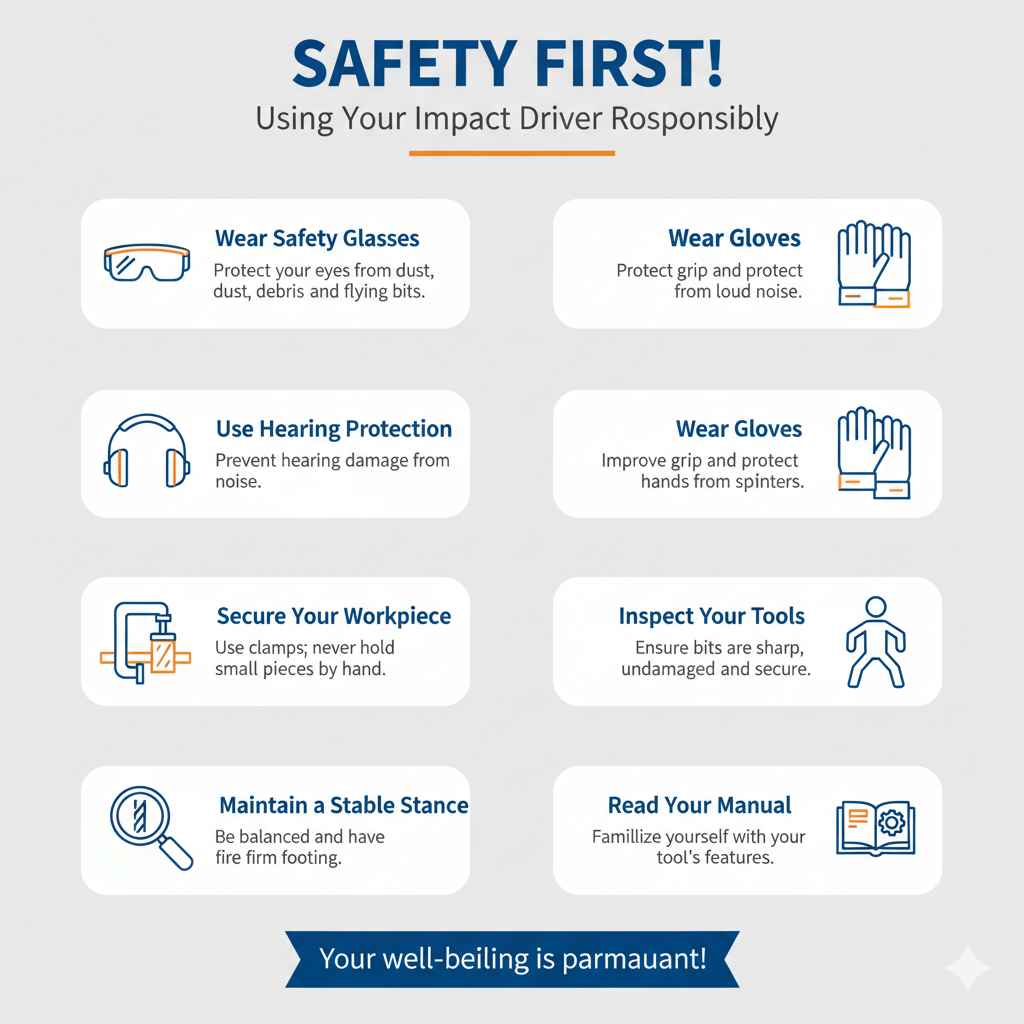
- Wear Safety Glasses: Always protect your eyes from dust, debris, and flying bits.
- Use Hearing Protection: Impact drivers can be noisy. Earplugs or earmuffs will help prevent hearing damage over time.
- Wear Gloves: Gloves can improve your grip and protect your hands from splinters or sharp edges.
- Secure Your Workpiece: Never hold small pieces by hand while drilling. Use clamps to hold the material firmly in place.
- Inspect Your Tools and Bits: Ensure your impact driver is in good working order and that your drill bits are sharp, undamaged, and properly inserted.
- Maintain a Stable Stance: Be sure you are balanced and have a firm footing before you start drilling.
- Read Your Manual: Familiarize yourself with your specific impact driver’s features, settings, and safety warnings.
Frequently Asked Questions (FAQ)
Q1: Can I use a regular drill bit in an impact driver?
Yes, but only if it has a 1/4-inch hex shank. If your drill bit has a round shank, you’ll need a 1/4-inch hex-to-chuck adapter. It’s always best to use impact-rated bits for durability.
Q2: Will an impact driver damage wood like a regular drill might?
While capable of drilling wood, the impact action can be a bit rough. For very precise or delicate woodworking where a clean, splinter-free finish is critical, a drill/driver with a fine speed control might offer a better result. It depends on the wood type and the depth/size of the hole.
Q3: How do I control the depth when drilling with an impact driver?
Many impact drivers have a variable speed trigger that allows for gentle starting. For precise depth control, especially in softer materials, you’ll need to practice feathering the trigger. Some specialized impact drivers might have depth settings, but typical models rely on trigger control and operator skill.
Q4: Is it safe to drill small pilot holes with an impact driver?
It’s generally not recommended for very small pilot holes (e.g., 1/8 inch or smaller) or in delicate materials. The impact force can cause the bit to wander, enlarge the hole, or even split the material. A drill/driver offers much better control for these sensitive tasks.