Drill vs Drill Driver: Is There a Difference? (Real Specs)
A “drill” and a “drill/driver” are usually the same cordless tool: the drill/driver name just flags an adjustable clutch that lets it drive screws as well as drill holes. The real decision is drill/driver versus impact driver versus hammer drill. This guide sorts out the naming, gives real spec numbers from manufacturer listings, and tells you what a woodworker should buy first.
Drill vs Drill/Driver: What Actually Changes
Best Starter Drill/Driver Pick
 |
DEWALT 20V MAX Cordless Drill/Driver Kit (2 batteries, charger, bag) A plain two-speed drill/driver with a 1/2-inch ratcheting chuck, listed at 0-450 and 0-1,500 rpm. It is the tool most people mean when they say “drill” today.
|
As an Amazon Associate we earn from qualifying purchases.
The old rule of thumb says a drill makes holes and a drill/driver drives screws. That is a myth left over from the corded-drill era. A modern drill/driver does both jobs, and the tool in the box above is a good example: its listing describes it for “Screwdriving tasks” and for “Wood, plastic, light metal drilling” in the same breath.
What the “driver” half really adds is control over torque. A drill/driver has a clutch ring behind the chuck. When the screw meets a set resistance, the clutch slips with a clicking sound instead of forcing the screw deeper. That is how you stop a screw at flush instead of snapping it or stripping the head. Many basic corded drills skip the clutch, which is where the old “drill versus drill/driver” split came from.
So if you are comparing a “drill” and a “drill/driver” in the cordless aisle, look at three things rather than the name: is there a numbered clutch ring, how big is the chuck, and does it have two speed ranges? If the answer is yes to all three, you are looking at a drill/driver, whatever the box calls it.
Drill/Driver vs Impact Driver vs Hammer Drill: Real Numbers
The confusion gets worse because manufacturers use similar words for different tools. One listing I checked sells an impact driver under a title that ends in “Impact Drill Driver,” which is exactly how shoppers end up buying the wrong tool. Here is how the tools actually differ, using figures from current DEWALT product listings so the comparison stays apples to apples.
| Tool | Bit holder | Listing figures | Best at |
|---|---|---|---|
| Drill/driver (DCD771 kit) | 1/2 in ratcheting chuck | 0-450 and 0-1,500 rpm, 300 unit watts out; 7.5 in long and 3.6 lb (combo kit listing) | Drilling holes and driving screws with clutch control |
| Impact driver (DCF885) | 1/4 in hex only | 5.55 in long, 2.8 lb, one-handed bit loading | Long screws, lag screws, fast repetitive driving |
| XR impact driver (3-speed model) | 1/4 in hex only | 1,825 in-lbs of torque, 3,400 rpm | Large-diameter screws in dense stock |
| Hammer drill | Chuck with a hammer mode | The DCD771 listing itself says its drill/driver is not suitable for concrete or masonry | Masonry and concrete, rarely needed in a wood shop |
Notice something the spec sheets hide: the drill/driver is rated in “unit watts out,” while the impact driver is rated in inch-pounds of torque. Those two numbers cannot be compared directly, so a bigger figure on one box does not tell you which tool will drive a 3-inch screw more easily. Compare the tools by how they behave under load, not by the headline number.
That behavior is the real difference. A drill/driver delivers smooth, continuous rotation. An impact driver adds rapid rotational hammering once the fastener meets resistance, which is why it needs less downward pressure and is easier on your wrist with long screws. It is also why it is a poor choice when depth must be precise. The Wood Whisperer’s tool guide makes the same point: an impact driver is not a regular drill/driver, and it is a poor fit for depth-critical work or delicate brass hardware because the impacts can kick in unpredictably. For more on how the two compare within one brand, see our DeWalt drill vs impact driver breakdown.
Chuck, Bits and Compatibility
A drill/driver has a three-jaw chuck, and on the 1/2-inch models it opens wide enough for most round-shank drill bits, spade bits and hex driver bits. An impact driver has a 1/4-inch hex socket, so it accepts only hex-shank bits. If most of your bits have round shanks, that alone decides which tool you can use for holes.
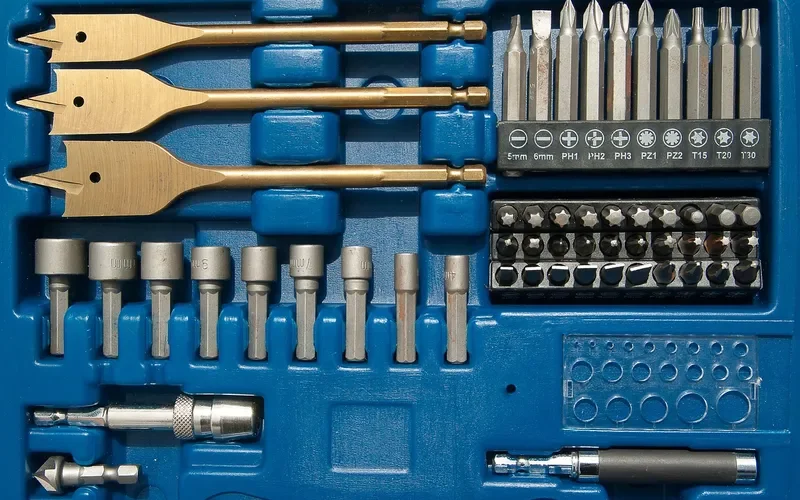
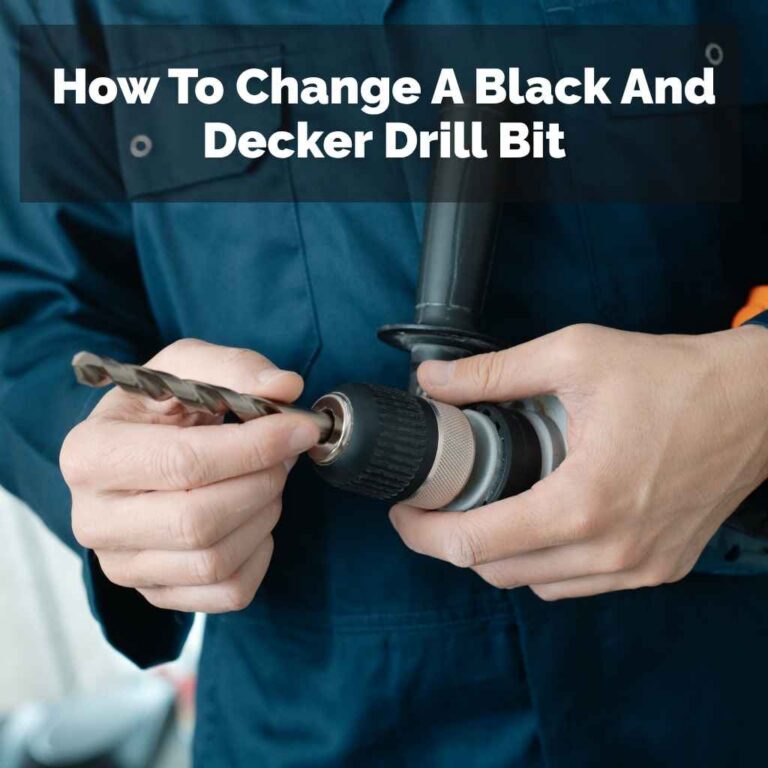
Two practical points follow. First, hex-shank driver bits fit both tools, so a single set of impact-rated driver bits covers both. Second, if you already own bits from another brand, check the shank rather than the brand name: our article on whether you can use DeWalt drill bits in a Milwaukee drill covers cross-brand compatibility. If you are unsure how to swap them, we cover changing a bit on any cordless drill step by step.
How to Set the Clutch on a Drill/Driver
Setting the clutch is the one skill that separates a good drill/driver user from a frustrated one. Follow this order every time you start a new material.
- Pick the driving mode: turn the collar to a clutch number, not the drill icon. The drill icon disables the clutch and is for drilling holes only.
- Start low: set the ring to a low number and drive one screw into a scrap of the same wood.
- Raise it one step at a time: move up until the screw head finishes flush with the surface before the clutch clicks.
- Match the speed range: use the low-speed range for driving and the high-speed range for drilling. On the DCD771 listing that is 0-450 rpm and 0-1,500 rpm.
- Drill pilot holes in hardwood: a screw in dense stock without a pilot hole can split the board or twist off, even with the clutch set correctly.
Which Tool for Which Woodworking Job
- Drilling pilot holes and dowel holes: drill/driver. It holds round-shank bits and you can watch the depth.
- Assembling cabinets and furniture: drill/driver with the clutch set, so you do not overdrive screws into veneer or particleboard. For cabinet screws specifically, see our guide to screws for joining cabinets.
- Building a deck or fence: impact driver for the long screws, drill/driver for the pilot holes.
- Fine hardware and brass screws: drill/driver on a low clutch setting. Avoid the impact driver here.
- Holes in brick or concrete: hammer drill. See hammer drill vs drill and drill driver vs hammer drill.
If you are also weighing a dedicated screw gun, our drill vs screw gun comparison covers that tool, and impact drill vs hammer drill explains the other commonly mixed-up pair.
Should You Buy a Drill/Driver or an Impact Driver First?
Buy the drill/driver first. It is the only one of the two that handles round-shank bits, clutch control and small hardware, so it does more of the everyday work. Add an impact driver second, once you are driving long screws often enough that your wrist notices. A combo kit that includes both tools is a sensible way to get there, and one DEWALT kit listing pairs a 1/2-inch drill/driver with a 1/4-inch impact driver. Prices change, so check the current listing before deciding.
Common Mistakes with Drill/Drivers and Impact Drivers
- Leaving the ring on the drill icon while driving screws. With the clutch disabled, nothing stops the screw at flush, so heads strip and thin stock splits.
- Driving screws in the high-speed range. The low range gives more control and more twisting force, which is what driving needs. Save the high range for drilling holes.
- Reaching for the impact driver on delicate work. Small cabinet hinges, brass screws and thin veneered panels reward the smooth clutch, not the impacts.
- Skipping the clamp. When a bit binds, the tool wants to spin, and an unclamped board spins with it. Clamp the work and keep both hands on the tool, especially with a powerful impact driver.
- Buying on a single spec. As the table shows, unit watts out and inch-pounds are different ratings. Judge a tool by chuck size, clutch, speed ranges, weight and battery, not one big number.
Frequently Asked Questions
Is a drill driver the same as a cordless drill?
In most stores, yes. A cordless drill sold as a drill/driver has variable speed, forward and reverse, and an adjustable clutch, so it drills holes and drives screws. The phrase mostly signals the clutch. Be careful with listings: some retailers call an impact driver an impact drill driver.
Can a drill/driver replace an impact driver?
For most furniture, cabinet and shop work, yes. A drill/driver with the clutch set correctly drives screws well. An impact driver pulls ahead with long structural screws and lag screws, where a drill/driver can stall or twist your wrist when the bit binds.
Do I still need a drill if I have a drill/driver?
Usually not. A drill/driver is the drill for most woodworking. A separate corded drill or a drill press only makes sense for repeated large-diameter holes or precise, repeatable depth, where a stationary or higher-power tool helps.
Can I use an impact driver as a drill?
Yes, with limits. It only takes 1/4-inch hex-shank bits, has no clutch, and the impact action can make it hard to stop at an exact depth. See our full guide on using an impact driver as a drill.
Sponsored / affiliate links. As an Amazon Associate I earn from qualifying purchases. I may earn additional commission from eligible campaigns.