How to Find Good Woodworking Plans: 9 Trusted Sources
Ana White, Rockler, and Kreg publish free, buildable woodworking plans with real cut lists — paid mega-bundles like Ted’s Woodworking often pad their count with duplicate or outdated files behind a paywall. Trusting the wrong source means buying lumber for a plan that’s missing a dimension, or one you could have gotten free elsewhere. This guide covers where to find legitimate plans, the red flags that mean skip it, and how to check a cut list before you buy material.
Quick Answer
For free plans, start with Ana White, Rockler, Kreg Tool, WoodArchivist, and Family Handyman — all publish real cut lists at no cost. Paid libraries (Woodworkers Journal, Woodsmith Plans) earn their price only when you need CAD/SketchUp files or video walkthroughs. Skip any source that won’t show you a sample cut list before checkout.
What Makes a Woodworking Plan Actually Trustworthy?
Best Plan Reference Pick
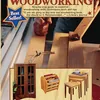
The Complete Book of Woodworking: Step-by-Step Guide to Essential Woodworking Skills, Techniques, Tools and Tips (Landauer) 40+ Easy-to-Follow Projects and Plans, 1,200+ Photos, and Carpentry Basics
A single printed reference with 40+ dimensioned plans and step photos — no login, no upsell funnel, no way to inflate the count with duplicates.
- Best for: Beginners who want one traceable, paid source instead of hunting across sites
- Why we picked it: Named publisher, verifiable print run, real photos instead of stock renders
- Main drawback: Fixed project list — won’t cover a niche one-off build the way a custom Etsy plan can
Compare more plan-organizing tools for the shop
 Option 1 GAMENOTE Clipboard Holder, Wood and Metal Clipboard Holder Stand, Smal
|
 Option 2 Nicpro Carpenter Pencil with Sharpener, Mechanical Pencil Set with 26R
|
 Option 3 Amazon Basics Clear Thermal Laminating Sheets for Documents and Photos
|
As an Amazon Associate we earn from qualifying purchases.
A trustworthy woodworking plan is a document that gives you a dimensioned cut list, a materials list with actual board sizes, and step-by-step assembly diagrams — not just a finished-project photo and a vague description. If a plan can’t show you the exact length of every board before you pay for it, it’s not ready to build from.
Four things separate a usable plan from a frustrating one:
- A dimensioned cut list — every board listed with length, width, and thickness, not just “2x4s as needed.”
- A materials list with real quantities — screw sizes, glue type, and hardware counts, not just “fasteners.”
- Assembly diagrams or numbered steps — an exploded view or sequence, not a single after-photo.
- A named author or shop — a real woodworker or publication you can trace, not an anonymous PDF.
If you’re brand new to reading these documents, our Woodworking Projects & Tips guide walks through the basics before you pick a source.
9 Trusted Sources for Free and Paid Woodworking Plans
These nine sources cover the range from completely free single-project pages to paid, indexed plan libraries. Cost and file format below reflect what’s typical as of 2026 — individual project pricing on paid sites varies.
| Source | Free or Paid | Format | Best For |
|---|---|---|---|
| Ana White | Free | Web page + printable PDF | Furniture builds, beginner-intermediate |
| Rockler | Free + some paid | Shop jigs, storage, all levels | |
| Kreg Tool | Free | Pocket-hole builds, beginners | |
| WoodArchivist | Free | Web page + PDF | Large indexed catalog, mixed quality |
| Family Handyman | Free | Web page | Home/repair-adjacent builds |
| Instructables | Free | Web page | Hobbyist builds — verify dimensions yourself |
| Woodworkers Journal | Paid (some free) | Intermediate-advanced furniture | |
| Woodsmith Plans | Paid | PDF + video | Shop-tested, precise cut lists |
| Etsy plan sellers | Paid | PDF (instant download) | One-off niche designs — quality varies by seller, check reviews first |
For a specific beginner build rather than a source directory, see our full free candy cart plans (dimensions, cost, and locking wheels) or browse 12 simple woodworking projects for true beginners.
Are Paid Woodworking Plan Bundles Worth It?
A paid plan is worth the cost when it gives you something the free sources genuinely don’t: a SketchUp or CAD file you can adjust to your own dimensions, a video walkthrough of a tricky joint, or a shop-tested cut list for a complex build like a workbench or bookshelf. Paying for a plan you could find free on Ana White or Rockler, or for a “10,000 plan” mega-bundle padded with duplicates, is money spent on convenience you don’t need.
Large marketed-heavy bundle sites (Ted’s Woodworking is the best-known example) have drawn repeated user complaints and independent write-ups documenting inflated plan counts, duplicate or rotated copies of the same design, and files that trace back to plans already free elsewhere. That doesn’t mean every paid bundle is bad — printed reference books from named publishers are a more traceable paid option if you want a large library in one place.
How to Read a Cut List Before You Buy Material
The single biggest cause of over-buying lumber is skipping this check. In our own project planning, cross-referencing every board in the cut list against the actual boards for sale at the yard — before checkout, not after — has caught missing dimensions and unrealistic material assumptions more times than any other habit.
- Count every part: Match the number of pieces in the cut list against the number of parts shown in the assembly diagram. A mismatch means the plan is incomplete.
- Convert to nominal lumber sizes: A cut list calling for a “1.5 x 3.5 board” is asking for a standard 2×4 — if the plan uses odd sizes with no note, that’s a red flag.
- Add waste and kerf: A good cut list already accounts for saw kerf and defects; if total board footage looks exact with zero waste, budget 10-15% extra material yourself.
- Check the sheet-good layout: For plywood-based plans, confirm the cut list includes a sheet layout diagram, not just a list of panel sizes — otherwise you’re guessing how many sheets to buy.
- Cross-check against the photos: Count shelves, drawers, or legs in the finished photo and confirm the cut list has a matching part for each.
If a plan skips any of these, treat the missing information as a sign to look elsewhere rather than guessing dimensions yourself. Our woodworking calculators guide can help you double-check board footage and cut layouts independently of whatever numbers the plan gives you.
Red Flags That Mean Skip That Plan
- No sample cut list before purchase. If a paid site won’t show you even one example page, you can’t judge quality before you pay.
- Inflated plan counts. A library claiming “16,000 plans” almost always includes duplicates, rotated copies, or unrelated categories padding the number.
- Stock-photo “creator.” A named author with no verifiable shop, portfolio, or social presence is a sign the plan wasn’t tested by the person selling it.
- No reviews anywhere off-site. Search the plan name plus “review” on a site other than the seller’s own — silence across forums like Reddit’s woodworking community or LumberJocks is a warning sign for a widely marketed product.
- Broken or dead links inside a “current” plan. A plan page with outdated tool references or 404 attachments hasn’t been maintained since it was written.
📊 Check the community first: Reddit’s r/woodworking and the LumberJocks forum both have active threads where members name specific plan sources they’d (and wouldn’t) pay for — a faster gut-check than any single review site.
Frequently Asked Questions
Are free woodworking plans reliable?
Yes, when they come from an established source like Ana White, Rockler, or Kreg Tool — all three publish dimensioned cut lists and have a track record of corrections when a plan has an error. Free plans from anonymous blogs or unreviewed PDFs are far less consistent, so check for a named author and a real cut list before trusting one.
Are paid woodworking plan bundles worth it?
Only if they give you something free sources don’t — an editable SketchUp/CAD file, a video walkthrough, or a shop-tested plan for a complex build. Large marketed mega-bundles have drawn repeated complaints about inflated counts and duplicated files, so verify a sample page before buying rather than trusting the marketing.
What file format should woodworking plans come in — PDF or SketchUp?
PDF is fine for building the design exactly as shown. Choose a SketchUp or other CAD file only if you plan to resize the project or swap materials, since those formats let you edit dimensions before you print a new cut list.
How do I tell if a woodworking plan is good before I build it?
Check for a complete cut list with lengths and quantities, a materials list with hardware sizes, and assembly diagrams or numbered steps — then count the parts in the cut list against the parts shown in the finished photo. If any of those pieces is missing, treat it as incomplete rather than guessing the gap yourself.
Where can I find plans for a specific project instead of browsing a directory?
Search the project name directly on Ana White or Rockler first, since both index by project type. For a project this site already covers in full — like a candy cart or a birdhouse — our own dimensioned plan pages skip the source-hunting step entirely.
Start with the free sources above for most builds, save paid libraries for projects that genuinely need an editable file, and never buy a plan without seeing a sample cut list first. That one habit — checking the cut list before the checkout button — will save more wasted lumber than any single source recommendation on this page.
Sponsored / affiliate links. As an Amazon Associate I earn from qualifying purchases. I may earn additional commission from eligible campaigns.