How Much Does a CNC Router Cost for Hobbyists?
A hobbyist CNC router setup is often reported in the $1,200 to $5,000 range, and a capable entry-level package for wood signs, trays, and small parts often lands around $2,000 to $3,500. Buy below that, and you often miss the spindle, controller, dust collection, and bits that make a machine useful. This guide breaks down machine, accessories, software, tooling, and workspace costs so you can budget by the projects you want to make.
Hobby CNC router costs
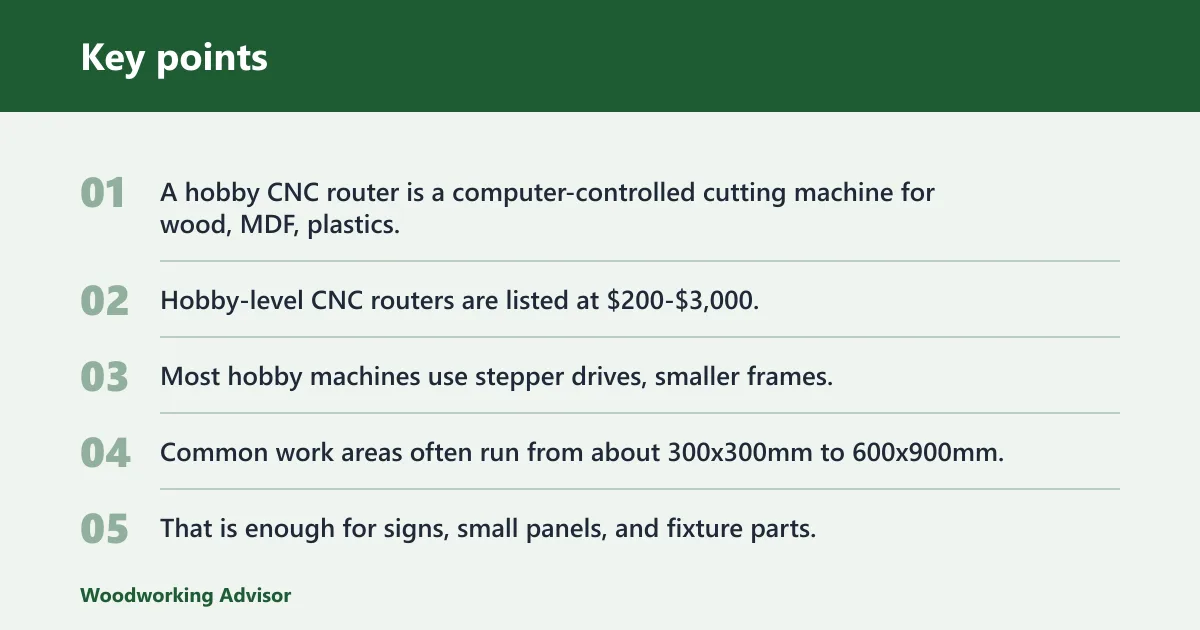


A hobby CNC router is a computer-controlled cutting machine for wood, MDF, plastics, and foam, usually in a desktop or compact format. Hobby-level CNC routers are listed at $200-$3,000, while budget CNC routers are roughly $400-$2,000. The machine price is only one line item.
What counts as a hobby CNC router
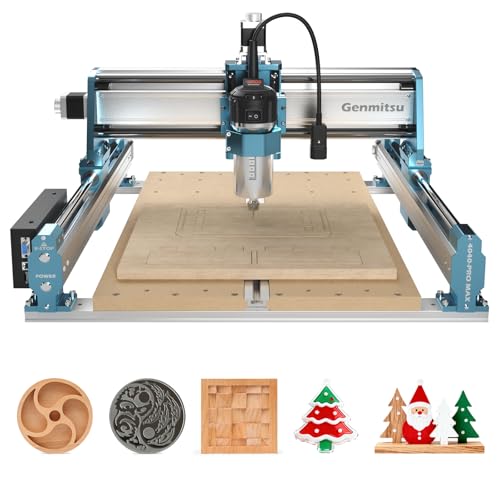
Most hobby machines use stepper drives, smaller frames, and a spindle sized for light to moderate cutting. Common work areas often run from about 300x300mm to 600x900mm, and many budget models sit in the 12×12 to 32×48 inch range. That is enough for signs, small panels, and fixture parts.
Typical price bands at a glance
Entry-level kit machines are priced around $400-$800. Mid-range desktop routers are priced around $800-$1,500. Compact gantry machines are priced around $1,500-$2,000. For woodworking, hobby desktop units often start around $2,000-$4,000 once you move beyond the bare machine and include the parts that let it work day to day.
What the machine price leaves out
The purchase price rarely includes software, a starter bit set, workholding, dust collection, spoilboards, or freight for a heavy frame. A buyer who focuses only on the router itself can end up with a machine that sits idle because it cannot be mounted, powered, or cut cleanly.
What does a hobby CNC setup really cost?
A complete hobby CNC setup costs more than the machine because the first productive months need tooling, setup hardware, and software. If you plan around only the sticker price, you can miss the parts that turn a rigid frame into a working shop tool. The real budget is usually the machine plus the first setup cycle.
Total cost versus machine-only price
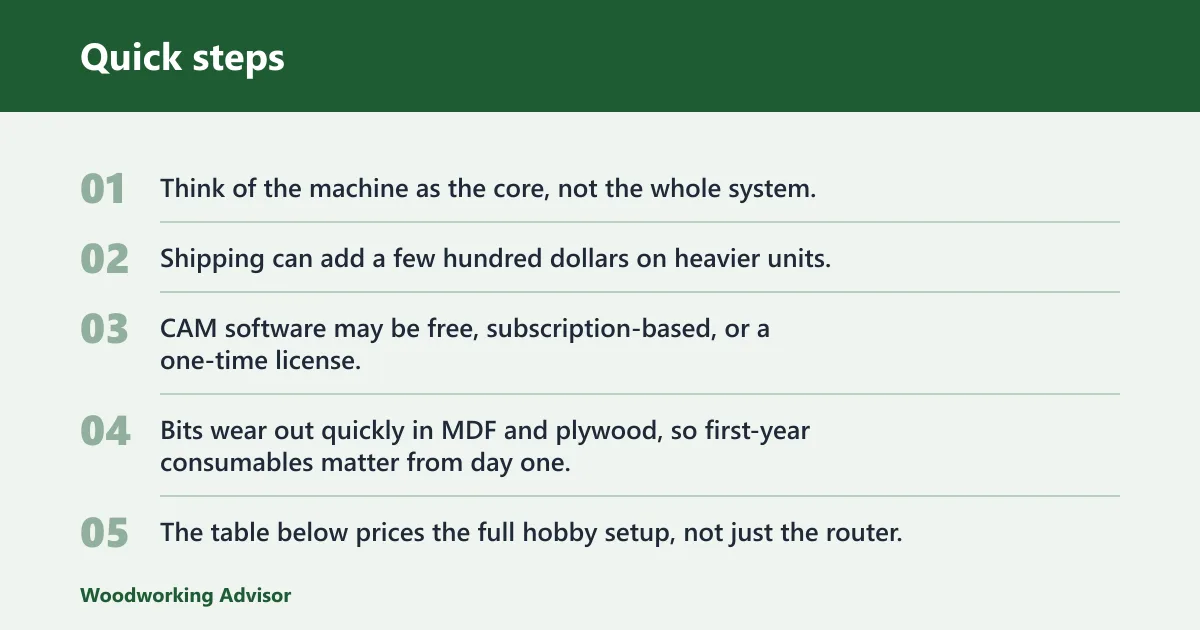
Think of the machine as the core, not the whole system. Shipping can add a few hundred dollars on heavier units. CAM software may be free, subscription-based, or a one-time license. Bits wear out quickly in MDF and plywood, so first-year consumables matter from day one.
Five budget bands and what they buy
The table below prices the full hobby setup, not just the router. It also maps each band to the kind of woodworking you can realistically do in the first year.
| Budget band | Machine price | Shipping / freight | Software | Bit starter kit | Workholding | Dust extraction | First-year consumables | What you can realistically make |
|---|---|---|---|---|---|---|---|---|
| Budget starter | $400-$800 | $50-$150 | $0-$150 | $40-$80 | $40-$100 | $30-$100 | $80-$150 | Simple signs, small test cuts, light foam work, basic practice parts |
| Entry hobby | $800-$1,500 | $75-$200 | $100-$300 | $60-$120 | $80-$180 | $60-$150 | $120-$250 | Shop signs, trays, jigs, plaques, small hardwood pieces, MDF templates |
| Capable desktop | $1,500-$2,000 | $100-$300 | $150-$400 | $80-$150 | $120-$250 | $100-$250 | $150-$350 | Cabinet parts in small sections, repeat jigs, small production runs, cleaner hardwood work |
| Strong hobby setup | $2,000-$3,000 | $150-$400 | $200-$600 | $100-$200 | $150-$300 | $150-$350 | $200-$450 | More reliable hardwood work, deeper relief carving, small part batches, limited aluminum with care |
| Upper hobby ceiling | $3,000-$5,000 | $200-$600 | $200-$800 | $120-$250 | $200-$400 | $200-$500 | $250-$600 | Serious small-shop work, denser hardwood jobs, larger signs, tighter repeat work, short aluminum runs |
First 90 days versus first year spending
In the first 90 days, most buyers spend on setup, spoilboards, clamps, and a few bits. Over a full year, the cost shifts toward replacements, more tooling, and extra workholding for new jobs. A clean first-year budget usually includes at least one software payment cycle if the platform uses subscriptions.
Suppose you buy a $1,200 desktop machine and stop there. You still need a controller setup, a spoilboard, a dust shoe, a small bit set, and a way to hold stock flat. Without those, the machine can run a demo file but will struggle to make repeatable parts.
A common first-timer mistake is buying a larger table before buying better rigidity or a stronger spindle. A 24 x 48 inch frame that flexes under load can leave worse edges than a smaller machine that stays square and quiet under the same cut.
Total hobby CNC cost
The practical cost bands below show the full purchase path from a learning machine to a more serious woodworking setup. The machine price is only one piece. The more useful question is what level of work each budget can support without constant compromises.
Budget band by band breakdown
In the lowest band, the machine is for learning layout, feeds, speeds, and CAM basics. In the middle bands, you can start producing repeatable wood parts and shop aids. In the upper hobby band, better rigidity, more spindle power, and a larger work area make the machine useful for more consistent day-to-day work.
Realistic woodworking output for each band
Budget starter machines are best for signs, small test pieces, and foam. Entry hobby machines can handle plaques, trays, jigs, and simple panels. Capable desktop and strong hobby setups can produce cabinet components, fixture plates, and small production runs, but full-sheet cabinet work is still a different class of machine.
What each band usually excludes
None of these bands should be expected to do full 4×8 sheet work as a standard task. That generally belongs to cabinet-shop gantry routers, which start around $15,000 for full-sheet capability. Ferrous metal cutting is outside normal hobby capability. Thin aluminum is possible only with limits.
What drives CNC router price?
Four factors move hobby CNC price more than anything else: work area, frame rigidity, drive system, and spindle power. Larger tables cost more. Stiffer frames cost more. Better cutting power costs more. The tradeoff is simple: each upgrade helps the machine stay accurate under load.
Work area and machine size
Under $5,000 can buy a capable desktop or mid-size CNC router, and those machines often have a work area from 12×12 to 32×48 inches. Bigger tables use more material and heavier motion parts. If you do not need the extra travel, you are paying for space you may never use.
Frame rigidity and vibration control
Aluminum extrusion frames are common in hobby machines because they keep cost down and are easier to assemble. Steel tube frames can add stiffness, but they also raise cost and weight. Higher rigidity matters because chatter affects edge finish, tool life, and how aggressively you can cut hardwood.
Stepper drives versus servo drives
Hobby CNC routers usually use stepper systems. Servo systems are more common in industrial machines and cost more. Stepper drives fit the hobby budget, but they do not offer the same performance margin as servo systems when the machine is pushed hard or built for heavier production.
Spindle power and cut speed
Machines under $5,000 often use a spindle in the 1 to 2.2 kW range. For occasional hobby use on softwoods and MDF, 1.5 kW is enough. For solid hardwood at production speeds, 3 kW is the minimum comfortable entry point. Entry-level 300W-800W spindles suit very light work and small machines, but they limit tool size and cut depth.
What can a hobby CNC cut?
Most hobby CNC routers handle wood, MDF, plywood, foam, and plastics well enough for shop projects. Aluminum is possible on better machines with shallow passes and careful setup. Ferrous metal is outside normal hobby capability. That line matters, because many buyers expect too much from a desktop frame.
Wood, MDF, plywood, foam, and plastics
These are the core materials for hobby routers. MDF cuts cleanly but creates a lot of fine dust, so extraction matters. Plywood can machine well, though glue layers wear bits faster. Plastics need the right feed and chip control to avoid melting or edge smear.
Hardwood and shallow aluminum cuts
Hardwood is realistic on better hobby machines, especially with a rigid frame and a 1.0-2.2 kW spindle. Aluminum is different. It usually needs slower feed, shallow stepdown, and careful chip clearing. Thin aluminum brackets and small plates are realistic targets. Thick stock and fast removal are not.
Why ferrous metal is out of range
Steel and other ferrous metals demand a stiffer machine, stronger spindle system, and very different chip load management. Hobby routers are not built for that duty cycle. If your projects include steel, a hobby CNC router is the wrong purchase.
Which size CNC router do you need?
Choose size from the work you actually plan to clamp and cut, not from the largest sheet you hope to process someday. Small hobby routers are ideal for parts, signs, and fixtures. Bigger tables help with cabinetry and larger panels, but only when the rest of the machine matches the scale.
Desktop formats and small work areas
Desktop CNC routers usually fit small shops and bench setups. Their small cutting areas are useful for plaques, joinery samples, inlays, and compact parts. They also cost less to ship and less to place on a stable base, which keeps the total budget lower.
Sheet goods and the 24 x 36 inch cutoff
Many hobby machines can cover sheet sections around 24 x 36 inches, which is enough for many cabinet parts and panels. A 4×8 machine matches a standard North American sheet of plywood or MDF, but that scale usually pushes you beyond normal hobby budgets. Full-sheet work is a different purchase class.
When a larger table is worth the jump
Go larger only if your regular projects need the travel. If most of your work is signs, jigs, and small furniture parts, a compact machine often makes better financial sense. If you need consistent large panel work, the frame, motors, and dust collection all need to scale with it.
What extra costs should you budget?
Hidden costs usually come from software, tooling, setup hardware, and dust control. These are not optional extras if you want the machine to make parts. A clean budget plans for them before the first cut.
CAD, CAM, and G-code software
You may need software for design, toolpath creation, and machine control. Some packages are free; others use subscriptions or paid licenses. Budget for at least one dependable CAM path and the control software your machine expects, because unsupported file flow wastes time fast.
Bits, collets, and starter tooling
A starter bit kit should include surfacing, end mill, and V-bit options at minimum. Collets, nuts, and replacement cutters matter too. The wrong bit costs more than money because it can burn MDF, chip plywood, or leave rough edges in hardwood.
Workholding, spoilboards, and clamps
Workholding includes the spoilboard, fixture plates, clamps, and any vacuum setup you may add later. A spoilboard is not a luxury. It is the flat reference surface that helps hold stock down and protect the machine bed from mistakes and through cuts.
Dust shoe and dust extraction
Dust extraction matters most with MDF and wood. A dust shoe and vacuum collection reduce cleanup and help visibility at the cut. They also keep fine material from piling up around the bit and spoiling the finish. For MDF, this is one of the smartest early purchases.
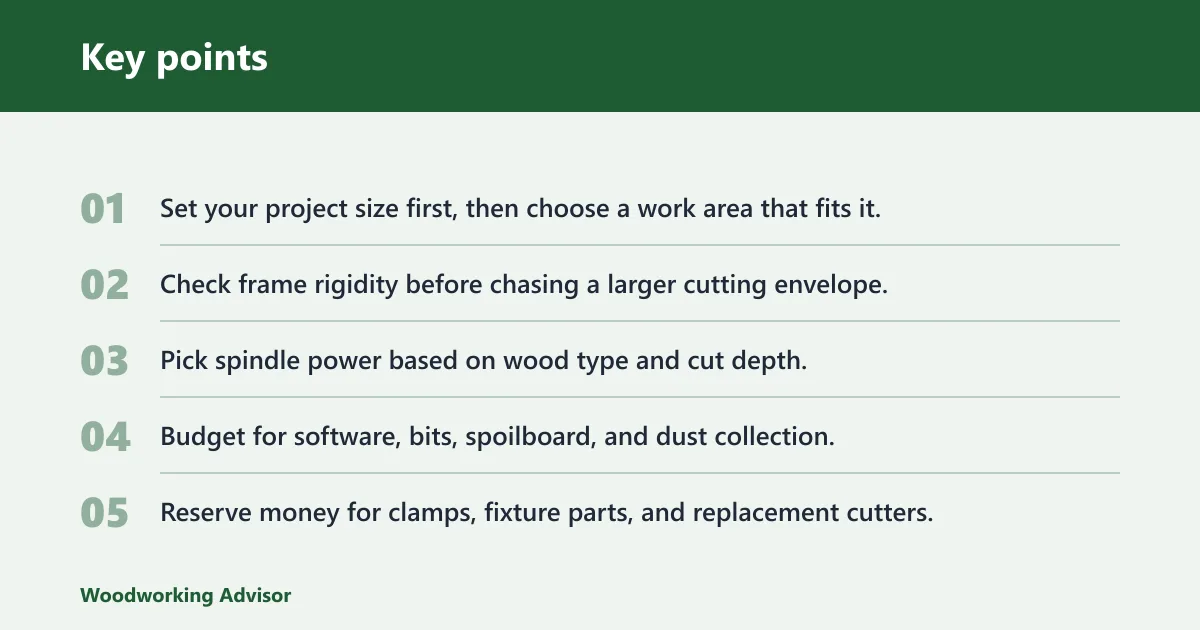
- Set your project size first, then choose a work area that fits it.
- Check frame rigidity before chasing a larger cutting envelope.
- Pick spindle power based on wood type and cut depth.
- Budget for software, bits, spoilboard, and dust collection.
- Reserve money for clamps, fixture parts, and replacement cutters.
- Skip industrial features you will not use in year one.
How do you choose the right budget?
Choose the lowest budget that still supports the material, size, and finish you need. If you only want signs and small jigs, a modest desktop setup can work. If you want hardwood parts, longer sessions, and less chatter, spend more on rigidity and spindle power rather than on cosmetic features.
Best fit by project type
For learning, choose a lower-cost desktop machine and spend the savings on bits and software. For cabinetry, small production runs, and repeat fixtures, move into a stronger frame and a larger spindle. For larger panels, a bigger table only makes sense if the machine stays stiff enough to hold tolerance.
When to buy for learning first
If the goal is skill-building, start with a machine that is simple to set up and not so expensive that mistakes feel punishing. A modest desktop CNC can teach toolpaths, fixturing, and dust control without locking you into a large upfront bill.
When to spend more for rigidity or spindle power
Spend more when cut quality matters more than table size. Better rigidity helps surface finish and lets you cut harder woods with fewer problems. More spindle power helps with deeper passes, larger cutters, and more useful aluminum work. That is where the money tends to pay off.
Frequently asked questions
How much does a CNC router cost?
A hobby CNC router usually falls in the $200-$3,000 range, while a desktop or compact woodworking setup often lands much higher once you add software, tooling, workholding, and dust extraction. The machine price is only part of the total budget.
How much does a hobby CNC router cost?
The gap comes from shipping, bits, clamps, dust control, and software.
What is the cheapest CNC router for wood?
The cheapest workable wood CNC is usually a small desktop or kit machine, but the true low end only makes sense for learning and very small parts. If you want real output, budget enough for a spindle, workholding, and dust collection, not just the frame.
Common hidden costs include CAD and CAM software, controller software, starter bits, collets, clamps, a spoilboard, dust extraction, and replacement consumables. These costs are easy to miss because they do not show up in the base machine listing, yet they determine whether the router is productive.
How much should I budget for software, bits, and dust collection?
For a serious hobby setup, a practical budget is often a few hundred dollars across those three categories. Lower-cost software can work for simple jobs, but bits wear fast in MDF and plywood, and dust collection becomes more important as soon as you cut wood regularly.
Is a $2,000 CNC router enough for woodworking?
It can be enough if the machine is rigid, the spindle is in the right range, and you also budget for workholding and dust control. A $2,000 machine alone is not enough by itself. The total setup, not the sticker price, decides what woodworking jobs it can handle.
What size CNC router do I need for hobby projects?
Most hobby projects fit a desktop or compact machine with a small to mid-size work area. If you are cutting signs, trays, jigs, and small panels, that size is usually enough. If you need full sheet work, you are moving out of hobby territory.
Can a hobby CNC router cut hardwood and aluminum?
Yes, but with limits. Hardwoods are realistic on better hobby machines, especially with more spindle power and good rigidity. Aluminum is possible only as thin stock, with shallow passes and careful setup. Ferrous metal is outside normal hobby router capability.
How much does a cnc router cost: the answer depends?
The answer depends on whether you mean the machine alone or a working setup. A machine can start in the low hundreds, but a useful hobby package usually needs a few thousand dollars once you include shipping, software, tooling, workholding, and dust control.
Sponsored / affiliate links. As an Amazon Associate I earn from qualifying purchases. I may earn additional commission from eligible campaigns.