Delta Table Saw Switch Replacement (Toggle, Breaker, or Magnetic Starter?)
Most Delta table saw switch problems come down to one of three different parts: the on/off toggle switch itself, a thermal overload/breaker reset switch, or – on Unisaw and other cabinet saws – a magnetic starter switch. Identifying which one has failed before you order a part saves a wasted purchase and a second teardown.
A Delta table saw switch controls power to the motor and is one of the most common failure points on both older contractor saws and cabinet saws like the Unisaw. This guide covers all three switch types Delta has used, how to tell which one has failed, and how to replace it safely – part of our broader woodworking tools and saws guide.
🎯 Quick Answer
If the saw won’t turn on at all or runs constantly, it’s likely the on/off toggle switch (common OEM part 489105-00 on many contractor-style Delta saws). If it trips or shuts off mid-cut under load, that’s usually the separate breaker/overload reset switch (OEM part 1313229), not the on/off switch. On Unisaw and other cabinet saws, the control is often a magnetic starter switch rather than a simple toggle – it won’t restart automatically after a power interruption, which is a safety feature, not a fault.
Why Table Saw Switches Matter
Best Delta Switch Replacement Pick
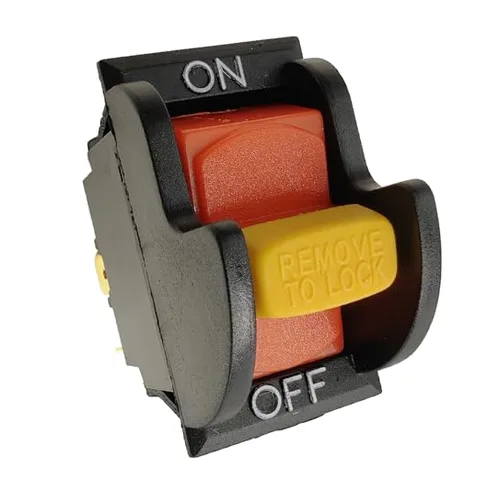
SW7A Toggle Switch (Delta 489105-00 Compatible)
The most common replacement part for contractor-style Delta table saws with a standard on/off toggle.
- Best for: contractor-style Delta saws (34-670, 36-600, 36-610, TS200/220/300 series) with a simple toggle switch
- Why we picked it: it is a direct compatible match for OEM part 489105-00, the most commonly needed Delta switch part
- Main drawback: does not fit Unisaw cabinet saws using a magnetic starter – check your switch type first
Compare more table saw switch options
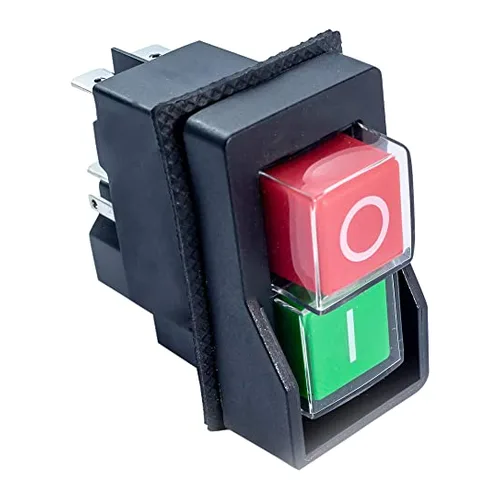 Option 1 POWERTEC Magnetic On/Off Switch
|
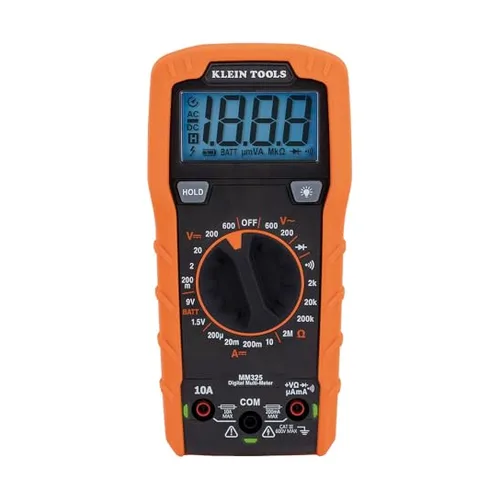 Option 2 Klein Tools MM325 Multimeter
|
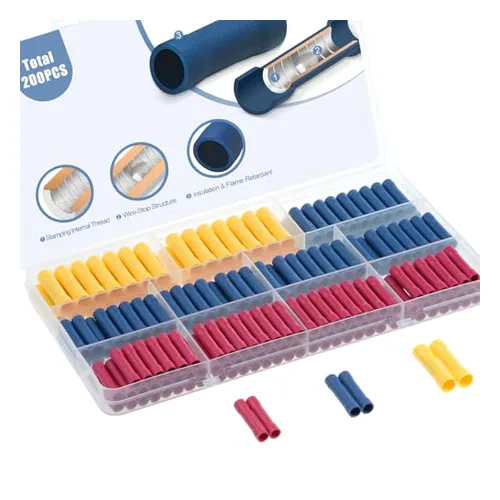 Option 3 AIRIC Wire Connector Kit
|
As an Amazon Associate we earn from qualifying purchases.
The switch is the point of control between you and a spinning blade. A sticking, arcing, or failing switch isn’t just an inconvenience – it’s a safety issue, since a switch that won’t shut off promptly, or one that restarts unexpectedly after a power blip, puts hands near a blade at the wrong moment. Contacts wear out over years of use from dust ingress and electrical arcing (the small spark that jumps across contacts as they open and close), which is the most common reason a switch eventually fails.
Three Different Switch Types (This Is the Part Most Guides Skip)
Not every Delta table saw uses the same kind of switch, and mixing them up is the most common mistake when ordering a replacement part.
- On/off toggle switch: the simple paddle or toggle switch found on most contractor-style Delta saws (models like the 34-670, 36-600, 36-610, and the TS200/TS220/TS300 series). OEM part number 489105-00 is the most common replacement across this family.
- Breaker/overload reset switch: a separate thermal circuit breaker (OEM part 1313229) that protects the motor from overload. If the saw cuts out mid-cut, especially under heavier loads, and needs a reset button pressed before it will run again, this is the part at fault – not the on/off switch.
- Magnetic starter switch: used on Unisaw and other cabinet saws instead of a simple toggle. It uses a low-voltage relay (a “no-volt release”) so the saw will NOT restart automatically after a power outage or tripped breaker – someone has to physically press the start button again. This is a deliberate safety feature common on industrial-style saws, not a malfunction, and it also handles higher motor current than a basic toggle switch can. If you’re comparing saws rather than repairing one, see our Delta vs. DeWalt table saw comparison.
📊 Why this matters: magnetic starters are commonly used on cabinet saws specifically because a power interruption in a shared or industrial shop shouldn’t let the saw restart on its own once the power returns – someone else nearby may not expect it. Toggle switches on home-shop contractor saws don’t need this feature since one person is typically working alone at the machine.
“Without a magnetic switch/contactor, when the power drops out and restarts – if it happens in the middle of a cut the restart would be a ripe time for a kick-back. The magnetic contactor would drop out and allow for safe removal of the work piece from the tool.”
Signs Your Switch (Not Something Else) Has Failed
- Saw won’t turn on at all: most likely the toggle switch itself, assuming the outlet and cord test fine with a multimeter.
- Saw trips or cuts out under load, needs a reset: check the breaker/overload switch (1313229 or equivalent) before replacing the on/off switch – this is a distinct, separate part.
- Saw sparks, smells like burnt plastic, or the switch feels loose or sticky: the toggle switch’s internal contacts have likely arced and burned – replace it.
- Cabinet saw won’t restart after a power outage: this may be the magnetic starter working exactly as designed (no-volt release), not a failure – press the start button manually before assuming the switch is bad.
Safety First: Preparing for the Replacement
- Unplug the saw – disconnect the power cord from the outlet entirely, never rely on the switch itself being off while you work on it.
- Wear safety glasses to protect against sharp edges inside the switch housing.
- Confirm there’s no live power with a multimeter before touching any wiring.
- Photograph the wiring before disconnecting anything – this is the single most useful step for a clean reassembly, since terminal layouts vary between switch models.
Step-by-Step: Replacing the Toggle Switch
Step 1: Remove the Old Switch
- Locate the switch housing, typically on the front or side of the saw.
- Remove the screws holding the switch housing cover in place.
- Photograph or label each wire and terminal before disconnecting – color and position vary by model.
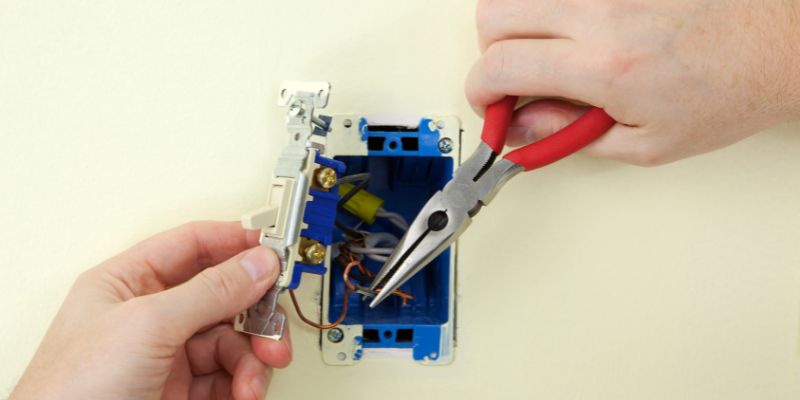
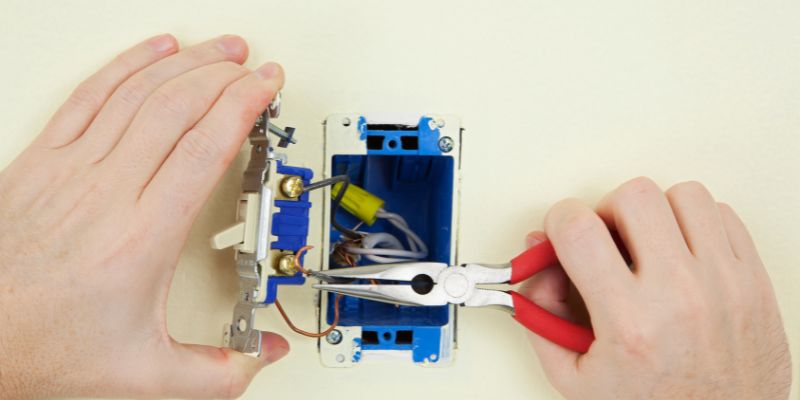
- Disconnect the wires from the terminals, using needle-nose pliers if they don’t release by hand.
Step 2: Inspect Before You Order a Part
- Check the housing for cracking or melted plastic – a sign of prolonged arcing.
- Test the old switch for continuity with a multimeter when flipped on – no continuity confirms the switch itself is bad, not the breaker or wiring.
- Match the terminal count and layout on your model before ordering, since toggle, breaker, and magnetic-starter parts are not interchangeable.
Step 3: Install the New Switch
- Compare the new switch’s terminals to the old one before wiring it in.
- Reconnect each wire according to your photo/labels from Step 1.
- Seat the new switch into the housing – some aftermarket switches need a small amount of filing to fit an OEM housing exactly.
Step 4: Reassemble and Test
- Reattach the switch housing cover.
- Plug the saw in and test the on/off function several times before making a cut.
- If the saw still won’t run, check the breaker/overload switch next – a bad breaker looks identical to a bad toggle switch from the outside but is a different part.
Where to Find the Right Part
- OEM parts retailers such as eReplacementParts.com list exact model cross-references for Delta parts, including the 489105-00 toggle switch and 1313229 breaker switch.
- Delta’s official parts diagrams (deltamachinery.com) show exploded parts views for confirming your exact model and part number before ordering.
- Amazon and aftermarket brands sell compatible replacements for common part numbers like 489105-00 at a lower price than OEM, though fit can vary slightly by saw generation. If your saw isn’t a Delta, our universal table saw switch guide covers cross-brand options, and our table saw refurbishing guide covers what else is worth checking while the saw is apart.
Recommended Parts and Tools
Frequently Asked Questions
What Switch Does a Delta Unisaw Model 36-945 Use?
Unisaws typically use a magnetic starter switch rather than a simple toggle switch. Check your exact parts diagram by model and type number, since Unisaw switch hardware changed across production years – a parts lookup site with your saw’s full model and type number is the most reliable way to confirm the correct part.
Why Does My Delta 36-829 Switch Need a Reset?
A switch that needs resetting is usually the thermal overload/breaker component (such as OEM part 1313229), not the on/off toggle switch – these are two separate parts on many Delta saws. If the saw trips repeatedly under normal loads, the breaker itself may be worn out and need replacing.
Can I Use a Household Light Switch for My Delta Table Saw?
No – household switches aren’t rated for the amperage a table saw motor draws and can overheat or fail. Use a switch rated for your saw’s voltage and amp draw, matched to the OEM part number for your model.
How Do I Know If a Replacement Switch Is Compatible With My Saw?
Cross-reference your saw’s full model and type number against the OEM part number on a parts retailer’s compatibility list before ordering – part 489105-00, for example, fits a specific list of contractor-style Delta models, not every Delta table saw.
Is It Safe to Replace a Table Saw Switch Yourself?
Yes, for most contractor-style saws this is a straightforward repair – unplug the saw, confirm no live power with a multimeter, and photograph the wiring before disconnecting. If you’re not comfortable with basic electrical wiring, or the saw uses a magnetic starter with multiple control-circuit wires, a qualified repair technician is worth the cost.
Conclusion
Most Delta switch problems trace back to identifying the right part first: a worn toggle switch, a tripped breaker/overload switch, or a magnetic starter doing exactly what it’s designed to do. Confirm which one has actually failed with a multimeter before ordering a replacement, and cross-reference your exact model number – that alone prevents the most common wasted purchase in this repair.
Sponsored / affiliate links. As an Amazon Associate I earn from qualifying purchases. I may earn additional commission from eligible campaigns.