Woodworking Projects PDF: Free Plans With Real Cut Lists
A good woodworking project PDF gives you three things at once: a material list, a dimensioned cut list, and a diagram, all on paper you can carry to the shop. Most “woodworking projects pdf” roundups link you out to a dozen other sites to actually get one. This page skips that — it explains what makes a plan sheet trustworthy, links to real free plans already vetted on this site, and includes an original, downloadable plan sheet you can print right now: a Classic Wooden Tool Tote, complete cut list and diagram, no email signup required.
Quick Answer
A usable woodworking project PDF includes a material list, a dimensioned cut list with quantities, a diagram or exploded view, and a note on scale. Free plan directories from sites like Woodcraft, Popular Woodworking, and this site cover most beginner-to-intermediate builds; treat any “16,000 plans in one bundle” offer with more skepticism than a single, specific, well-documented plan.
What Should a Woodworking Project PDF Actually Include?
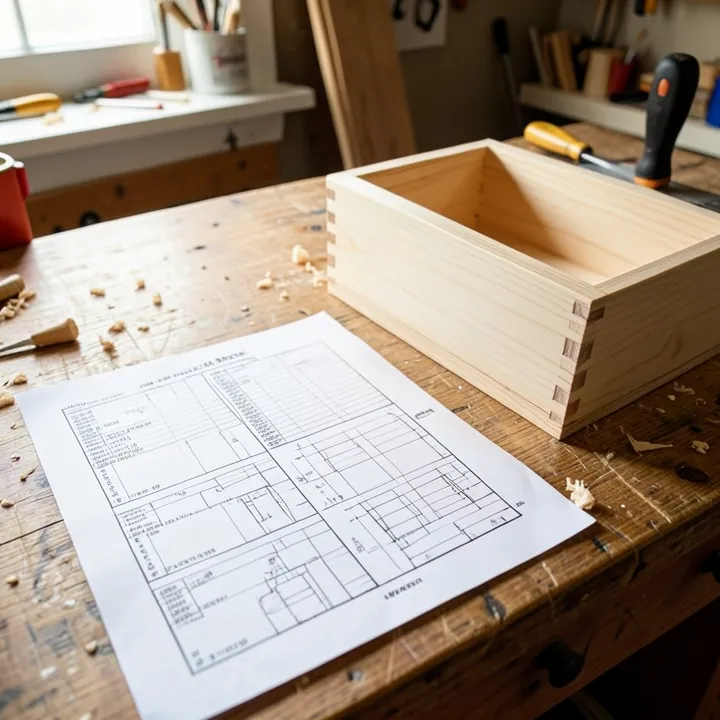
A usable woodworking project PDF has five parts: a material list (species and board sizes), a cut list (every part, its quantity, and its exact dimensions), a diagram or exploded view, a hardware list (screws, dowels, fasteners), and a stated scale or paper size. A plan missing the cut list or the scale note is the one most likely to waste a board.
Most free plans skip at least one of these five parts. A photo-heavy blog post with a parts list buried in prose paragraphs technically has the information, but it forces you to re-read the whole post at the table saw instead of glancing at a table. The plan sheet below on this page has all five parts on a single printable page for exactly that reason.
Cut List vs. Material List: What’s the Difference?
A material list is the shopping list — the boards, dowels, and hardware you buy. A cut list is the shop-floor document — every individual part, its quantity, and its finished dimensions in Thickness x Width x Length order. A plan can have a material list without a real cut list; that’s the version that sends you back to the plan mid-build to figure out how many pieces you actually need.
Download a Free Plan Sheet: Classic Wooden Tool Tote
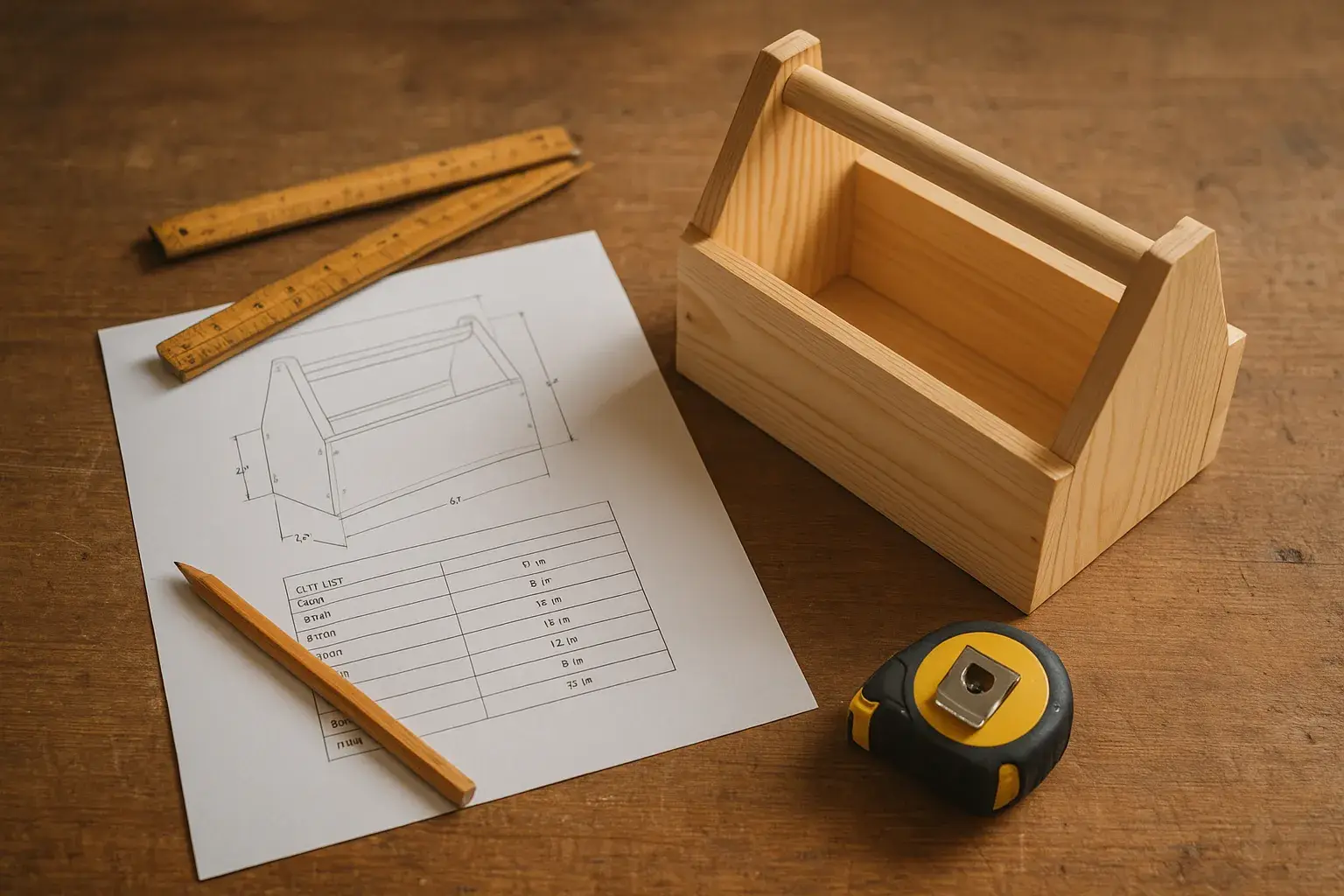
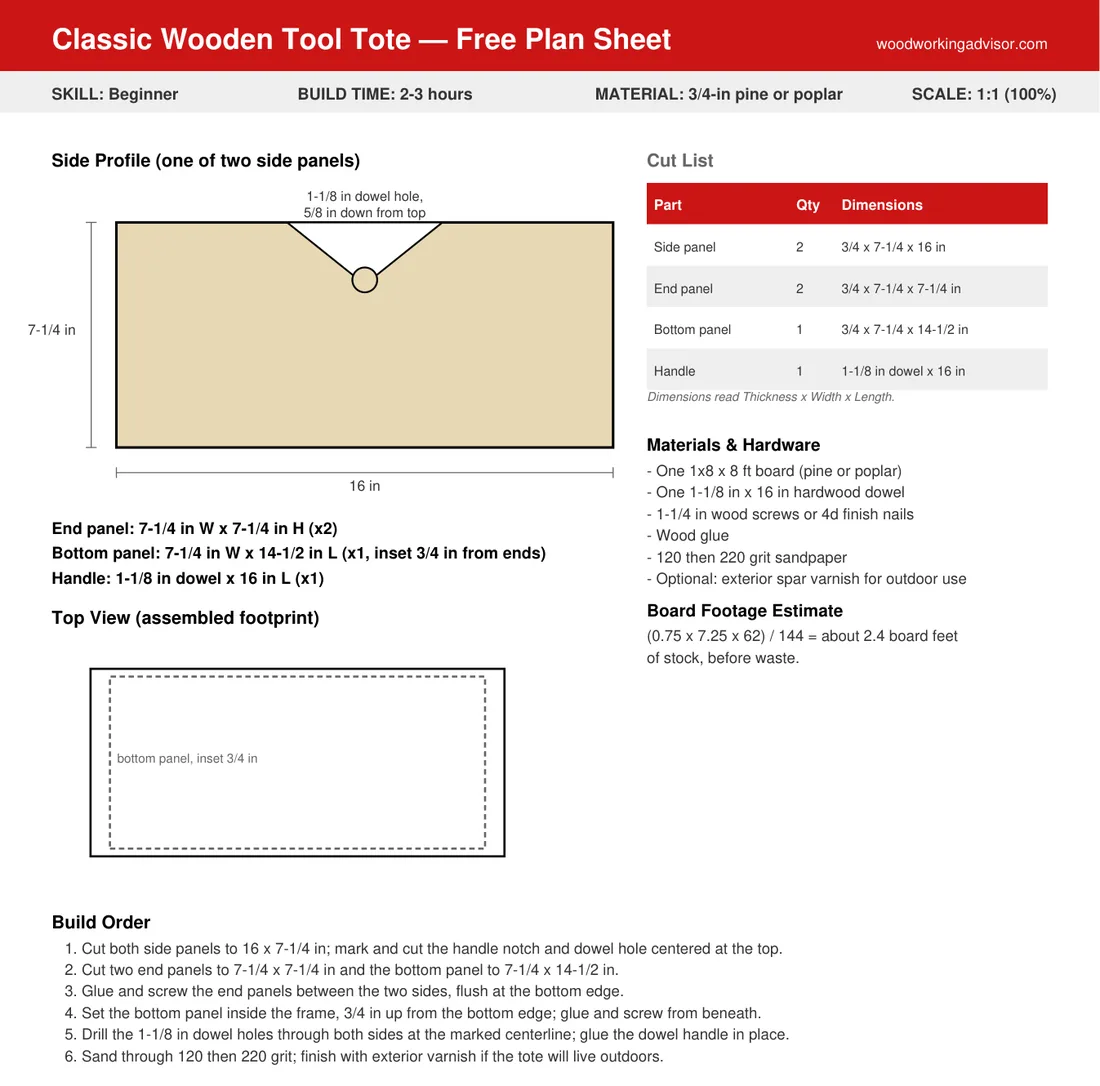
A wooden tool tote is a five-piece box with a through-dowel handle — two sides, two ends, one bottom, one handle — which makes it one of the cleanest projects to show a complete cut list on a single page. The plan below is sized for a 1×8 board and a 16-inch dowel, built in 2-3 hours, and rated beginner.
Free Download
Classic Wooden Tool Tote — Plan Sheet (PDF)
One printable page: cut list, side and top-view diagrams, board-footage estimate, and a 6-step build order. Letter size, prints at true 1:1 scale.
One setting matters more than any measurement on the page: when the print dialog opens, choose “Actual Size” or “100%” — never “Fit to Page.” A printer set to “Fit to Page” quietly rescales the sheet to match its printable margins, which can shrink a plan by several percent without any warning. On a part with a 1-1/8 inch dowel hole, that’s enough drift to turn a snug glue-up into a loose, wobbling joint.
Where Can You Find More Free Woodworking Project PDFs?
Beyond the plan sheet above, this site already has several fully-documented free plans with real cut lists, organized here by the skill level and project type they suit best.
Beginner and Outdoor Projects
- Free birdhouse plans by species — multiple beginner builds, each with its own cut list sized to the target bird species
- The tool tote plan sheet above — the fastest single-page beginner build on this list
Intermediate Shop Furniture
- Free miter saw table plans — a weekend build with a full cut list for a stationary saw station
- Free miter saw workbench plans — a mobile workbench version with a comparable cut list, useful if shop space is limited
Advanced Furniture
- Sam Maloof-style chair plans — the compound curves and joinery here are a real step up; not a first plan-sheet project, but a documented next goal once basic joinery is solid
For general skills that apply across every plan on this page — reading a cut list, understanding wood movement, choosing joinery — see the woodworking projects and tips guide. To check board footage on a plan before buying lumber, the woodworking calculators guide covers the same board-footage formula used on the tool tote sheet above.
How Do You Know a Free Plan Is Accurate Before You Cut?
Check four things before the first cut: the cut list states quantities per part, every dimension gives thickness as well as width and length, hardware sizes are specified (not just “screws”), and nominal lumber sizes are converted to actual sizes. A plan that fails more than one of these is worth double-checking against a tape measure before committing a board.
The nominal-versus-actual gap catches more beginners than any other single detail. A “1×8” board is not 1 inch by 8 inches — it’s actually 3/4 inch by 7-1/4 inch, because lumber is sized before drying and planing shave off the difference. A plan that lists “1×8” without also giving the actual 3/4 x 7-1/4 dimension is assuming you already know this conversion. The tool tote cut list above states actual dimensions directly for exactly this reason.
Dowel and hardware sizes are the second-most-common gap. “A dowel for the handle” is not a cut-list entry; “1-1/8 inch dowel x 16 inches” is. If a free plan describes hardware only by function and not by size, measure the corresponding hole or joint yourself before buying dowels or fasteners, rather than guessing at a hardware store.
Are Large Paid Woodworking Plan Bundles Worth Buying?
Rarely, for a beginner. Bundles marketed as “thousands of plans” for a flat fee typically mix skill levels indiscriminately, reuse generic templates across many listed “projects,” and provide no way to verify any single plan’s accuracy before paying. A handful of well-documented free plans, each with a real cut list, gets a beginner through more finished projects than an unsorted mega-bundle sitting unopened on a hard drive.
Paid plans earn their price in narrower cases: a specific named designer’s joinery-heavy furniture piece (the Maloof chair plans above are a good example of this), a commercial-grade jig with liability considerations, or a plan set that includes video alongside the PDF. For a first project, a free, specific, well-documented single plan beats an unsorted bundle every time.
How Do You Print a Woodworking PDF Plan So the Measurements Stay Accurate?
Open the print dialog, set paper size to match the plan (Letter, 8.5 x 11 inches, for most U.S. plans), and choose “Actual Size” or “100%” — never “Fit to Page” or “Shrink to Fit.” Then verify with a ruler: measure a labeled dimension line on the printed page directly against the number printed next to it.
Letter paper and A4 are close in size but not identical — Letter is 8.5 x 11 inches, while A4 is 8.27 x 11.69 inches under the international ISO 216 standard. Printing a Letter-formatted plan on an A4 printer without selecting “Actual Size” lets the printer’s auto-fit setting silently rescale the page to close the gap between the two formats, which is exactly the failure mode that throws off a tight dowel or mortise fit without any error message.
For plans that include a full-scale pattern (a curved chair arm or a scroll-saw template, rather than just a labeled dimension), the plan should say so explicitly and may span multiple tiled pages meant to be taped together. If a full-scale pattern prints on a single page with no tiling instructions, treat the shape as a reduced reference only, and re-draw it to the stated dimensions instead of cutting directly from the printout.
Frequently Asked Questions
Do I need special software to open a woodworking PDF plan?
No. Any standard PDF reader opens a woodworking plan sheet — a web browser, Adobe Acrobat Reader, or a phone’s built-in PDF viewer all work. No woodworking-specific software or subscription is required to view or print one.
Are free woodworking plans as good as paid ones?
For most beginner and intermediate projects, yes. A well-documented free plan with a real cut list and diagram gives you everything a paid plan does for that same project. Paid plans earn their price mainly on complex, designer-specific furniture or commercial jigs — not on standard shelves, totes, or outdoor builds.
Can a beginner follow a PDF woodworking plan with no prior experience?
Yes, for plans rated beginner with a complete cut list, like the tool tote plan sheet on this page. Start with a plan under 5-6 parts and basic joinery (glue, screws, or dowels) before moving to plans with angled cuts or multiple joint types.
Why does my printed plan look a different size than the measurements say?
The printer likely used a “Fit to Page” or “Shrink to Fit” setting, which rescales the page to fit its margins instead of printing at true size. Reprint with “Actual Size” or “100%” selected, and confirm with a ruler against a labeled dimension line before cutting.
What does “1:1 scale” mean on a woodworking plan?
A 1:1 scale plan means one inch on the printed page equals one inch on the real part. This only matters for plans with a full-scale pattern to trace or cut directly from paper; plans that only list numeric dimensions (like a standard cut list) don’t need to be printed to scale, since you measure and mark the wood yourself using the stated numbers.
Can I resize a woodworking plan for different dimensions?
Yes, but recalculate every dependent measurement rather than scaling the page. Changing an overall length affects joint spacing, dowel position, and the cut list quantities together; a printed plan resized by percentage in a photocopier does not automatically update the numbers printed on it.
Start With One Plan, Not a Bundle
A single, specific, well-documented plan sheet gets more finished projects built than a thousand-plan bundle that never gets opened past the download page. Start with the tool tote plan sheet above if this is a first project, move to the miter saw table or workbench plans once basic joinery feels solid, and save designer furniture plans like the Maloof chair for later. For the full range of projects at every skill level beyond just the PDF format, the DIY woodworking projects hub is the place to start browsing.
Sponsored / affiliate links. As an Amazon Associate I earn from qualifying purchases. I may earn additional commission from eligible campaigns.