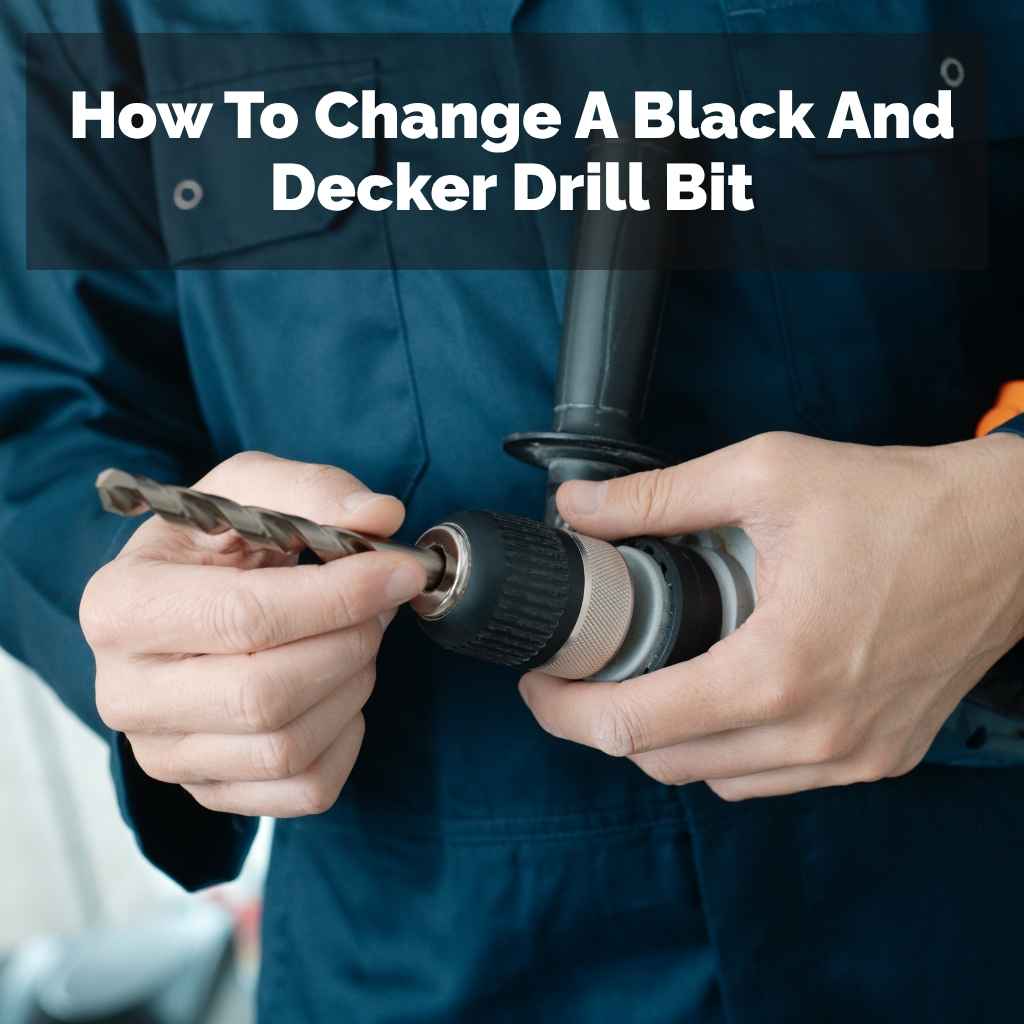
How To Change A Black And Decker Drill Bit
It’s a common frustration. You’re in the middle of a project, ready to drill that first pilot hole or screw in that last cabinet door, and the bit just isn’t doing the job. Maybe it’s dull, maybe you need a different size, or maybe it’s just stuck.
This is where knowing how to change a drill bit becomes super handy. It feels like a small thing, but when you’re stuck, it’s a big deal. Let’s walk through this together, step-by-step.
Changing a Black and Decker drill bit is a straightforward process designed for user ease. Typically, it involves loosening the chuck, removing the old bit, inserting the new one, and tightening the chuck securely. Always ensure the drill is unplugged or the battery is removed before you start.
Understanding Your Black and Decker Drill Chuck
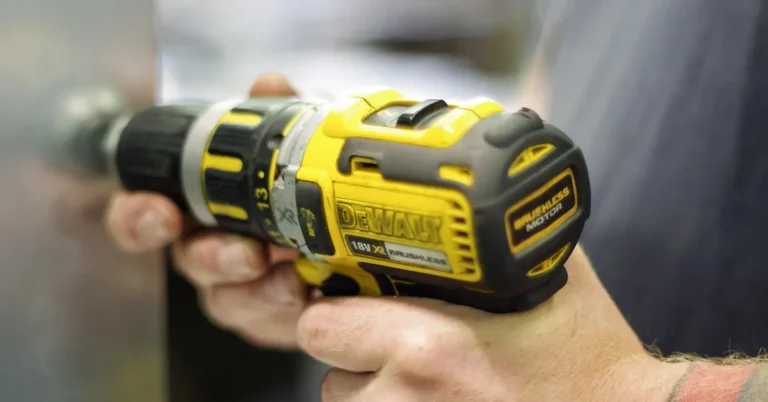
Before we dive into changing bits, let’s get to know the main part that holds them: the chuck. Think of the chuck as the drill’s hand. It’s the part at the very front where the drill bit goes.
Most Black and Decker drills, especially the common cordless and corded models you’ll find around the house, use a keyless chuck. This means you don’t need a special tool, called a chuck key, to tighten or loosen it.
A keyless chuck usually has two sleeves or collars. The back sleeve is what you’ll grip and turn. The front part, where the bit goes, is also part of the chuck mechanism.
When you twist the back sleeve one way, it tightens its grip on the bit. Twist it the other way, and it opens up to let the bit slide out. Some models might have a slightly different design, but the basic idea is the same.
It’s important to know how yours works. Most Black and Decker drills have markings or a clear direction on the chuck to show you which way to turn to loosen and tighten. Pay attention to these.
A loose chuck is a safety hazard. A bit that slips out while you’re drilling can cause injury or damage. So, understanding this part is the first big step.
The jaws inside the chuck are what actually grip the drill bit. They are usually made of hardened steel. As you tighten the chuck, these jaws move inward, creating a strong hold.
When you loosen it, they pull back, releasing the bit. It’s a clever bit of engineering that makes swapping bits quick and easy. Just remember to keep this area clean.
Dust and debris can sometimes make the chuck harder to turn.
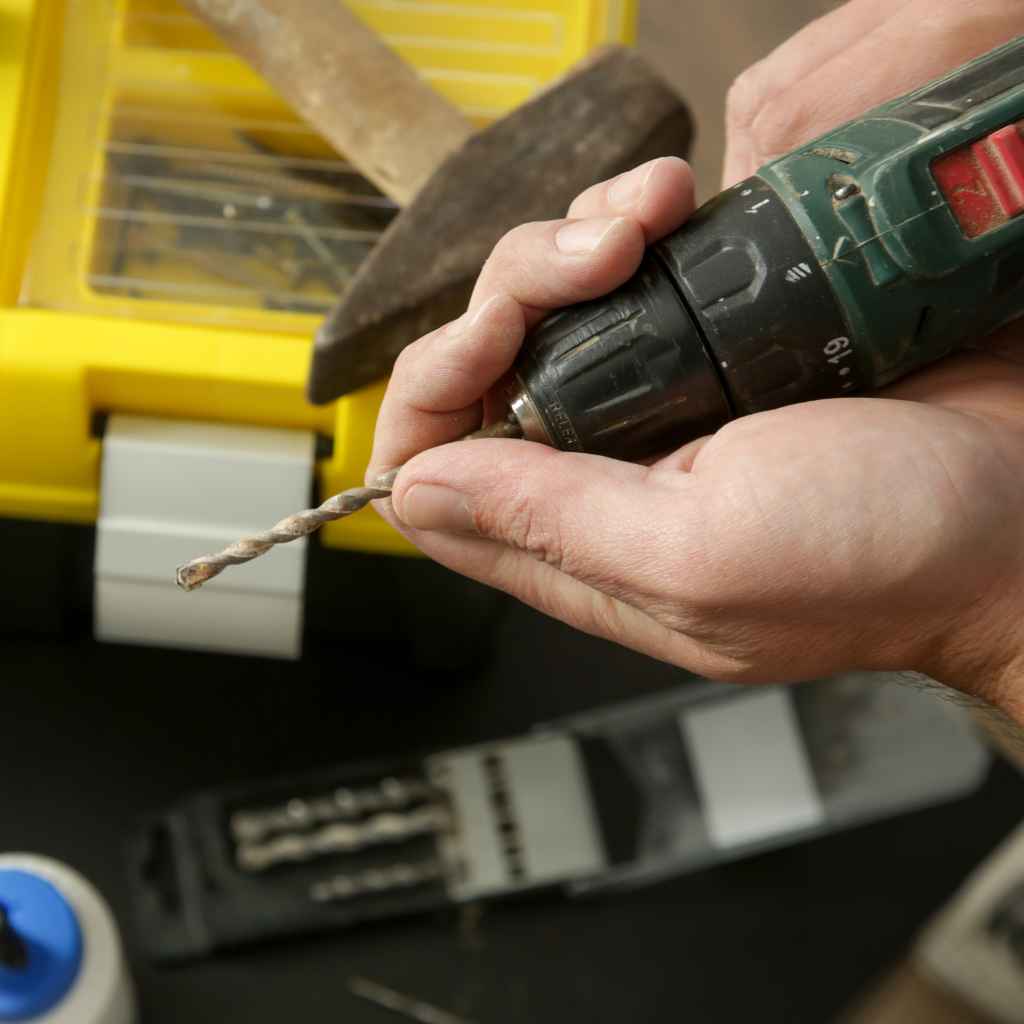
My First Time Changing a Drill Bit: A Sticky Situation
I remember the first time I really had to change a drill bit on a Black and Decker. I was helping my neighbor, Mrs. Gable, hang some shelves.
We had the wall marked, the shelf brackets ready, and the drill in hand. I’d been using a standard wood drill bit to make pilot holes. But then, I needed to switch to a screw bit to drive in the actual screws.
I grabbed the chuck, ready to twist it open like I’d seen others do. But it wouldn’t budge. It felt completely stuck.
I tried twisting harder. My knuckles started to turn white. I was worried I’d break something.
Mrs. Gable looked on with a patient smile, but I could see a hint of concern. I started to feel that familiar wave of panic – the one that hits when you think you’ve messed up a simple task.
I tried again, giving it a good, firm twist. Still nothing. It was like it was welded shut.
I could hear the faint whirring sound the drill made when I’d tested it earlier, and that made the stuck chuck feel even more frustrating. I took a deep breath. What was I missing?
I looked at the chuck again. There were no obvious buttons or levers. Just the two rings to grip.
Then, I noticed something. I had been holding the drill body in my left hand and trying to twist the chuck with my right. Maybe I wasn’t getting enough leverage.
I decided to try holding the drill body firmly and using both hands on the chuck. I put one hand on the rear collar and the other on the front collar, bracing myself. I twisted in the direction that seemed like it should open it.
With a sudden, surprising click, it loosened! I felt a rush of relief. It wasn’t stuck after all; I just needed to apply pressure the right way.
I slid the old bit out and popped in the screw bit. A quick twist to tighten, and we were back in business. That little moment taught me a lot about paying attention to how I was applying force.
It’s amazing how a small adjustment can make all the difference.
How to Change a Black and Decker Drill Bit: Step-by-Step
Alright, let’s get down to the practical part. This is how you safely and effectively change the drill bit on your Black and Decker drill. Remember, safety first, always!
1. Safety First: Power Off!
This is the most crucial step. Never, ever try to change a drill bit while the drill is plugged in or the battery is attached. It doesn’t matter if the trigger isn’t pulled.
A bump, a slip, or an accidental brush against the trigger can cause the drill to suddenly start. This can lead to serious injury.
For corded drills, this means unplugging it from the wall socket. For cordless drills, this means removing the battery pack. Keep the battery or plug away from the drill until you are completely finished and the new bit is securely in place.
This simple step prevents so many potential accidents.
2. Identify Your Chuck Type
As we mentioned, most Black and Decker drills have a keyless chuck. You’ll see a cylindrical part at the front of the drill that you can twist. Some older or more specialized models might use a chuck key, which is a small, gear-shaped tool.
If you have a chuck key, you’ll see holes around the edge of the chuck. The key fits into these holes to tighten or loosen it.
For this guide, we’ll focus on the keyless chuck, as it’s the most common. If you’re unsure, check your drill’s manual. It’s usually available online if you’ve lost the paper copy.
Knowing your chuck type ensures you use the correct method.
3. Loosening the Chuck
For a keyless chuck, you’ll typically see two parts you can grip and turn. The rear part is usually larger. You’ll need to grip the drill body firmly with one hand.
With your other hand, grip the rear collar of the chuck. You will need to twist this collar counter-clockwise (lefty-loosey). It might feel stiff at first, especially if it hasn’t been used in a while or if it’s dirty.
Apply firm, steady pressure. Don’t jerk it. If it’s very stiff, you might need to try gripping both the front and rear collars of the chuck and twisting them against each other.
However, most of the time, turning the rear collar counter-clockwise is all it takes. You’ll feel it loosen, and the jaws inside will retract. You should hear a clicking or a slight grinding sound as it opens.
Once loosened enough, you’ll see the jaws at the tip of the chuck spread apart. You don’t need to loosen it all the way until the collars come apart. Just loosen it enough so that the old bit can easily slide out.
You’ll know it’s loose enough when there’s a noticeable gap between the jaws.
4. Removing the Old Drill Bit
With the chuck loosened, the old drill bit should be free. Gently pull the drill bit straight out of the chuck. If it’s a very small bit or a hex shank bit, it might just slide out easily.
Sometimes, a bit might be a little snug. If it’s stuck, make sure the chuck is fully loosened. You might need to wiggle it slightly while pulling.
Don’t yank hard. If a bit is truly stuck, there might be an issue with the chuck itself, or the bit may have a damaged shank. In most cases, a properly loosened chuck will release any standard drill bit without much effort.
Set the old bit aside.
5. Inserting the New Drill Bit
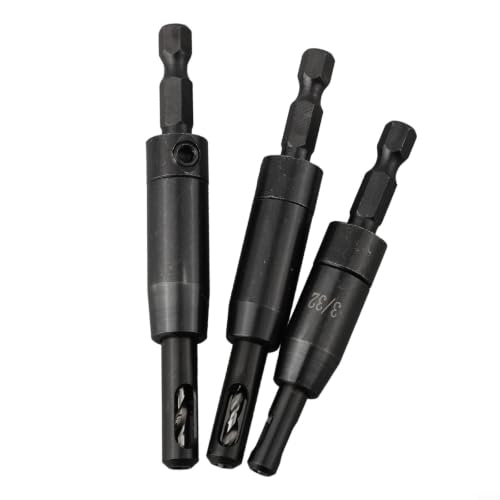
Now, take your new drill bit. Look at the shank – this is the part that goes into the drill. Most drill bits have a smooth, round shank, or a hex shank (which looks like a hexagon).
Center the shank of the new bit and insert it straight into the opened jaws of the chuck. Push it in as far as it will comfortably go. You want the bit to be seated firmly against the back of the chuck’s jaw mechanism.
Make sure the bit is centered. If it’s crooked, it won’t drill straight and could even damage the chuck or the bit itself. You can often see the bit is centered by looking at it from the front.
Some bits, like spade bits or auger bits, have a hexagonal end to the shank. The chuck jaws are designed to grip these as well.
6. Tightening the Chuck
This is where you secure the new bit. Hold the drill body firmly again with one hand. With your other hand, grip the rear collar of the chuck.
Twist it clockwise (righty-tighty). You’ll feel and hear the jaws inside the chuck close in, gripping the bit tightly. Keep tightening until it feels snug and secure.
You don’t need to overdo it, but it should feel very firm.
For keyless chucks, you can often give it an extra little turn or two after it feels snug to ensure maximum grip. If you have a chuck key, insert it into one of the holes and turn it clockwise. Some chucks have multiple holes.
Using different holes can help you tighten it more evenly and securely. After tightening, give the bit a gentle tug to make sure it’s not loose.
7. Power Up and Test
Once the new bit is securely in place, you can reinsert the battery or plug the drill back in. Before you start drilling into your project, point the drill in a safe direction (away from people, pets, or fragile objects) and give the trigger a short squeeze. This brief spin confirms that the bit is installed correctly, running straight, and securely held by the chuck.
If the bit wobbles excessively or feels loose, power off the drill immediately. Unplug or remove the battery and repeat the tightening process. A wobbling bit is a sign of improper installation or a damaged bit/chuck.
Quick Bit Change Checklist
- Power Off: Unplug or remove battery.
- Loosen Chuck: Twist rear collar counter-clockwise.
- Remove Old Bit: Pull straight out.
- Insert New Bit: Center and push in fully.
- Tighten Chuck: Twist rear collar clockwise until snug.
- Test Safely: Spin bit briefly before use.
Common Issues and How to Solve Them
Even with simple steps, sometimes things don’t go perfectly. Here are a few common problems you might face and how to deal with them.
Chuck Won’t Loosen
This is what happened to me! The most common reason is not enough leverage or twisting in the wrong direction. Ensure you are twisting the chuck collar counter-clockwise.
If it’s very stiff, try gripping the entire chuck assembly with both hands and applying firm, steady pressure. Sometimes, tapping gently on the collar with the handle of a screwdriver (not metal on metal!) can help break it free, but be very careful.
Dirt and grime can also make a chuck stiff. If you suspect this, you can try cleaning it with a small brush or a burst of compressed air. In rare cases, the chuck might be damaged or worn out, and might need replacement.
But usually, it’s just a matter of technique.
Chuck Won’t Tighten Enough
If the drill bit feels loose even after tightening the chuck, the jaws might not be closing properly. Check the drill bit shank for any damage, bends, or excessive wear. A damaged shank won’t be gripped well.
Also, inspect the chuck jaws themselves. Are they clean? Are they visibly damaged or bent?
If the jaws are worn out, the chuck might need to be replaced. This is more common on older or heavily used drills.
Make sure you are inserting the bit far enough into the chuck. If it’s only partially inserted, it might not engage the full gripping power of the jaws. Ensure the bit is straight and centered.
Drill Bit Wobbles
A bit that wobbles is annoying and can ruin your work. This can happen for several reasons:
- The bit wasn’t inserted straight into the chuck.
- The chuck itself isn’t tightened enough.
- The drill bit is bent or damaged.
- The drill bit shank is damaged.
- The chuck mechanism is worn or damaged.
Start by re-inserting and re-tightening the bit, ensuring it’s perfectly centered. If it still wobbles, try a different drill bit that you know is straight. If the new bit also wobbles, the problem is likely with the drill’s chuck.
Bit Wobble: What To Check
Is the bit centered? Look from the front. It should be dead center.
Is the chuck tight? Give it another firm twist.
Is the bit straight? Try a known good bit.
Is the shank clean? Wipe away any dirt or debris.
Bit Gets Stuck in the Material
This is less about changing the bit and more about using it, but it can make removing the bit tricky. If a bit gets stuck in wood or metal, don’t just try to yank the drill out. Power off the drill.
Try rotating the drill bit in the reverse direction (counter-clockwise) while applying slight outward pressure. Sometimes, this will help un-bind the bit. If it’s really stuck, you might need to use pliers to grip the bit shank and carefully twist and pull it out.
If the bit got stuck because you were drilling too fast or applying too much pressure, try using a lower speed and lighter pressure next time. For stubborn materials, using a pilot hole can also help prevent the main bit from binding.
Different Types of Drill Bits and Their Shanks
Knowing the types of bits you use helps you understand why they fit and how they’re held. The part that goes into the drill chuck is called the shank. Here are common shank types you’ll encounter:
Common Drill Bit Shank Types
| Shank Type | Description | Common Use |
| Round Shank | Smooth, cylindrical. Most common for wood and metal bits. | General drilling, wood, metal, plastic. |
| Hex Shank | Has six flat sides. Provides excellent grip. | Driving screws, sometimes used for larger drill bits. |
| SDS Shank | Slotted drive system, common on hammer drills. | Masonry, concrete drilling (less common on basic Black and Decker drills). |
For most Black and Decker drills with keyless chucks, round shanks and hex shanks are what you’ll be dealing with. The chuck jaws are designed to grip these effectively. Hex shanks are particularly good because the flat sides prevent the bit from slipping or spinning within the chuck, even under high torque.
When you insert a hex shank bit, you’ll notice the chuck jaws might not grip the sides as much as they grip the flat ends of the hex. That’s okay. The chuck’s primary job is to prevent it from spinning.
Some drills might have a specific chuck designed for hex bits, but standard keyless chucks can usually handle them well.
Always make sure the bit you’re using is designed for the material you’re working with. Using a wood bit in metal can dull it quickly and won’t drill effectively. Likewise, using a metal bit in wood might not clear chips well.
Real-World Context: When Do You Need to Change Bits?
You’re not just changing bits for fun. There are specific moments when it’s necessary, and understanding these helps you plan your projects better.
Starting a Project
Often, the very first step in a project involves preparing holes. If you’re building something with wood, you’ll likely start with a smaller drill bit to make pilot holes. This makes it easier to drive screws later and prevents the wood from splitting.
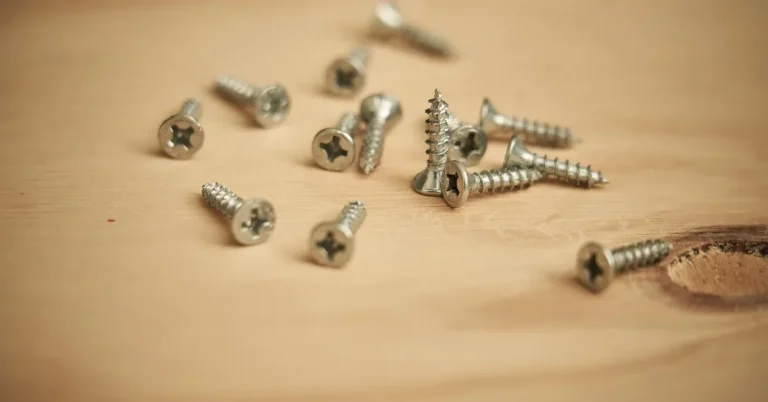
Once the pilot holes are done, you’ll switch to a screw-driving bit to insert your screws.
If you’re hanging a picture frame on drywall, you’ll start with a bit that matches the anchor size. Once the anchor is in, you might switch to a driver bit to screw in the hook or bracket.
Switching Tasks
Projects often involve multiple steps. You might start by drilling holes for hinges, then switch to a different bit to attach the hinges with screws. Or you might be drilling holes for dowels, and then need a plug cutter to make decorative caps.
Each of these requires a bit change.
Consider furniture assembly. You’ll use a bit to create pilot holes, then another to drive screws. If you’re working with metal, you’ll need specific metal drill bits and possibly a lubrication fluid.
The process of changing the bit is the same, but the reason for the change is tied to the task.
Material Differences
Drilling into different materials requires different bits. You wouldn’t use a masonry bit to drill a hole in a piece of plywood. So, if your project involves both wood and metal, or wood and drywall, you’ll likely need to swap bits.
This ensures efficiency and prevents damage to your bits and materials.
For example, if you’re building a deck, you’ll start with wood bits for the deck boards. But if you need to attach the deck frame to a concrete foundation, you’ll switch to a masonry bit for the concrete anchors. Even within wood, different types of wood might benefit from slightly different bits or drilling techniques, necessitating a change.
Bit Wear and Tear
Drill bits don’t last forever. Over time, the cutting edges become dull. A dull bit requires more pressure, drills slower, produces more heat, and can damage the material.
When you notice a bit isn’t performing like it used to, it’s time to
I noticed this most when drilling into hardwoods. A slightly dull bit would make the drill labor and leave a ragged hole. Switching to a sharp bit made the job effortless.
It’s a real confidence booster when your tools work smoothly.
What This Means For You: Normal vs. Concerning
Understanding how to change a drill bit is about more than just the mechanics. It’s about knowing when things are normal and when something might be wrong with your drill or bits.
Normal Occurrences
It’s perfectly normal for the chuck to feel stiff sometimes, especially if it’s new or hasn’t been used in a while. It’s also normal for the chuck to make a slight clicking or grinding sound as it tightens and loosens. The bit should feel very secure once the chuck is properly tightened.
A slight bit of wobble, if minimal and corrected by tightening, is usually not a major concern.
The sheer variety of drill bits available is also normal. From tiny bits for jewelry making to large auger bits for carpentry, the range is vast. Your Black and Decker drill is designed to accommodate most common types.
When to Be Concerned
You should be concerned if the chuck is completely seized and won’t loosen or tighten no matter what you try. This could indicate internal damage. If the drill bit spins freely even when the chuck is fully tightened, the chuck jaws may be worn out or damaged.
Excessive wobbling that cannot be corrected by proper bit seating and tightening is also a red flag.
Listen to your drill. If you hear loud, grinding noises that aren’t just the normal chuck operation, or if the drill itself sounds strained or unusual when spinning a bit, it might be time for a professional check or a new drill. Also, if the drill bit shank itself is visibly bent or damaged, it’s a sign that the bit needs replacing, and potentially the chuck needs checking to ensure it hasn’t caused the damage.
Normal vs. Concerning Chuck Behavior
Normal: Slight stiffness, clicking sounds, secure bit grip.
Concerning: Chuck completely stuck, bit spins freely, excessive wobble, loud grinding noises.
Always remember that if you’re unsure about a particular sound or feel from your drill, it’s better to err on the side of caution. Power it down and investigate, or consult your manual. A damaged chuck can lead to bits flying out, which is a serious safety risk.
Quick Tips for Effortless Bit Changes
Here are some simple things you can do to make changing drill bits a breeze:
- Keep it Clean: Periodically clean the chuck jaws and the chuck body. A small wire brush or compressed air can remove dust and debris that might make it stiff.
- Lubricate (Carefully): If your chuck is particularly stubborn, a tiny drop of penetrating oil or a bit of lithium grease applied sparingly to the chuck mechanism might help. However, be careful not to get oil on the drill bit itself, as this can make it slip. Less is more here.
- Regular Use: The more you use your drill and change bits, the less likely the chuck is to seize up. Regular, even infrequent, use can keep things moving freely.
- Use the Right Bit: Always use drill bits designed for the material you are drilling. This not only ensures better results but also helps bits last longer and prevents them from getting stuck as easily.
- Invest in Quality Bits: While Black and Decker drills are great for home use, investing in good quality drill bits can make a huge difference in performance and longevity. They are less likely to dull quickly or break.
- Store Bits Properly: Keep your drill bits organized in a case. This protects them from damage and makes it easy to find the exact bit you need, saving you time and frustration when you’re project is underway.
These small habits can make a big difference. It’s like maintaining your car; small checks keep it running smoothly for years.

Frequent Questions About Changing Drill Bits
How do I know which way to turn the chuck to loosen it?
Most chucks have arrows or markings indicating the direction to turn for tightening and loosening. Generally, it’s counter-clockwise (lefty-loosey) to loosen and clockwise (righty-tighty) to tighten. If there are no markings, try turning it in both directions – the one that allows the jaws to open is for loosening.
Can I use any drill bit with my Black and Decker drill?
Black and Decker drills typically use standard drill bits with round or hex shanks. For most common home tasks, yes. However, very large or specialized bits (like SDS bits for hammer drills) might require a different type of drill or chuck designed specifically for them.
Always check your drill’s specifications if you are unsure.
My drill bit is stuck in the chuck. What should I do?
First, ensure the drill is unplugged or the battery is removed. Make sure the chuck is fully loosened. If it’s still stuck, try wiggling the bit gently while pulling it out.
If that doesn’t work, inspect the bit shank for damage. In rare cases, the chuck mechanism itself might be jammed, and you may need to seek professional help or consider replacing the chuck.
How tight should I make the chuck?
You should tighten the chuck until the drill bit feels very secure and doesn’t wiggle. For keyless chucks, give it a firm turn. Don’t overtighten to the point of straining yourself or the chuck, but ensure there’s no play in the bit.
A good test is to give the bit a gentle tug after tightening.
What’s the difference between a keyless chuck and a keyed chuck?
A keyless chuck is tightened and loosened by hand, using rotating sleeves on the chuck itself. A keyed chuck requires a separate tool, called a chuck key, which fits into holes on the chuck to tighten or loosen it. Keyless chucks are much more common on modern drills for their convenience.
Can I use a screwdriver bit in my drill?
Yes! Most Black and Decker drills are designed to accept screwdriver bits, which usually have a hex shank. You’ll just change the drill bit for the screwdriver bit in the same way.
This is extremely handy for driving screws quickly. Ensure the bit is securely tightened in the chuck.
Conclusion
Changing a drill bit on your Black and Decker drill is a skill that makes your DIY projects smoother and safer. It’s a simple process, but knowing the steps, understanding potential issues, and keeping things clean will save you time and frustration. Now you know how to confidently swap out bits for any task, big or small.
Sponsored / affiliate links. As an Amazon Associate I earn from qualifying purchases. I may earn additional commission from eligible campaigns.